
Dog Heat Cycle Tracking: What to Record and How to Plan the Next Heat
By Kenny SchultzLast reviewed
Dog heat cycle tracking means recording day one of every heat, the signs, how long she stayed in, and any progesterone results and breedings. The gaps between her heats then estimate the next one, and counting 9 to 14 days from day one estimates the fertile window. Both are planning dates; progesterone testing with your vet sets the breeding day.
Key takeaways
- Record day one of every heat, bred or not, and note what you saw so you know how firm the date is.
- Estimate her next heat from the middle of her own gaps between heats, not a breed average, so one odd season doesn't move the plan.
- Treat a fertile window of 9 to 14 days after day one as a planning estimate; when she comes in, tell your vet and let progesterone testing set the breeding day.
- Take a heat that's far early, far late, split or missing to your vet with your dates in hand.
- Keep every breeding female on one calendar or timeline so overlapping heats and stud bookings show up months ahead.
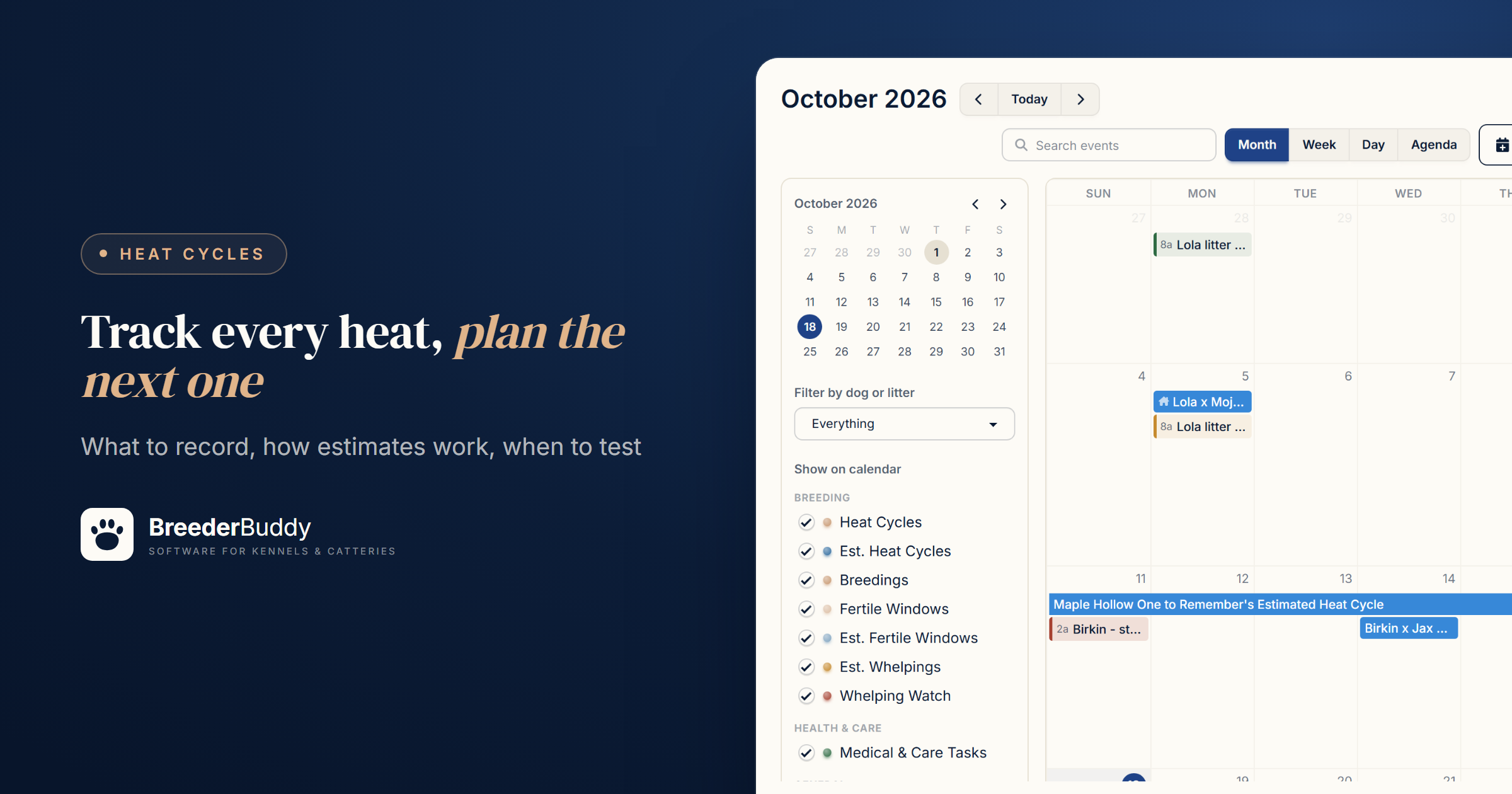
Dog heat cycle tracking means recording every heat a female has: the first day, the signs as they change, the day she went out, and any progesterone results and breedings. After a few cycles, the gaps between her own heats estimate her next one, and a count from day one estimates her fertile window, close enough to plan around while progesterone testing sets the breeding day.
It matters most once you have several girls, an outside stud to book and a waitlist asking when the next litter is due. Below: what to record, how the estimates work and where they stop, and how BreederBuddy runs it.
How often dogs come into heat
Most females come into heat roughly every 6 to 7 months, and the two stages you can see, proestrus and estrus, average about 9 days each. Both vary a lot from dog to dog.
The Merck Veterinary Manual puts the normal interval between heats at 4 to 13 months and gives each stage a range of 3 days to 3 weeks. The AKC notes that Basenjis and Tibetan Mastiffs cycle only once a year and that first heats can be irregular. Her own last few heats say more about her than any average, which is why every one is worth writing down:
- Planning. A projected heat is what you plan around months ahead: booking the stud, arranging chilled or frozen semen, giving your vet a heads-up, clearing your own calendar.
- Her pattern. Some girls run like clockwork and some drift, so a young female's rhythm shows only after a few seasons.
- Problems. A heat that comes far early or late, stops and restarts, runs much longer than usual, or never shows is worth raising with your vet, with your dates in hand. The AKC also ties tracking to catching pyometra early, a potentially life-threatening uterine infection that typically appears 4 weeks to 4 months after a heat. If she drinks or urinates more than usual after a heat, call your vet.
Day one is easy to miss. The Merck manual notes that even an observant owner may not notice the true start of a heat for a few days, so write down the first day you saw signs and what you saw.
What to record for each heat
Record the same handful of facts every cycle, whether or not you breed her:
- Day one: the first swelling or bloody discharge, which anchors every estimate.
- Signs as they change: discharge color, flagging, interest from males, standing.
- The day she went out, so an unusually long or short heat stands out.
- Progesterone results, with dates and the lab.
- Breedings: date, method and sire.
- Anything unusual: a split or silent heat, illness, medication, a move.
Keep the seasons you skip, too. An unbred heat still counts toward her interval, and the AKC's progesterone guide suggests it can be useful to test a heat even when no breeding is planned. Heat records are one part of her file; dog breeding record keeping software covers the rest.
How the next heat and fertile window are estimated
Her next heat is estimated by adding her usual interval to the first day of her last heat, and her fertile window by counting days from that start.
With one heat on file there's no interval to measure, so you're working from a generic number. With two or more, use her own gaps, and when they vary, use the middle one rather than the average, because one odd season drags an average a long way.
Say her last four heats started on October 2, 2024, April 3, 2025, November 29, 2025 and June 3, 2026. The gaps are 183, 240 and 186 days. The middle gap, 186, puts her next heat around December 6, 2026. The average, 203, would say December 23, more than two weeks later because of one late season.
For the fertile window, 9 to 14 days after day one is a common working estimate; here that's December 15 to 20. Treat it as a planning date: with proestrus and estrus each running 3 days to 3 weeks, her fertile days can land well before or after it.
For a quick projection from one date, the free dog heat cycle calculator projects her next three heats from her last heat and an interval you choose.
When to hand off to progesterone testing
Use the estimate to plan the season, and let progesterone testing with your vet set the breeding day once she's actually in heat.
A projected date tells you when to be ready, not when she'll ovulate. Ovulation comes about two to three days after the LH surge, which only testing can see, and the AKC's progesterone guide notes that results aren't always consistent from one cycle to the next. In that guide, one veterinarian draws a baseline sample 7 to 10 days after the first signs of heat and repeats it two to three days later; another advises testing every other day once levels rise. Your vet sets the schedule.
When day one arrives, record it, tell your vet (Merck advises doing that as soon as she's in season when a timed breeding is planned), and agree on when to start testing. Progesterone tracking: time the breeding right explains what the numbers mean.
Step 1: Record each heat on her Heat Cycles tab
In BreederBuddy, every heat lives on her profile's Heat Cycles tab.
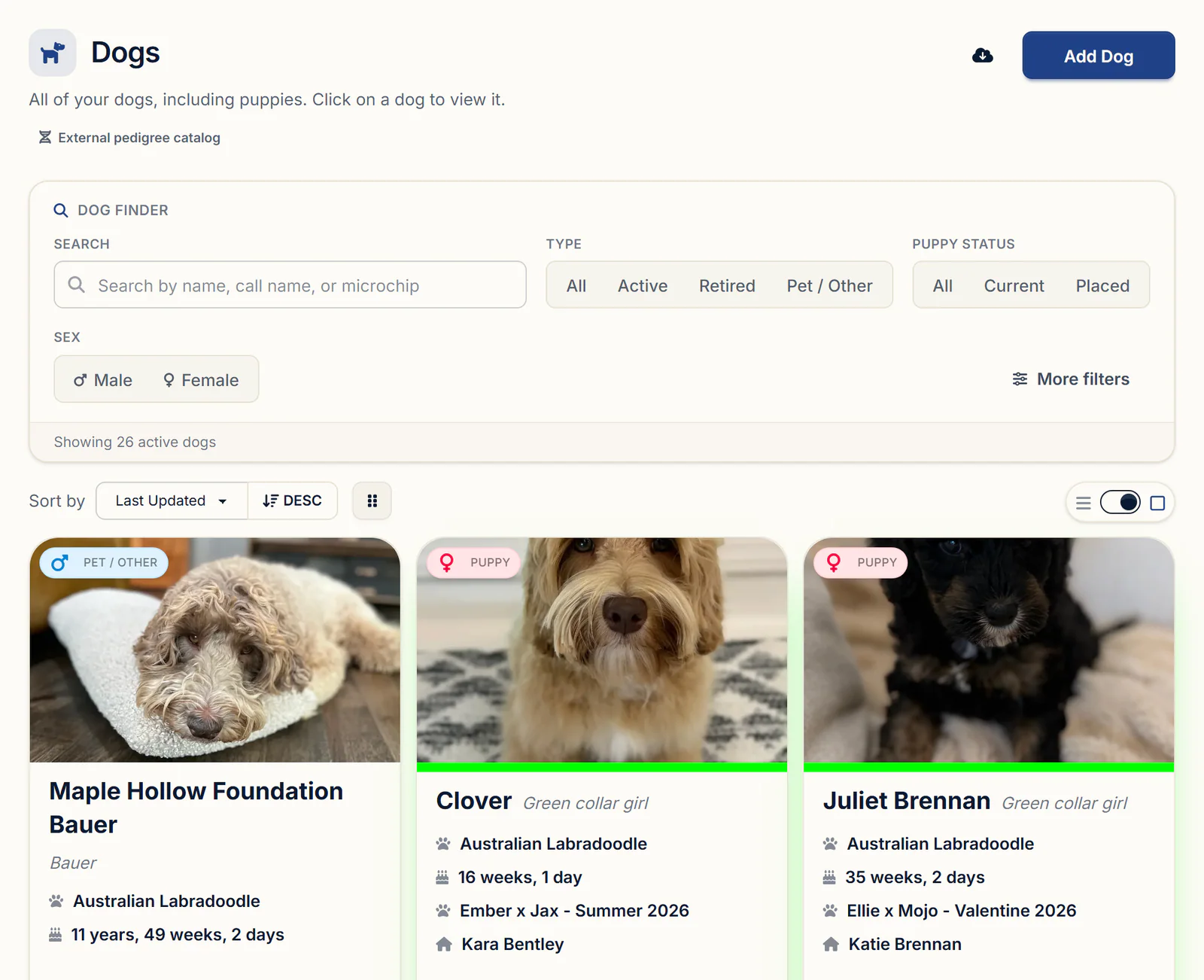
Open her from the Dogs page. The tab appears on any female whose Type isn't Puppy, so change a young girl you've kept to Active Breeding Dog on her Details tab first.
- On her profile, click Heat Cycles in the Care & Evaluation group.
- Click Add Heat Cycle, or Add First Heat Cycle if she has none yet.
- Enter the Start Date, the first day of the heat.
- Leave Fertile Window Start Offset (days) at 9 and Fertile Window End Offset (days) at 14, or change them for a girl you know runs early or late.
- Add Notes and click Save.
There's no separate field for the day she went out, so put that, the signs and anything unusual in Notes. Add her past heats the same way, each with its real start date.
Step 2: Read her estimated next heat
Once a cycle is saved, the top of the tab shows her Last Recorded Heat Cycle and an Estimated Next Heat Cycle, with the cycle length it used and a progress bar counting the days since her last heat started.
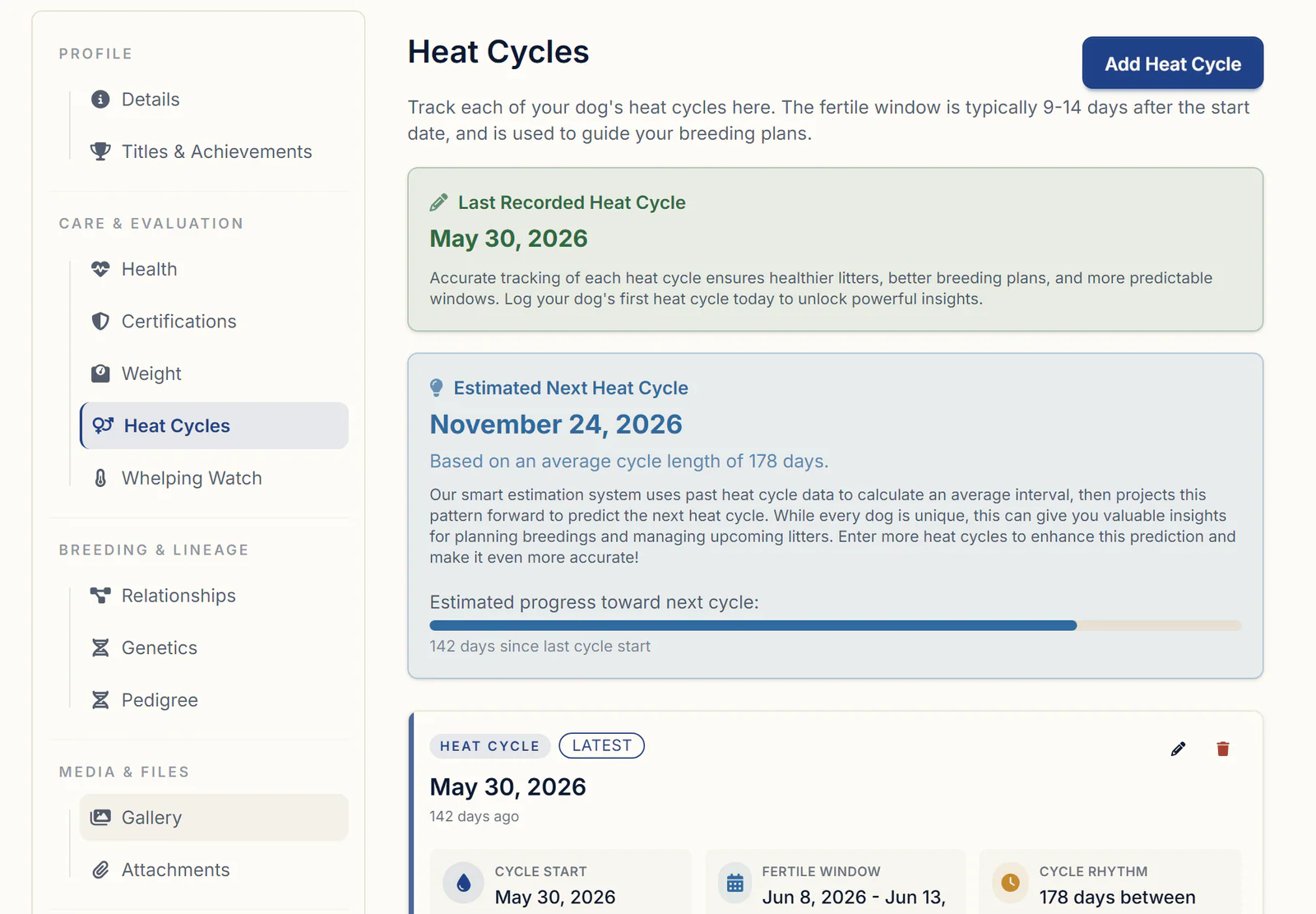
The tab calls that number her average cycle length; once she has three or more gaps, it's the middle one, as in the example above. Each cycle card shows its Cycle Start, Fertile Window (Day 9 to Day 14 by default), Cycle Rhythm (the days since her previous heat) and Notes. These are the defaults behind the numbers:
| Setting | Default | To change it |
|---|---|---|
| Fertile window | 9 to 14 days after the start date | Edit the cycle's offsets |
| Next heat, one cycle on file | 180 days after her start date | Add her past heats |
| Next heat, two or more cycles | Her last start plus the middle of her gaps, kept between 90 and 400 days | Keep recording every heat |
| Estimated heats on the calendar | Up to four cycles ahead | Untick Est. Heat Cycles |
| Litter Planner forecast | 3 cycles | Choose 4 cycles or Off |
If a projected heat passes with no cycle recorded, the estimate moves on to the next one, so the tab won't flag a missed heat by itself. Watch the date yourself, and if she doesn't come in, mention it to your vet.
Step 3: Adjust the fertile window and log progesterone
Each cycle's fertile window defaults to 9 to 14 days after its start date, and you move it by editing the cycle's two offsets with the pencil on its card. The calendar's estimated windows use the middle of her own recorded offsets, so if she runs late every time and you adjust each cycle, her estimates follow.
Each cycle card also has an activity panel for progesterone and breedings:
- Log Progesterone Test takes the Test Date, the Progesterone (ng/mL) value and the Vet / Lab, and charts the rise. Once a reading reaches 5 ng/mL, Ovulation Timing treats that day as ovulation and suggests breeding windows by method, plus a due date of ovulation plus 63 days. That 5 ng/mL line is a rule of thumb, so let your vet read the actual results.
- Log Breeding records the Breeding Date, the Breeding Method (natural tie, TCI, or fresh, chilled, frozen or surgical AI) and the Sire Used, yours or an outside male.
Then What's next for this breeding? offers to create the litter, which is what marks her pregnant; litter tracking software picks up from there. The full progesterone workflow is on progesterone timing in BreederBuddy.
Step 4: See every female on the calendar and Litter Planner
The Calendar and the Litter Planner show every breeding female's recorded and estimated heats together, so overlaps show up months ahead.
On the calendar, a recorded heat runs from her start date to the end of its fertile window, and the fertile window gets its own bar. Heats you haven't recorded yet appear as estimated heat cycle and estimated fertile window bars, up to four cycles ahead. Click one to see how many recorded heats it came from and the interval it used, with a link to her Heat Cycles tab. To see just the breeding picture:
- Open Calendar under Events.
- In the Show on calendar panel (tap Filters on a phone), keep the Breeding group ticked, including Est. Heat Cycles and Est. Fertile Windows.
- Untick the rest, or pick one dog under Filter by dog or litter.
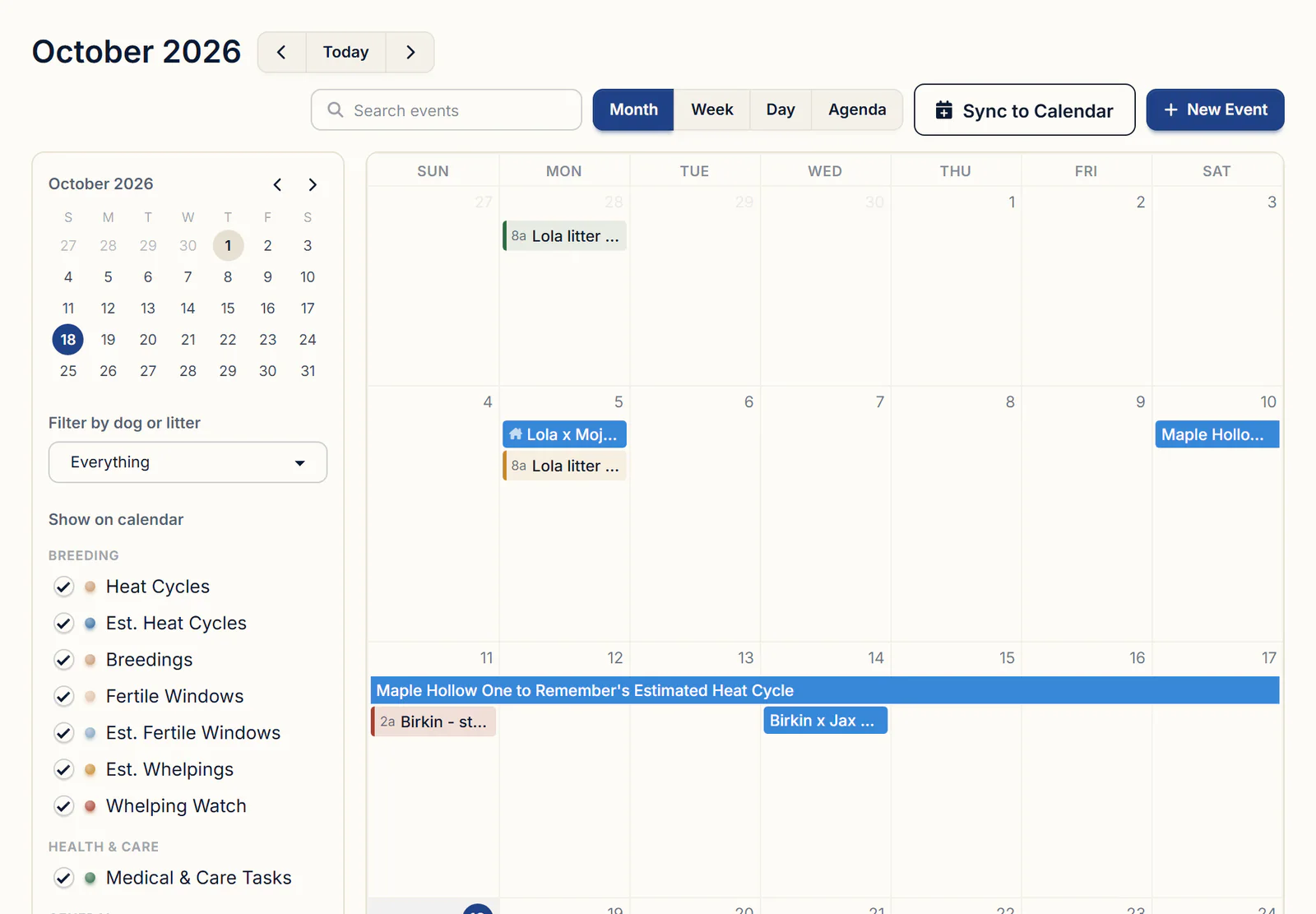
Sync to Calendar sends them, estimates included, to the calendar app on your phone or computer.
The Litter Planner, under Tools & Analytics, gives each girl a row under Breeding Females: solid bars for recorded heats, faded dashed bars for forecasts (the same math as the calendar), and pink bars for pregnancies. Filter by All Females, In Heat or Pregnant, choose a Forecast, and print it with Export PDF. If two girls are projected for the same month, you'll see it before you promise one stud to both; stud dog management covers his side.
Only females with Type set to Active Breeding Dog appear, and Spayed / Neutered under Fertility leaves a girl out. Set a retired girl's Type to Retired and her history stays while she drops off the planner and the calendar's estimates.
What to look for in heat cycle tracking
Hold any method, paper or software, to this list:
- Every heat kept per female, bred or not, including past heats
- A next-heat estimate from her own gaps that shows the number it used
- A fertile window you can adjust per cycle, marked as an estimate
- Progesterone results and breedings attached to their cycle
- Every female on one calendar or timeline
Getting started
Heat cycles, the calendar and the Litter Planner are on every BreederBuddy plan. Standard is $30/month or $300/year. Pro is $60/month or $600/year and adds a kennel website built from your records. Every plan has a 30-day free trial with no credit card required.
Questions
Where do I record a breeding or tie, and how do I get the estimated due date?
On her Heat Cycles tab, not the Litter Planner. Open the cycle's progesterone and breedings panel, click Log Breeding, and pick the Breeding Method and the Sire Used. Then choose Create the litter: the parents and breeding date fill in, and the litter shows an estimated due date from a 61-day gestation, which you can change. If a progesterone reading reached 5 ng/mL, the cycle also shows a refined due date of ovulation plus 63 days.
Can the app predict when each female will come into heat next and alert me before it happens?
It predicts, but it doesn't alert. Her estimated next heat shows on her Heat Cycles tab, the calendar and the Litter Planner, all from the same math, and nothing is sent as that date approaches. For a heads-up, add your own calendar event on her estimated date with Email Reminder? ticked and choose when the email goes out, up to a week before.
Where do I log a heat cycle, including past heats and litters, when I'm catching up on records?
Heat cycles have their own tab on her profile, Heat Cycles, in the same Care & Evaluation group as Health. Click Add Heat Cycle once for each past heat and enter its real Start Date. Add past litters on the Litters page with their Date Bred and Date of Birth, and set Status to Completed.
Can I see due dates and fertile days on a calendar without birthdays and everything else crowding it?
Yes. In the Show on calendar panel, untick every type except the ones you want: Est. Whelpings for due dates, and Fertile Windows and Est. Fertile Windows for fertile days. Untick Birthdays too; that one setting is shared with everyone in your program. Show all brings everything back.
How do I log progesterone test results during a heat, and can I get a reminder when to test?
Open the heat cycle's progesterone and breedings panel and click Log Progesterone Test for each draw, with the Test Date and the Progesterone (ng/mL) value. The readings list in date order and chart as a rise. A reading under 5 ng/mL offers a retest reminder on your calendar two days later. For the first draw, add your own calendar event for the day your vet suggests, with Email Reminder? ticked.
Once I record a breeding, will she be marked pregnant with the expected litter and reminders created automatically?
Not from the breeding record alone, because pregnancy comes from a litter. Right after Log Breeding, pick Create the litter in the What's next for this breeding? prompt. That marks her pregnant on the Litter Planner, starts her Whelping Watch countdown and puts her due date on the calendar under Est. Whelpings. If you'd rather confirm first, pick Create pregnancy check reminder instead (28 days after breeding by default); marking it complete later offers to create the litter.
Terms used in this article
- Heat cycle
- A female dog's season, when she shows swelling and discharge, becomes receptive to males and ovulates. Day one is usually the first swelling or bloody discharge.
- Interestrous interval
- The time from one heat to the next. In dogs it is normally 4 to 13 months, with about 7 months the average.
- Proestrus
- The first stage of heat, with vulvar swelling and bloody discharge. Males are interested but she isn't receptive yet. It lasts 3 days to 3 weeks.
- Estrus
- The stage when she accepts the male and ovulates. The bloody discharge often lessens and turns more watery and pinkish. It also lasts 3 days to 3 weeks.
- Fertile window
- The days around and just after ovulation when a breeding is most likely to result in pregnancy.
- LH surge
- The spike in luteinizing hormone that triggers ovulation, which follows about two to three days later.
- Split heat
- A heat that stops partway and starts again within a few weeks. It can happen in a female's first heats.
- Silent heat
- A heat without the usual visible signs, such as swelling or discharge, so it is easy to miss.
Sources
- Merck Veterinary Manual: Breeding Management of Bitchesmerckvetmanual.com
- AKC: How Often Do Dogs Go Into Heatakc.org
- AKC: How Long Are Dogs in Heatakc.org
- AKC: Progesterone Testing in Dogsakc.org
In BreederBuddy
- Standard
- $30/month or $300/year. The full management platform: unlimited dogs, litters, and puppies, and multiple user accounts.
- Pro
- $60/month or $600/year. Everything in Standard, plus a template kennel website built from your records.
- Platforms
- Available on the web and as an Android app on Google Play (iPhone and iPad app coming soon).
- Free trial
- 30 days, full access, no credit card required.