
Stud Dog Management: Agreements, Breeding Records and Stud Fees
By Kenny SchultzLast reviewed
Stud dog management means keeping your male's health clearances current and easy to verify, putting every outside breeding under a signed stud service agreement, recording each tie or insemination with the female's registered name and owner, and collecting the stud fee on the agreed terms. In BreederBuddy, his clearances, agreement, breedings and fee invoices live in one account.
Key takeaways
- Put every outside breeding in a signed stud service agreement before she arrives: the fee and when it's due, the method, health tests, the repeat breeding remedy and when you sign litter papers.
- Ask every visiting female for a recent negative brucellosis test and keep your own male tested; a dog with a history of brucellosis can't be bred.
- Record each mating the day it happens: date and place, who handled it, her registered name and number, and her owner's name and address.
- If you want to hold the litter paperwork until you're paid, say so in the signed agreement; otherwise AKC expects the sire's owner to sign.
- Count his litters every year: for AKC, a sire with more than three litters in a calendar year or seven or more in his lifetime needs a DNA profile.
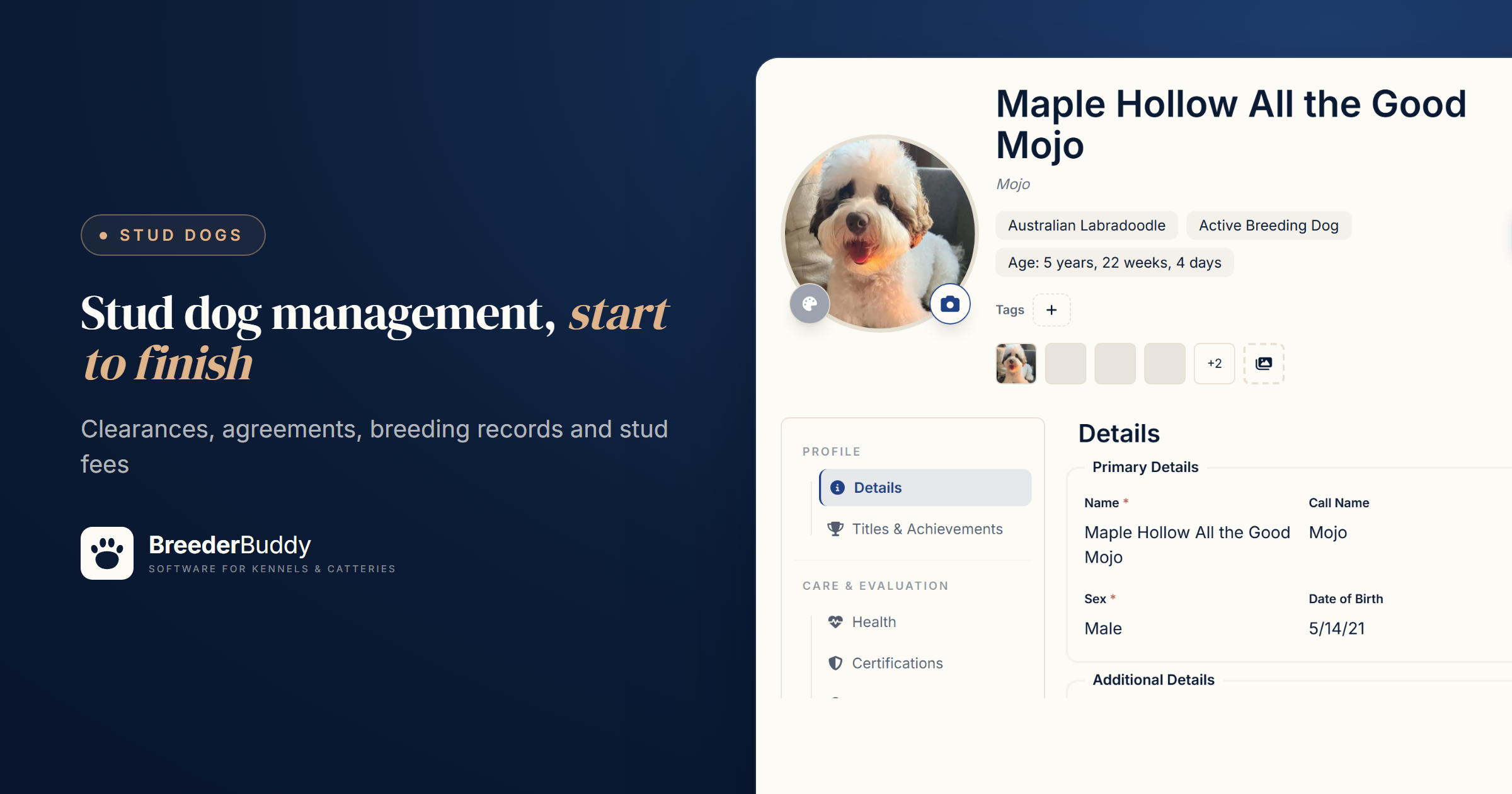
Stud dog management comes down to four jobs: keep his health clearances current and easy to check, put every outside breeding under a signed stud service agreement, record each tie or insemination the day it happens, and collect the stud fee on the terms you both signed.
A folder of OFA printouts and a message thread with each female's owner holds up until two girls come in season the same week, or a small litter arrives and nobody can find what the guarantee said. Below is the practice, then the same jobs in BreederBuddy.
What outside breeders check before they book
A breeder booking your male wants proof that he's healthy, registered and a good match for her female. Have these ready:
- Health clearances for the breed. The tests your parent club recommends, often hips, elbows, a current eye exam and DNA tests, with results others can check, like OFA numbers.
- A recent negative brucellosis test. Brucellosis spreads through breeding, is very hard to treat, and a dog with a history of it can't be bred. Test both dogs before breeding.
- Registration and pedigree. His registered name and number, and a pedigree deep enough to spot shared ancestors.
- What he produces. Photos, coat color results, and litters he has sired.
Ask the same of her side: clearances, a negative brucellosis test and full (not limited) registration, so her litter can be registered. Age matters too: under AKC rules, a litter needs extra proof to be registered if the dam was under 8 months or over 12 years at mating, or the sire under 7 months or over 12 years.
What a stud service agreement covers
A stud service agreement settles the fee, the method, the health rules and the paperwork in writing before she arrives, so nothing gets negotiated while she's standing. AKC's guidance is that stud agreements should be written, state every obligation, and be signed by everyone involved, with a copy for each signer.
| Term | What to settle | Common choices |
|---|---|---|
| Stud fee | The amount and its form | A cash fee, pick of the litter, or one or more puppies |
| When it's due | Deposit and balance | A booking deposit at signing, the balance at service |
| Method and costs | Live cover or AI, and who pays | Often the female's owner covers travel, vet work, collection and shipping |
| Health | Tests each side provides | A negative brucellosis test within an agreed window |
| Missed or small litter | What counts, the notice deadline, the remedy | One repeat breeding on her next heat |
| Registration | When you sign the litter paperwork | Once the fee is paid in full |
Progesterone timing. The female's owner and their vet usually run her progesterone, since she lives with them. Your agreement should still say what you need before she travels or semen ships (the results, or her vet's ovulation call) and who picks the breeding days. More on reading the numbers in progesterone timing for dogs.
Registration. An AKC litter application must be signed by one owner of the sire. AKC expects that signature, which only certifies the mating happened, unless everyone signed an agreement saying it waits until the stud fee is paid, so put that clause in yours if you want it. Contract law varies by state, so have an attorney read your final wording.
Stud dog records for every breeding
Write each breeding down the day it happens, in enough detail to settle the litter's registration and your guarantee years later. AKC's rules list what an owner records whenever a dog is mated:
- the date and place of the mating
- who handled it
- the registered name and number of the dog he was bred to
- her owner's name and address
AKC wants them kept, on paper or electronically, for at least five years after the dog dies or leaves your hands, and electronic records must be printable when AKC asks. Add what your agreement depends on: the method, each tie or insemination, the progesterone result behind the timing, and what her owner reports later.
How often to use your stud
There's no fixed number: his body, his breed's gene pool and the registry all set limits. Ask your reproductive vet how often he can be used or collected, and get a semen evaluation if he's older or in heavy demand. AKC requires a DNA profile for any sire producing seven or more litters in his lifetime or more than three in a calendar year, and recommends a sperm count every six months for a male still used at stud past 12.
The gene pool is the slower problem. A male who sires a large share of a breed's litters spreads whatever recessive he carries and raises inbreeding in the next generation. Capping outside bookings and turning down closely related females are two simple guards, so check the pairing's coefficient of inbreeding before you say yes.
Step 1: His record, clearances and pedigree
Your stud's BreederBuddy profile holds the clearances, pedigree and photos a visiting breeder asks to see, so set it up before the first inquiry.
- Open him from Dogs, go to the Certifications tab, click Import PDF and choose an OFA eCertificate. Check the test, result, cert number and dates BreederBuddy fills in, and click Add certification. Add PennHIP, DNA and brucellosis results with Add Certification.
- Watch the badges: green is valid, yellow expires within 30 days, red has expired. An eye exam imported from an OFA PDF expires one year after the exam date.
- With a Pro website, his results list on his page. Paste each official record into Link to results under Show this on my website so visitors can check it.
- Fill in his Pedigree tab with Assign on each parent card. Then click the Share icon next to his name, choose Share pedigree, then Share URL and Create Share URL.
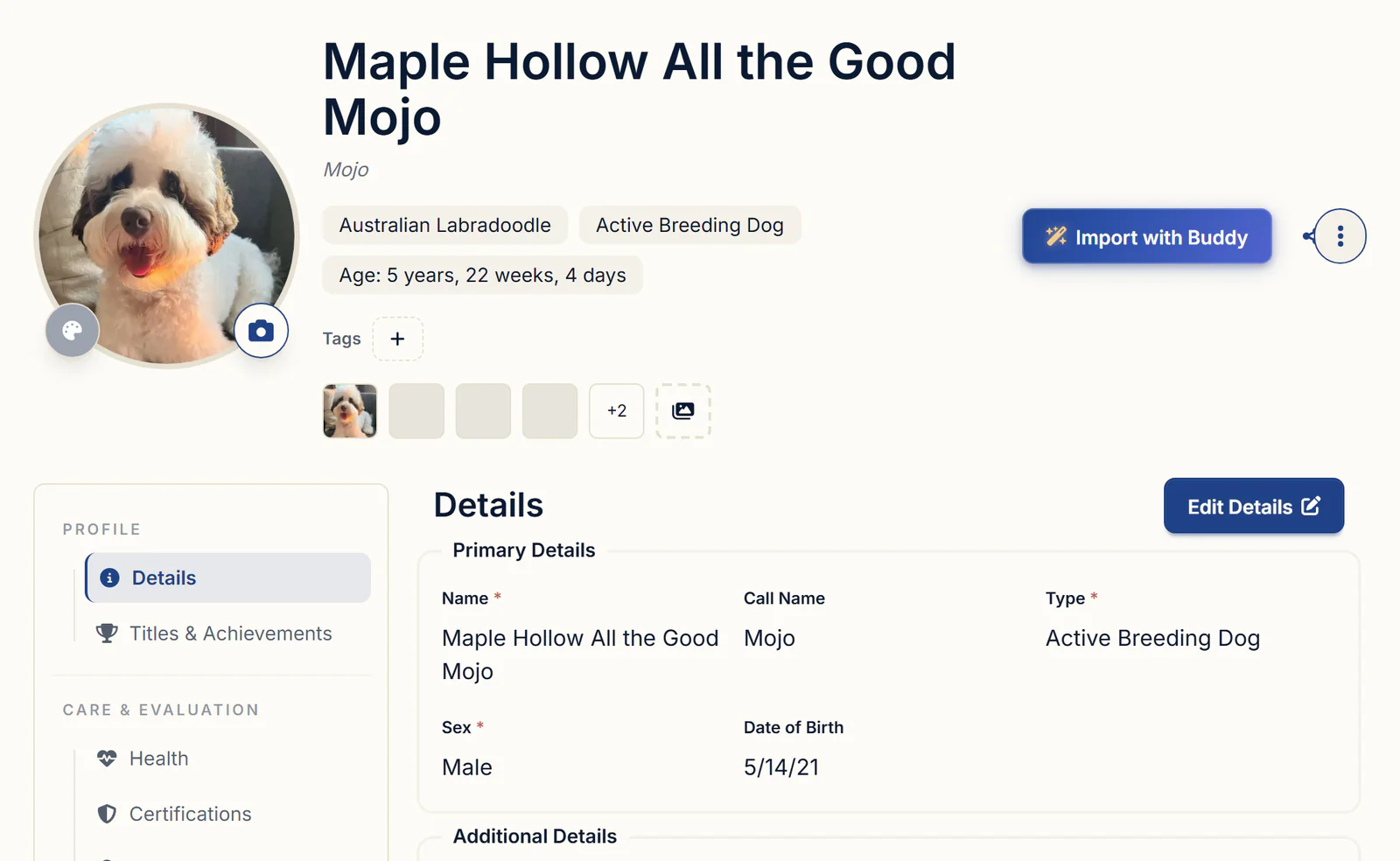
Share profile in the same menu builds a private link with his details, photos and Health tab records, but not his certs, so send OFA links with it. Untick Breeding under Health records to keep other clients' females private. More on readable pedigrees in dog pedigree software.
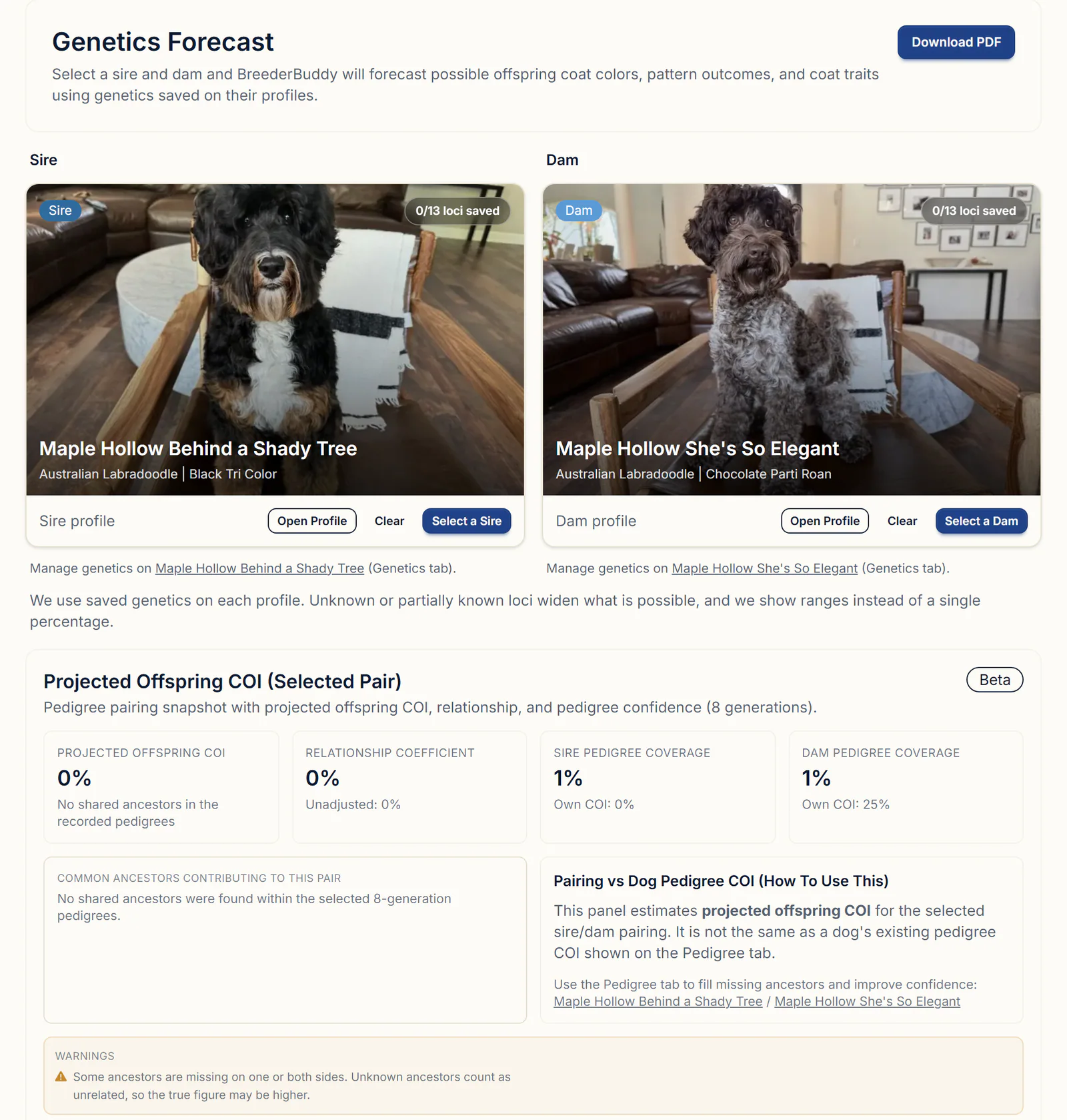
To check a pairing before you book, open Genetics Forecast, pick him as Sire and her as Dam (switch to Outside dogs for a female saved in your pedigrees). You get likely coat colors from the genetics saved on each dog, and a Projected Offspring COI, which counts only the ancestors you've recorded. See genetics and pedigree tools.
Step 2: The Stud Service Agreement
BreederBuddy's Stud Service Agreement starter template covers most of the terms above, fills in from his record, and is signed online by the female's owner.
- Go to Contracts, click Add New Contract, and click Use this template on Stud Service Agreement.
- Edit the Terms & Conditions to fit your program. As written: a non-refundable booking deposit credited toward the fee, the balance due at service, a negative brucellosis test for her, one repeat service on her next heat if she misses or has fewer than two live puppies at 72 hours, and the signed stud certificate once the fee is paid.
- Add what's missing. The template names your male but not her, and doesn't say who times the breeding, so type a custom variable like ${femaleName} where her registered name belongs and add a line on progesterone results.
- Under Dog Fields to Include, his name, date of birth, breed, color, microchip and registration number are already ticked. Click Save.
- Click Send Contract to Customer, pick her owner as the Customer and your stud as the dog, and fill in the values BreederBuddy asks for: Service Method (typed, like natural cover or frozen AI), Stud Fee, Booking Deposit and any you added. Click Save to send it.
- When asked Set Owner?, click No. He stays yours.
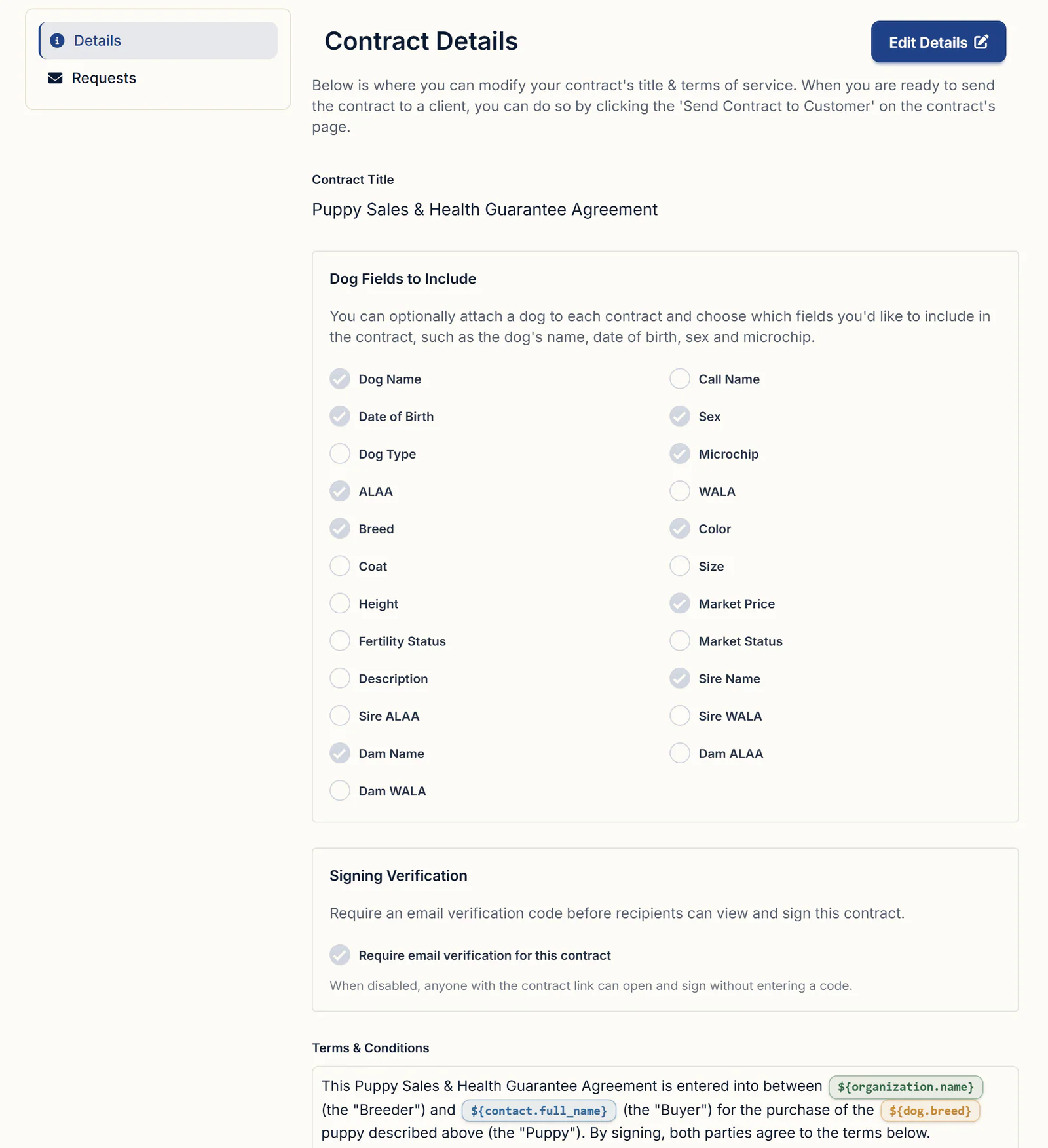
Her owner opens the email link, enters the six-digit code from her email, and signs on her phone or computer. The signed PDF lands on the template's Requests tab, on her owner's contact and on your stud's record. See the full stud service contract template.
Step 3: Logging a breeding with an outside female
Each tie or insemination goes on your male's Health tab as its own breeding record, naming the outside female.
- Open his profile, go to Health, and click + Add Breeding in the Breedings section.
- Enter a Breeding Title such as "Mojo x Winnie, tie 1", the Breeding Date and the Breeding Method (Natural tie, TCI, or fresh/chilled, frozen or surgical AI).
- Under Dam Used, click Select a Dam. A returning female is under Outside dams already in your pedigrees: click Use. For a new one, click Add a new outside dam, enter her registered name, registration number, breed and color, and click Add dam.
- In Breeding Notes, record the place, who handled it, her registration number, her owner's name and address, tie times and her progesterone result.
- Click Save. When asked What's next for this breeding?, click Skip, since it's her litter. Choose Create the litter only if you want it in your records and on his Relationships tab.
For a printable log, click Export PDF Report on his Health tab, Clear all, tick Breedings and click Generate PDF. Each breeding prints with its date, title, her name, method and your notes.
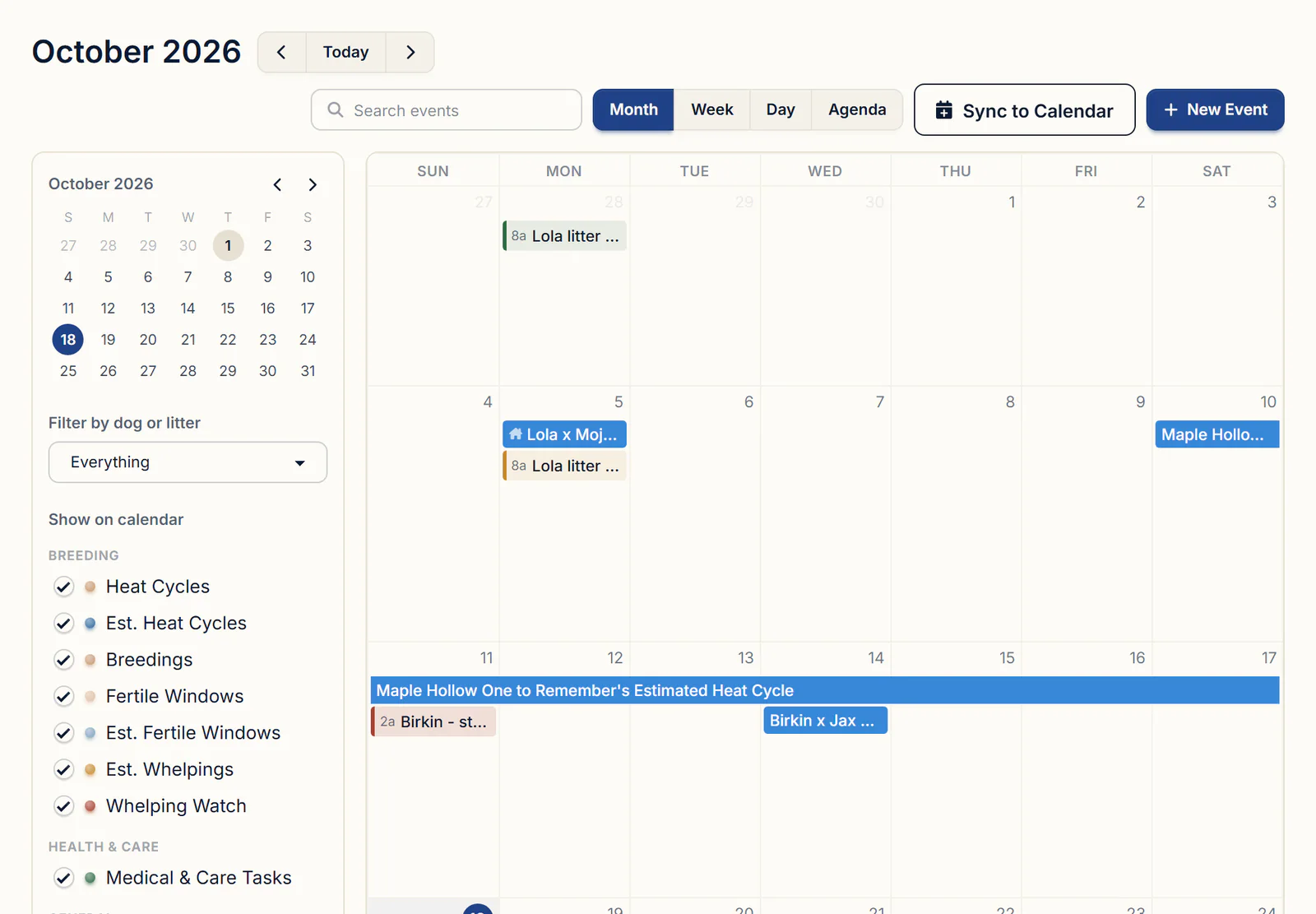
Recorded breedings also show on your Calendar under Breedings, titled with his name and hers, beside your own girls' heat cycles and estimated fertile windows when Filter by dog or litter is on Everything. For a female who's booked but not bred yet, add a New Event on her expected dates. More on tracking your own females' heats.
Step 4: Invoicing the stud fee
Bill the booking deposit and the balance as two invoices to her owner, and BreederBuddy credits the paid deposit against the fee.
- Optional: under Finances, open Products and save a "Stud fee" with Create product and its Default price.
- On Invoices, click Create New Invoice, pick her owner as the Contact, enter an Invoice Title such as "Stud booking deposit", set Invoice Type to Deposit, add the deposit amount and click Save. Choose Send email when asked Send invoice to customer?
- At service, create the second invoice, add your stud fee from Find or add item, and click Apply deposit in the yellow Deposit credit available box. It adds every paid deposit invoice for that contact, so check the amount for a repeat client.
- Her owner pays from the email link (online through Stripe if you've connected it), or you record Venmo, Zelle, cash or a check with Log Manual Payment.
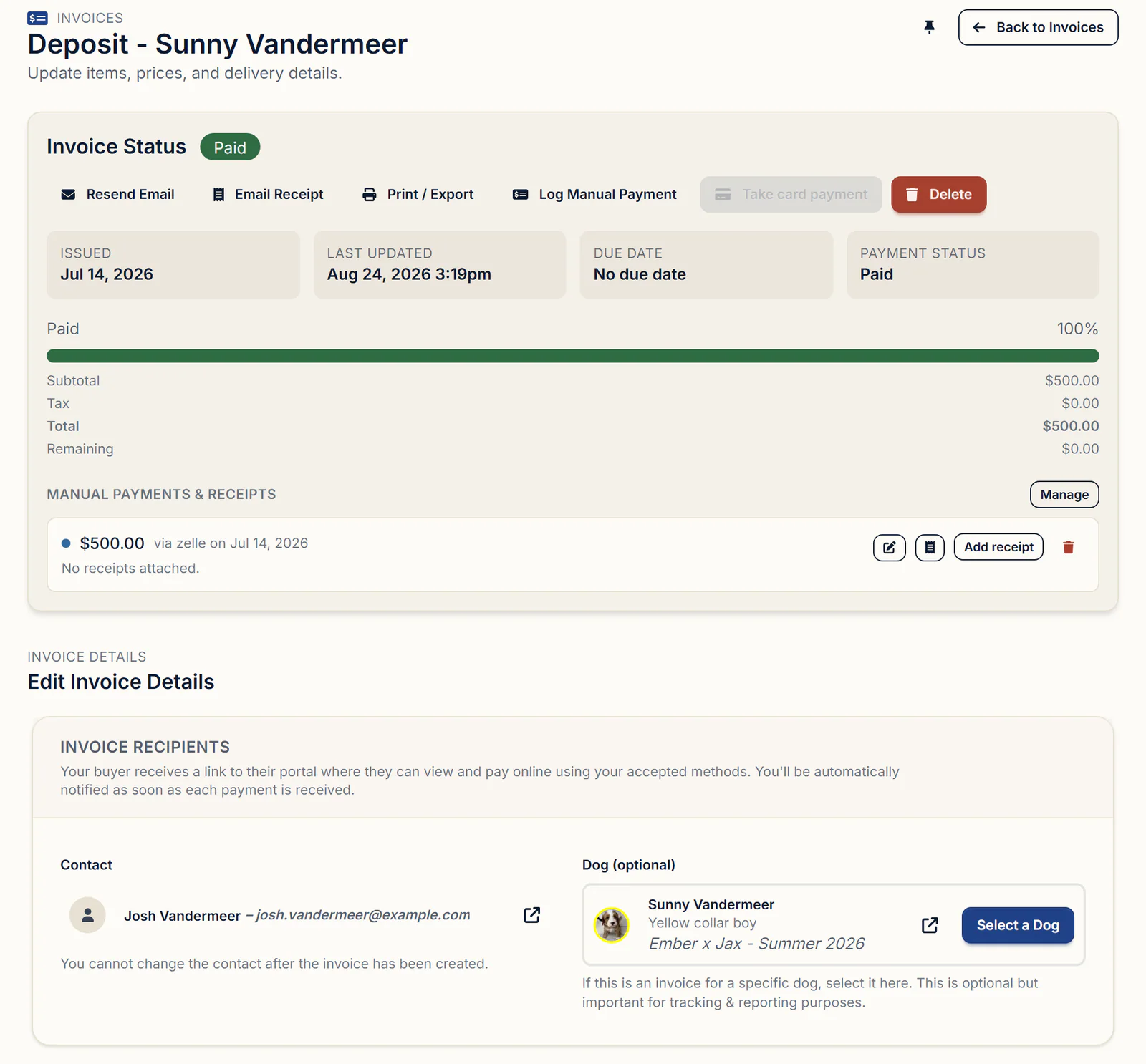
Pick your stud in the invoice's dog box and the fee counts on his Finances tab. Invoices are built around puppy sales, so when BreederBuddy asks Set Owner? click No, and skip the market status change with Skip for now. A cash fee with nothing to bill goes in Other Income: click Log Other Income, then Add income, choose the Stud Fee category and set Apply to to your male.
What to look for in stud dog management software
Hold any tool against this list:
- Breeding records on the male that accept a female you don't own
- An editable stud contract the other breeder signs online
- Deposit and balance invoices, with the deposit credited
- Clearances on his record, with expiry warnings
- A breeding log you can print or save as a PDF
Getting started
Everything in this guide except the website is on every plan. Standard is $30/month or $300/year. Pro is $60/month or $600/year and adds a kennel website built from your records. Every plan has a 30-day free trial with no credit card required.
Questions
How much should I charge for a stud fee?
That's your call as the stud owner, and the fee can be cash, pick of the litter or one or more puppies. Weigh his clearances, titles, proven litters and demand in your breed. Whatever you choose, write the amount, the booking deposit and the due dates into the stud service agreement.
Is the stud fee refunded if she doesn't get pregnant?
Only if your agreement says so. A repeat breeding on her next heat is a common remedy instead of a refund. BreederBuddy's Stud Service Agreement template makes the booking deposit non-refundable and offers one repeat service if she misses or has fewer than two live puppies at 72 hours, provided her owner gives written notice.
How do I record a stud service (stud out) with an outside female?
Log it on your male. Open his profile, go to the Health tab and click + Add Breeding. Enter the Breeding Date and Breeding Method, then under Dam Used click Select a Dam and pick her from your outside dams, or click Add a new outside dam. Click Save, and log each tie or insemination as its own record.
How do I track stud fees I pay for outside studs, or receive when my stud is used?
Fees you receive belong to your male: bill them with an invoice and pick him in the dog box, or log a cash payment in Other Income under the Stud Fee category with Apply to set to him. A stud fee you pay another breeder is an expense: add it in Expenses and link it to your female or the litter with Apply to.
Can I see everything my stud has produced: his litters, offspring and grandkids?
Open his Relationships tab. Litters and Offspring list every litter recorded in BreederBuddy with him as the sire, and the puppies in it. A litter out of an outside female only appears there if you create it, for example with Create the litter after logging the breeding. There isn't a grandchildren view yet.
How many litters can a stud dog sire in a year?
There's no single safe number. Ask your reproductive vet how often he can be used or collected, and weigh what heavy use does to your breed's gene pool. For AKC litters, a sire producing more than three litters in a calendar year, or seven or more in his lifetime, must be DNA profiled.
Terms used in this article
- Stud service agreement
- A written contract between a stud dog's owner and a female's owner that sets the fee, breeding method, health tests, guarantee and registration terms.
- Stud fee
- What the female's owner pays for the breeding. The stud owner sets it, and it can be cash, pick of the litter or one or more puppies.
- Outside female
- A female owned by another breeder that is bred to your stud dog, by live cover or with his collected semen.
- Repeat breeding
- A second breeding on the female's next heat at no extra stud fee, offered when the first produces no litter or a smaller litter than the agreement allows.
- Live cover
- A natural breeding in which the stud ties with the female in person, as opposed to insemination with fresh, chilled or frozen semen.
- Canine brucellosis
- A bacterial infection spread through breeding or contaminated material. It is very hard to treat, and a dog with a history of it can't be bred.
- Popular sire effect
- What happens when one male sires a large share of a breed's litters: any hidden recessive he carries spreads and the gene pool narrows.
Sources
In BreederBuddy
- Standard
- $30/month or $300/year. The full management platform: unlimited dogs, litters, and puppies, and multiple user accounts.
- Pro
- $60/month or $600/year. Everything in Standard, plus a template kennel website built from your records.
- Platforms
- Available on the web and as an Android app on Google Play (iPhone and iPad app coming soon).
- Free trial
- 30 days, full access, no credit card required.