
Dog Breeding Records: What to Log Per Dog, Heat, Litter and Buyer
By Kenny SchultzLast reviewed
Dog breeding records should cover each dog's identity and parents, every heat and breeding date, each litter's whelp date and puppies by sex, color and markings, every puppy's shots and weights, and each buyer with the date the puppy left. AKC's rules say to keep them at least five years after a dog is sold, given away or dies.
Key takeaways
- Write each record the day it happens: AKC's rules expect mating, whelping and death records made at the time, not rebuilt later.
- Log every heat start date, bred or not, so her next heat is predicted from her own history.
- Identify each puppy at birth with an ID collar and a written color key, and keep its shots and weights on its own record.
- Link every puppy to its buyer's name and address and the date it went home.
- Keep breeding records at least five years after a dog is sold, given away or dies, and longer if they feed your pedigrees.
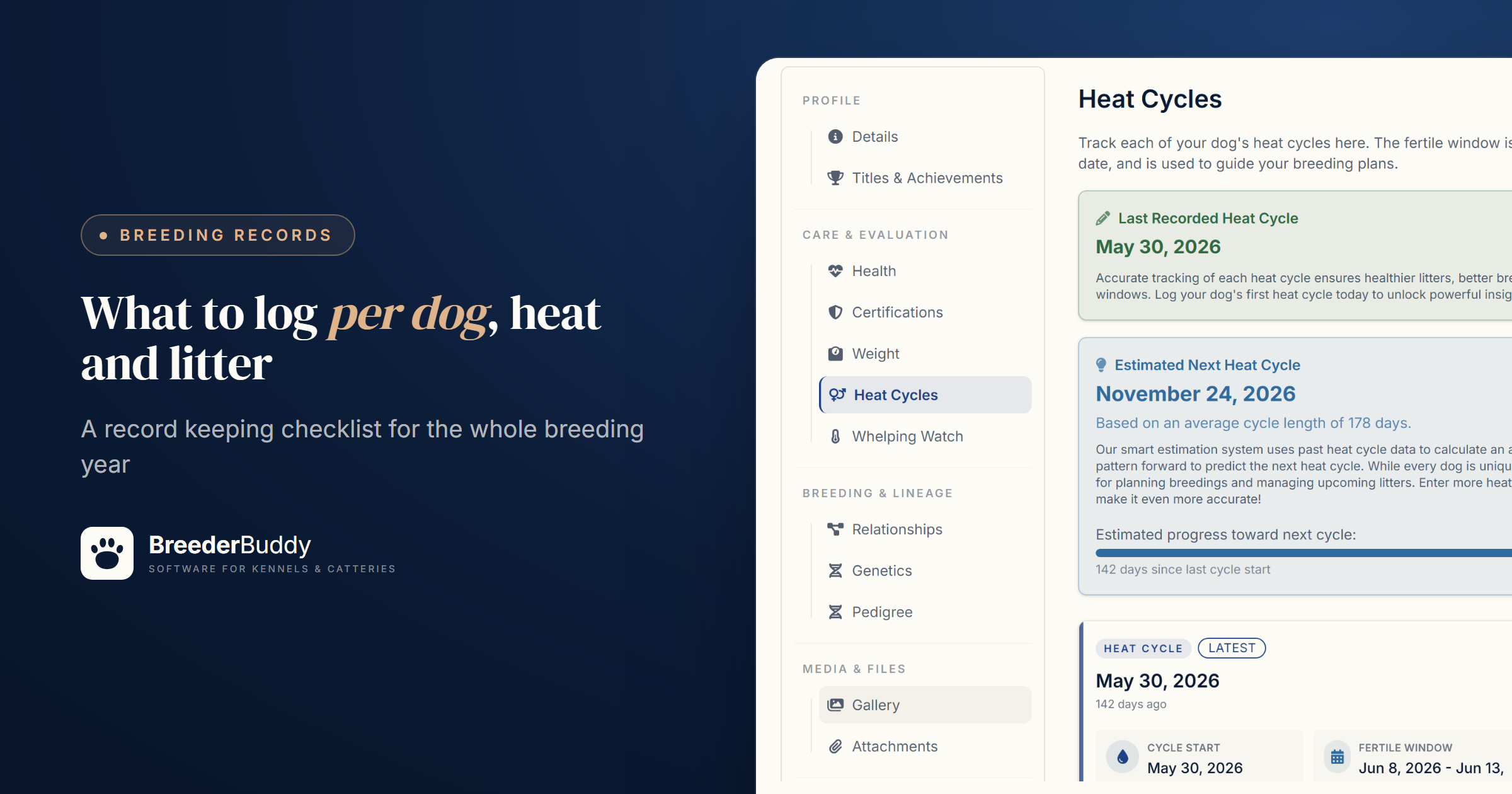
Dog breeding records are the dated facts behind every dog, heat, litter, puppy and sale: who the parents were, when each female was bred and whelped, which shots each puppy got, and where each one went. Keep each record on the dog, litter or buyer it belongs to, and write it down the day it happens.
A whelping notebook, a spreadsheet and a folder of OFA printouts hold up until a litter application asks for the breeding date. This guide covers what to record, what AKC expects and for how long, and where each record lives in dog breeding record keeping software like BreederBuddy.
What to record, and for how long
AKC's record keeping regulations set the minimum for each dog, mating and litter:
- Each dog: breed, registered name and number, sex, color and markings, date of birth, the sire's and dam's names and numbers, the breeder, and who you got the dog from and when.
- Each mating: the date and place, who handled it, and the other dog's registered name and number and its owner's name and address.
- Each litter: the whelp date, puppies by sex, color and markings, the litter registration number, and for each puppy the buyer's name and address, the date it left and the papers you gave.
Those rules say to make each record when a dog arrives or leaves and at the time of each mating, whelping or death, and to keep it at least five years after the dog is sold, given away or dies. Electronic records count if they're in a standard format you can print the moment AKC asks, with a backup kept somewhere safe. AKC's inspection FAQ goes further and asks for written, hard copy ownership and litter records, a written emergency plan, and ID on every dog (a microchip, tattoo or collar and tag) that's written into your records. Other registries and some states have their own rules, so check yours, and ask your accountant about sales and expense records.
Here's where each record lives in BreederBuddy, plus the ones AKC doesn't ask for:
| Record | What to log | Where it lives in BreederBuddy |
|---|---|---|
| Each dog | Registered and call name, breed, sex, color, birth date, registration numbers, microchip, parents | The dog's profile |
| Health clearances | Test, result, certificate number, test date, expiry, the certificate itself | The dog's Certifications tab |
| Each heat | Start date, progesterone draws with dates and values | Her Heat Cycles tab |
| Each breeding | Date, method, the sire used, the place and who handled it | Log Breeding on that heat |
| Each litter | Date bred, whelp date, puppies by sex, color and collar | The litter and its Puppies tab |
| Each puppy | Vaccines and dewormers with product and lot, weights | The puppy's Health and Weight tabs |
| Each buyer | Name and address, the puppy, the go-home date, the contract | Their contact record, set as the puppy's Owner |
For printed copies, Document Manager fills in AKC's own Ownership Record for a dog and Litter Record for a litter. Check each field in its editor, and add the litter registration number and each puppy's transfer date, which don't fill in.
Step 1: The record for each dog
Every other record hangs off the dog's profile, so set it up right once.
- Go to Dogs in the left menu and click Add Dog.
- Fill in Name, Type and Sex (required), plus Call Name, Date of Birth, Breed and Collar Color, link the Sire and Dam under Relationships, and click Create Dog.
- On the profile, Edit Details holds the color, microchip and two registration number fields, which you can rename for your registries in Settings → Preferences.
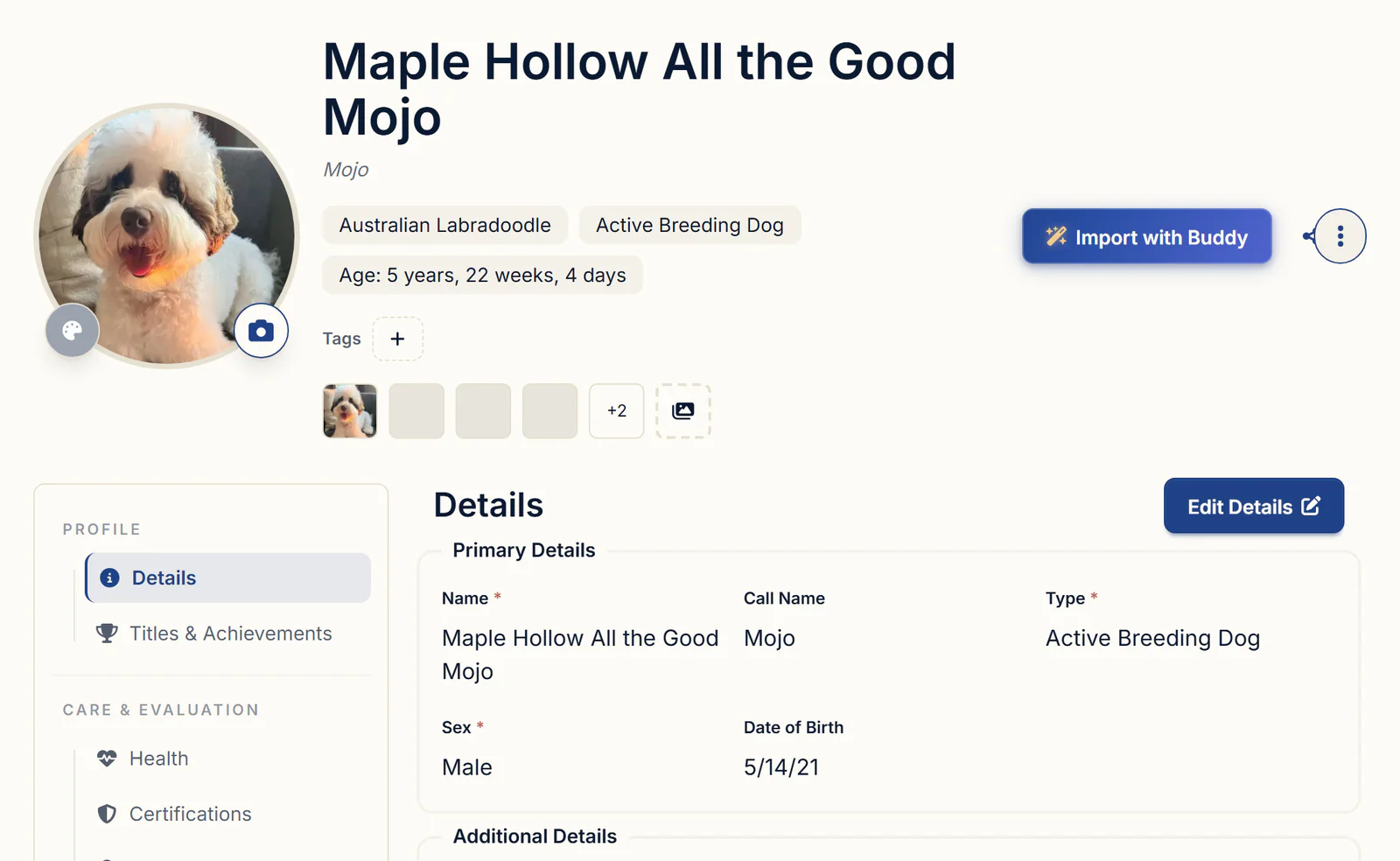
Health clearances go on the Certifications tab. Use the OFA PDF import at the top of the tab: BreederBuddy reads the eCertificate's test, result, certificate number and dates into Review Imported Certification, and keeps the PDF attached when you click Add certification. For anything else, like a vet's letter, click Add Certification and type the Certificate #, Date Tested and Expiry Date. Badges turn yellow within 30 days of expiry and red after, but nothing reminds you, so put the retest on your calendar.
When a dog or a sold puppy leaves your program, don't delete it: tick Archive from main workflow on Edit Details (for a retired dog, set Type to Retired). For a dog who dies, set Type to Deceased and add the date as an Other record on her Health tab, since there's no date of death field. Her records stay, and she can still be a parent in pedigrees.
Step 2: Heats and breedings
Log every heat start date, including heats you don't breed, because a female's own history predicts her next heat better than a breed average.
- Open the female, click the Heat Cycles tab, then Add Heat Cycle, enter the Start Date and click Save. The fertile window defaults to 9 to 14 days after the start.
- On the cycle, expand Cycle Activity and click Log Progesterone Test for each draw, with its date, value and lab.
- Click Log Breeding for each tie or insemination, with the Breeding Date, Breeding Method and Sire Used. Put the place, who handled it and an outside stud's owner in Breeding Notes.
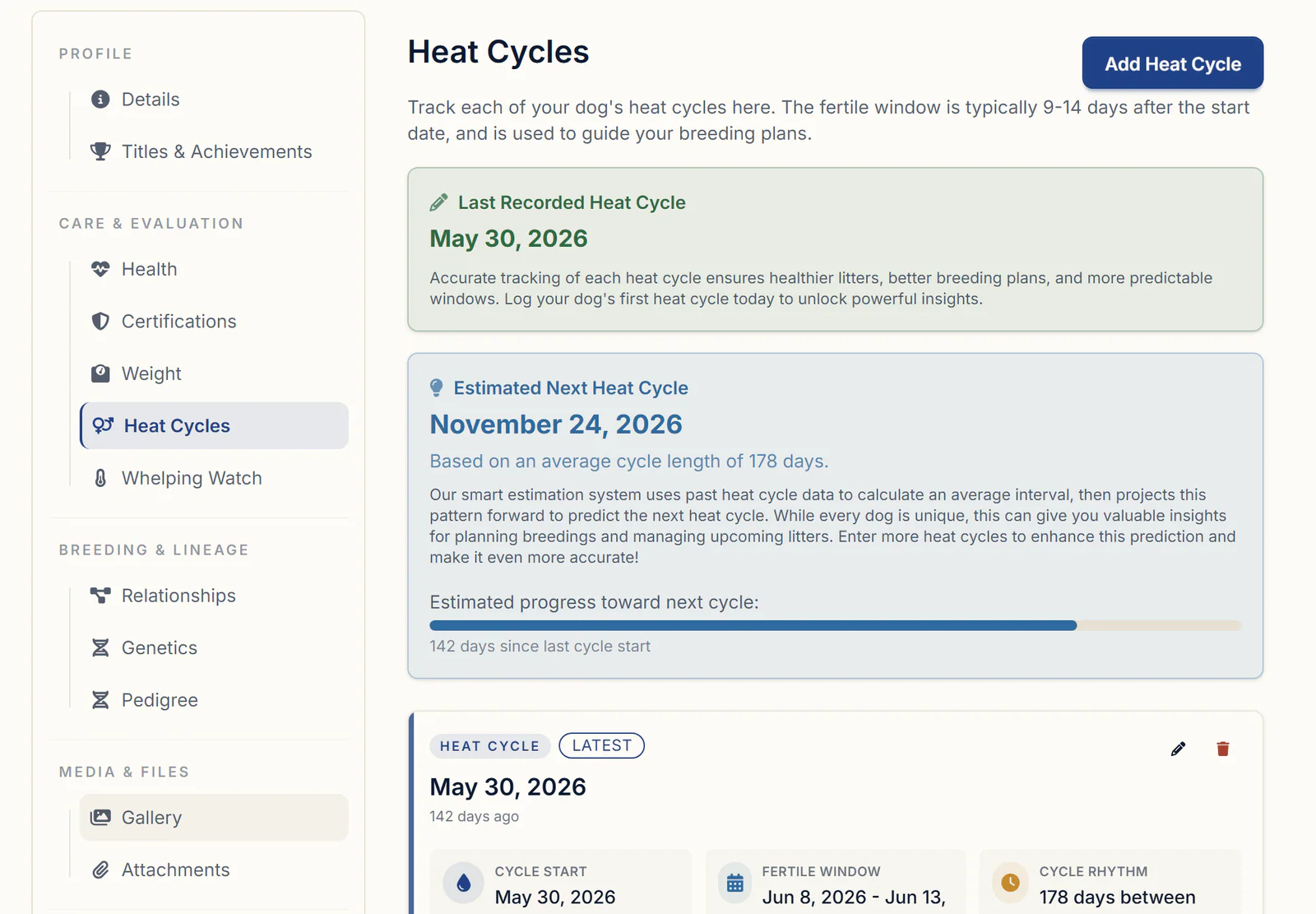
The tab shows her Last Recorded Heat Cycle and an Estimated Next Heat Cycle, based on the median gap between her recorded heats, or 180 days until she has two on file.
When BreederBuddy asks What's next for this breeding?, choose Create the litter. The litter, not the breeding record, marks her pregnant and sets her due date, and it's what puts the mating on her AKC Ownership Record. Progesterone timing and the calendar are covered in dog heat cycle tracking.
Step 3: Litter and puppy records
A litter record should answer what a registry asks: the parents, date bred, whelp date, and puppies by sex, color and markings.
Put an ID collar on every puppy at birth and write down the color key, before you're tired enough to mix up two black males.
- Go to Litters, click Add Litter, enter a Name, set Status to Planned and enter the Date Bred. The due date shows under it, from a 61-day gestation unless you click Change and set your own.
- Pick the Sire and Dam under Parentage and click Save.
- When she whelps, add the Date of Birth on Edit Details and accept the offer to mark the litter Born.
- On the Puppies tab, click Add New Puppy for each one (name, sex, collar color and a first weight), or use Bulk Add Puppies in the Toolbox and rename them later.
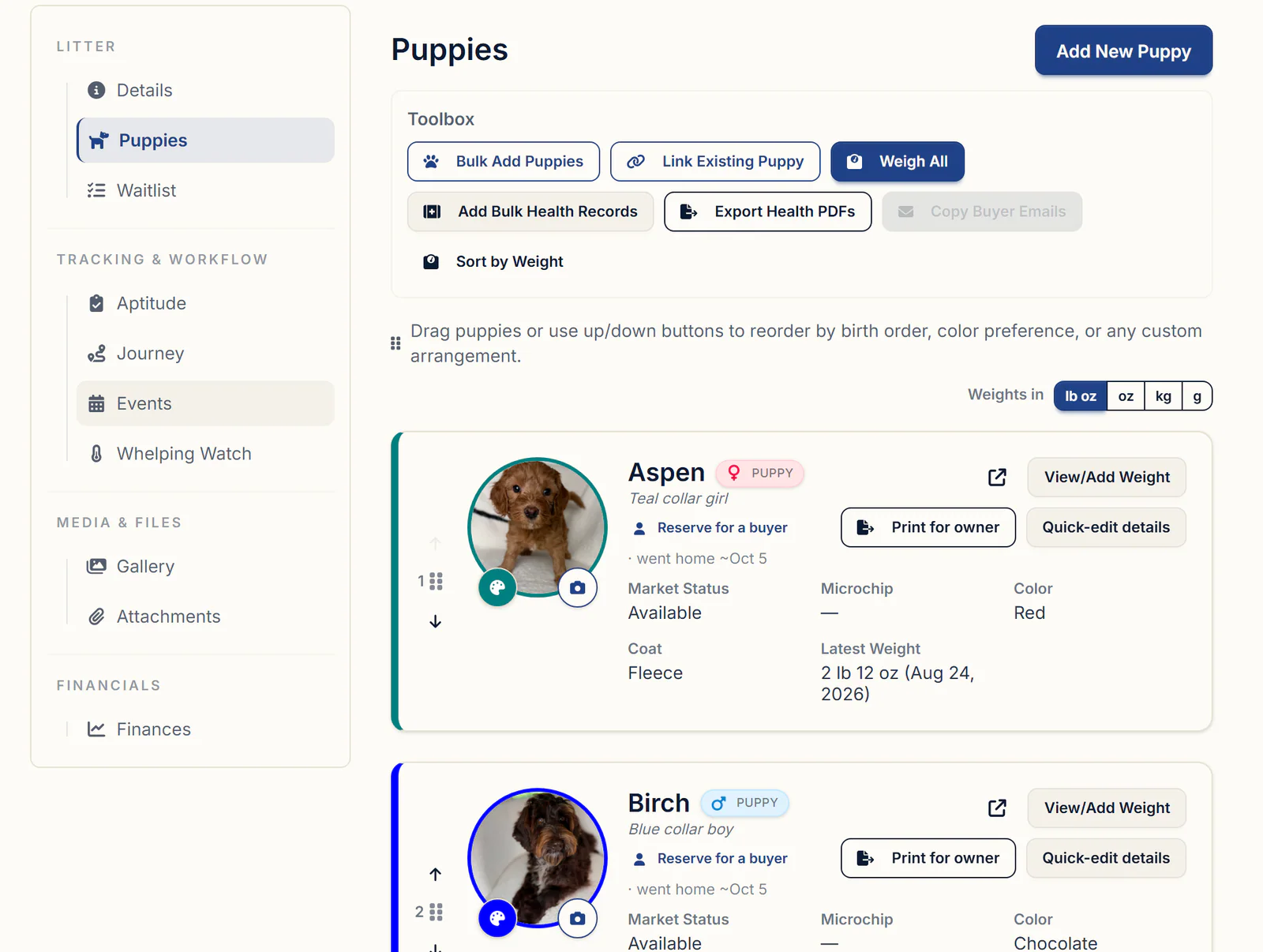
Each puppy becomes its own record, with the litter's sire, dam and birth date filled in. Whelping, weights and go-home day are covered in litter tracking software.
Step 4: Health records for every puppy
Every dewormer, vaccine and vet check should be written down with the date, product, dose and who gave it, plus the lot number and expiry for vaccines. Your vet sets the protocol; the record proves you followed it.
- On the litter's Puppies tab, click Add Bulk Health Records in the Toolbox.
- Tick Select All, or only the puppies that got it.
- Pick the Record Type, enter the vaccine or dewormer, the Date and Administered By, plus the brand, Dosage, Lot / Batch # and Expires On, then click Create Records.
- Set one Follow-up date for the next dose and click Yes, Create, or Skip.
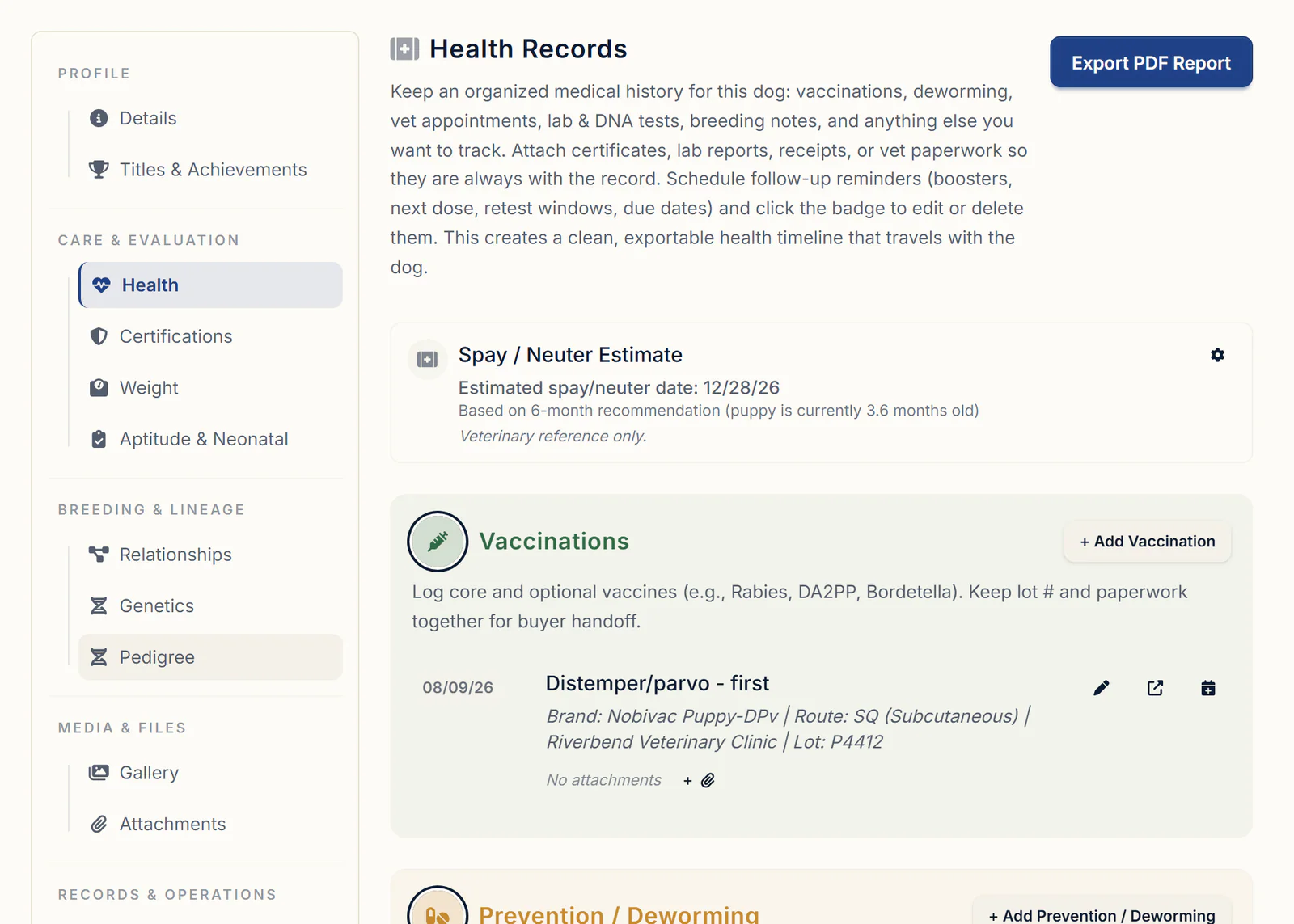
Each puppy gets its own copy on its Health tab, and the follow-up goes on your calendar. It's pre-filled a year out for vaccines and two weeks for dewormers, so change it to the next booster in a puppy series. Our week by week deworming and vaccination schedule shows a typical protocol.
On go-home day, click Print for owner on the puppy's card. Leave Include parents on to print the sire and dam, and Include upcoming to-dos on to list the shots still due as a checklist for the new owner. Export Health PDFs makes one for each puppy you pick. The go-home packet checklist covers the rest of the folder.
Step 5: Which puppy went to which family
The link between a puppy and its family is the record you need when a buyer calls years later.
- Open the submission under Applications, click Approve Or Decline, and choose Convert into Contact, Convert & Place into Waitlist, or Link to Existing Contact for a repeat buyer.
- When you match puppies, click Reserve for a buyer on the puppy's card and pick the contact. They become the puppy's Owner; click Mark as Reserved when asked (Retained for a Guardian Family contact).
- On the litter's Journey tab, click Schedule Pickup to set the day, then Mark Went Home when the puppy leaves, which sets the puppy to Went home (Sold).
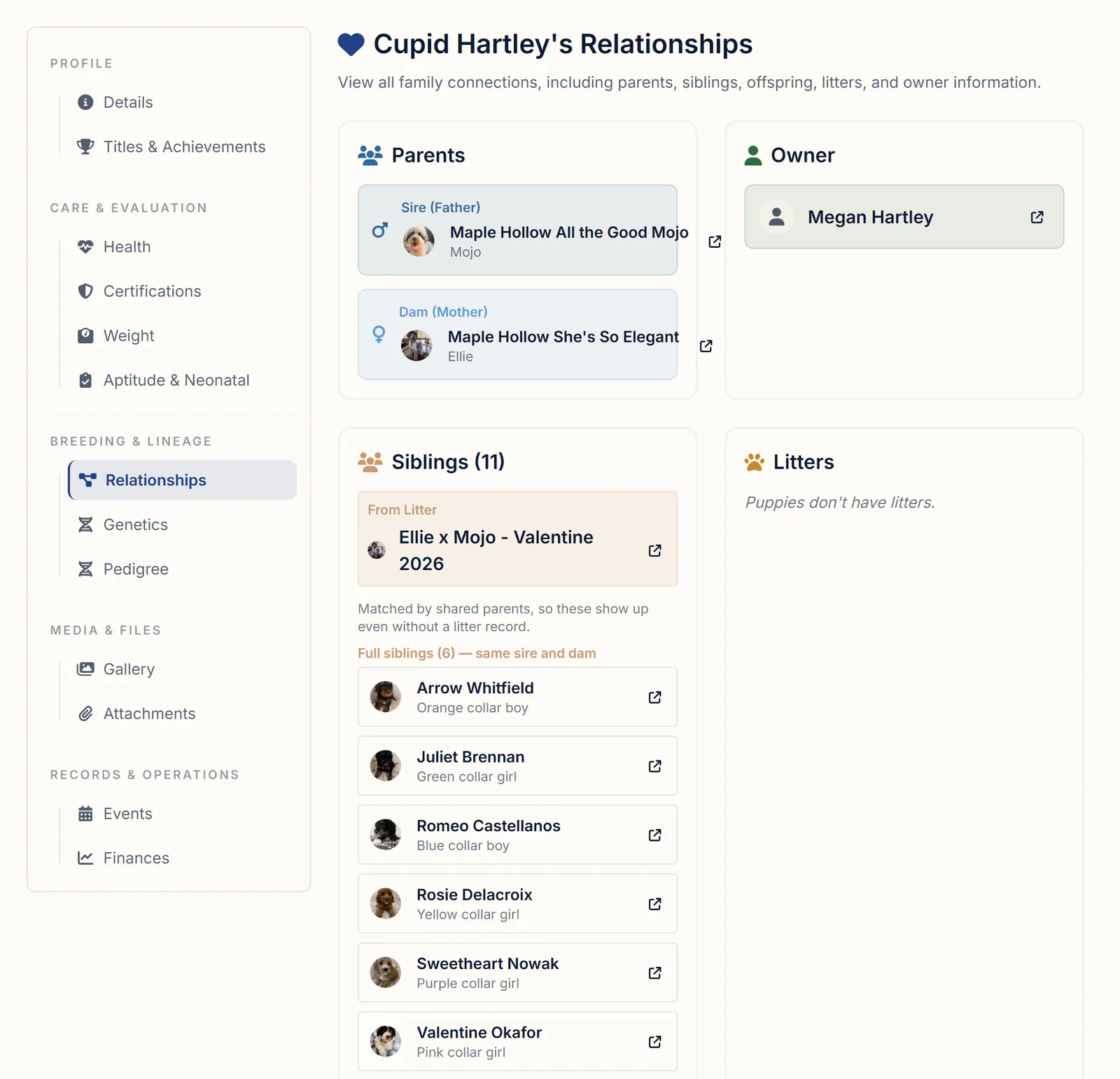
The puppy's Relationships tab then shows its sire and dam, the family that owns it and the litter it came from. The buyer's contact record holds the other side: their address, dogs, invoices, contract requests and attachments.
Bringing your old records in
Past records make the estimates useful from week one.
- A spreadsheet of dogs. On the Dogs page, click the cloud icon next to Add Dog, choose Import from CSV under Bulk CSV Import, and click Download Template. Only Name and Type are required, and it links sires, dams and litters by name.
- Anything else. Buddy Intake (under Tools & Analytics) reads PDFs, photos, Excel, CSV and text files, up to 5 at a time, from registration papers and OFA results to spreadsheets in your own layout. It shows every step it plans, saves nothing until you click Approve & Import, only fills blanks, and Undo this import reverses it. Imports have a monthly allowance. See importing breeding records with Buddy.
- Past heats and litters. Add each past heat with its real Start Date, and each past litter with its Date Bred, Date of Birth and Status set to Completed.
What to look for in a breeder record keeping system
Hold any system, software or paper, to this list:
- Heats, progesterone and breedings on the female's own record, with next-heat estimates from her history
- Puppies that take their sire, dam and birth date from the litter
- Health records you can log for a whole litter at once, with follow-up reminders
- Clearances with certificate numbers, expiry dates and the certificate attached
- Every puppy linked to its buyer and the date it went home
- Records you can print when asked, and an import with a review before anything is saved
Getting started
Everything in this guide is on every plan. Standard is $30/month or $300/year. Pro is $60/month or $600/year and adds a kennel website built from your records. Every plan has a 30-day free trial with no credit card required.
Questions
What records should a dog breeder keep?
For each dog: breed, registered name and number, sex, color and markings, date of birth, sire and dam, microchip and health clearances. For each mating: the date, place and method, who handled it, and the other dog and its owner. For each litter: the whelp date and puppies by sex, color and markings. For each puppy: weights, vaccines and dewormings. For each buyer: name and address, the puppy, the date it left and the papers given. Check your registry's rules for anything more.
How long do breeders have to keep breeding records?
AKC's record keeping regulations say at least five years after a dog is sold, given away or dies. Other registries and some states set their own rules, and your accountant can tell you how long to keep financial records. Breeding and health records are worth keeping for the life of your program, since they feed future pedigrees and help when a past buyer calls. In BreederBuddy, archived dogs and litters keep every record.
Can I bring my existing records over from AKC, a spreadsheet or my old breeding software instead of starting from scratch?
Yes. Bulk CSV Import on the Dogs page takes a template where only Name and Type are required, and it links sires, dams and litters by name. For anything else, like a spreadsheet or export in your own layout, AKC papers, or PDFs and photos of paper records, use Buddy Intake: it shows every step it plans and saves nothing until you click Approve & Import. If you run out of monthly imports, click Chat with support on the Buddy Intake page and the support team will import the rest for you. Direct imports from a registry are marked Coming soon.
Can I upload my OFA or DNA test results instead of typing them in by hand?
Yes. On the dog's Certifications tab, use the PDF import at the top and pick the file. An OFA eCertificate fills in the test, result, certificate number and dates for you to check, and the PDF stays attached. A DNA panel goes to Buddy, which adds every result and fills in the Genetics tab once you approve its review. For several reports at once, use Import with Buddy at the top of the dog's profile.
Can I log the same vaccine, dewormer or heartworm prevention for several dogs, or a whole litter, at once?
Yes. For a litter, use Add Bulk Health Records on the litter's Puppies tab. For adult dogs, add the record on one dog's Health tab, then click Log this for more dogs at the bottom of the form and tick the others, or use Log Care on the Care Schedules page. Each dog gets its own copy of the record.
How do I print a puppy's vaccine, deworming and vet records for the buyer at go-home, and leave out the sections they don't need?
On the litter's Puppies tab, click Print for owner on the puppy's card. Click Clear all, then tick only the sections you want, such as Vaccinations, Deworming and Veterinarian Appointments. Untick Include parents to leave the sire and dam off, leave Include upcoming to-dos on to list the shots still due, and click Generate PDF.
Terms used in this article
- Heat cycle
- The period a female dog is in season and can be bred. Most dogs come into heat about twice a year, though the interval varies by dog and breed.
- Fertile window
- The days within a heat when a breeding is most likely to take, usually pinned down with progesterone testing.
- Whelping
- Giving birth to a litter of puppies. The whelp date is the litter's date of birth.
- Litter registration
- Recording a litter with a registry so its puppies can be registered, which needs the sire, dam, breeding date, whelp date and puppy count.
- Health clearance
- An official health screening result, such as an OFA hip or eye evaluation, identified by its certificate number.
Sources
- AKC: Regulations for Record Keeping and Identification of Dogsimages.akc.org
- AKC: Inspection FAQsakc.org
In BreederBuddy
- Standard
- $30/month or $300/year. The full management platform: unlimited dogs, litters, and puppies, and multiple user accounts.
- Pro
- $60/month or $600/year. Everything in Standard, plus a template kennel website built from your records.
- Platforms
- Available on the web and as an Android app on Google Play (iPhone and iPad app coming soon).
- Free trial
- 30 days, full access, no credit card required.