
Breeder Invoice Template: What Goes on a Puppy Invoice
By Kenny SchultzUpdated Last reviewed
A breeder invoice template needs your kennel name, the buyer, the puppy (name or collar color, litter, sire and dam), line items for the price and extras, an issue date, a due date and how to pay. Send the deposit as its own invoice, then credit it on the balance invoice so the total shows only what's still owed.
Key takeaways
- Send the deposit and the balance as two separate invoices, and credit the paid deposit on the second one.
- Set the balance due a few days before go-home so bank transfers have time to clear.
- Put every payment method you accept on the invoice, including your Venmo or Zelle details.
- Log cash, check and Zelle payments on the invoice the day they arrive, with the real payment date.
- Give the buyer a receipt for every payment, including partial ones.
A puppy sale usually runs on two or three payments: a deposit to hold a spot, a balance before go-home, and sometimes extras like a crate, shipping or a training package. It's easy to handle all of it with a text and a Venmo handle. That holds up until a buyer asks what they still owe, or you're sorting out a year of payments at tax time and can't tell which $500 was whose.
A breeder invoice template fixes that by putting the same facts on every bill. This article goes line by line through what a puppy invoice needs, how deposit and balance invoices differ, which payment methods to offer, and how to build, send and track each invoice in BreederBuddy.
When a breeder sends an invoice
A typical sale has two invoice points, plus one for anything sold separately.
- The deposit invoice, when a buyer is approved for a waitlist or reserves a specific puppy.
- The balance invoice, once the puppy is matched, due before go-home.
- Extras and services, like shipping, a flight nanny, a training add-on, or a stud fee billed to a female's owner.
A written invoice beats a text because it says the same thing to both of you. The amount, the puppy, the due date and the payment methods are all in one place, and the buyer can find it again without scrolling back through a thread.
What goes on a puppy invoice
A good puppy invoice template names who is paying, for which puppy, how much, and by when.
- Your kennel name and contact details.
- The buyer's name and email.
- The puppy: call name or collar color, the litter, and sire and dam. Early on, before matching, the waitlist or litter is enough.
- Line items: the deposit or purchase price, plus each extra on its own line.
- Credits: a paid deposit or a returning-family discount, shown as a subtraction.
- Issue date and due date.
- How to pay: card link, bank transfer, and your Venmo, Zelle, PayPal or Cash App details.
- A pointer to your contract, since refund and transfer terms belong in the contract, not the invoice.
If you keep invoice numbers for your books, put one in the title, like "INV-1042 Puppy balance".
Deposit invoices versus balance invoices
A deposit invoice holds a spot; a balance invoice closes the sale and shows the deposit already paid.
| Deposit invoice | Balance invoice | |
|---|---|---|
| When it goes out | At waitlist approval or reservation | After matching, before go-home |
| Puppy shown | Waitlist or litter, puppy if chosen | The specific puppy |
| Line items | Deposit amount | Full price, extras, deposit credit |
| Total due | The deposit | What's left after credits |
Show the full price on the balance invoice, then subtract the deposit as its own line. A buyer who sees "$3,000 price, $500 deposit credit, $2,500 due" doesn't have to do the math or wonder if the deposit was counted.
Whether a deposit is refundable is a contract question. Keep that wording in your sales or deposit agreement (our dog breeding contract templates cover it), and have an attorney in your state review it.
A common choice is to set the balance due a few days to a week before go-home. That gives a bank transfer time to clear, so you're not handing over a puppy on a payment that's still pending. Cash on pickup day is fine too, as long as the invoice says so.
Payment methods and the processing fee
Offer the methods your buyers use, and decide up front who pays the card fee.
In BreederBuddy, online payments run through Stripe. There's no commission on your sales. Online payments cost Stripe's rate plus a 0.1% platform fee, and payments you record yourself cost nothing.
| Method | Fee | Notes |
|---|---|---|
| Card (incl. Apple Pay, Google Pay) | 2.9% + 30¢, plus 0.1% | Works out of the box once Stripe is connected |
| ACH bank transfer | 0.8%, capped at $5, plus 0.1% | About 4 business days to clear |
| Klarna, Affirm, Afterpay, Zip | About 6% + 30¢, plus 0.1% | Buyer pays over time, you get the full amount up front |
| Venmo, Zelle, PayPal, Cash App, cash, check | None in BreederBuddy | Logged by you |
On a $2,500 balance by card, the fee is about $75.30 (3.0% + 30¢, Stripe's rate plus the 0.1% platform fee). Some breeders absorb it as a cost of doing business. Others pass it on so they receive the full price. Turn on Pass Processing Fees to Customer in Settings → Stripe and BreederBuddy asks Add payment processing fee? each time you save an invoice, so you can click No thanks for a buyer paying by Zelle. Waitlist deposit requests are the exception: they get the fee automatically. Choose which methods buyers see under Accepted Payment Methods on the same tab. Buy-now-pay-later options hide themselves on very large invoices because of their per-purchase limits.
To show your app handles, open Settings → Other Payment Methods, click Edit Your Payment Handles, and fill in Venmo Handle, PayPal Link, Cash App Handle, Zelle Info or Other Payment Instructions. They appear on the buyer's invoices and in their portal.
Building a dog breeder invoice in BreederBuddy
Save the charges you bill often as products, then each invoice takes a minute.
Under Finances → Products, click Create product and add a Name ("Puppy Deposit", "Puppy Price", "Stud Fee", "Ground Shipping"), a Default price and an optional Description. Click Save product. Your puppy pricing calculator numbers can become your default prices. A default can always be changed on one invoice.
To create the invoice:
- Open Finances → Invoices and click Create New Invoice.
- Under Invoice Recipients, pick the buyer in Contact, and the puppy if this invoice is for one.
- Under Invoice Details, enter an Invoice Title, an optional Due Date, and the Invoice Type (General, Deposit, Training or Other). Leave Online payments on if the buyer can pay online.
- Under Line Items, click Find or add item and pick a product, or type a one-off charge. Tick Taxable on any line that needs sales tax.
- Check the Summary and click Save.
- At Send invoice to customer?, click Send email to send it with a payment link, or Not now to send it later with Resend Email.
If you linked a puppy, BreederBuddy may ask Set Owner? and Update puppy market status? to make the buyer the owner and mark the puppy Reserved. For a stud fee invoice to a female's owner, click No and Skip for now so your male stays yours. More on that side of the business in stud dog management. Shipping is just another line item on the balance invoice.
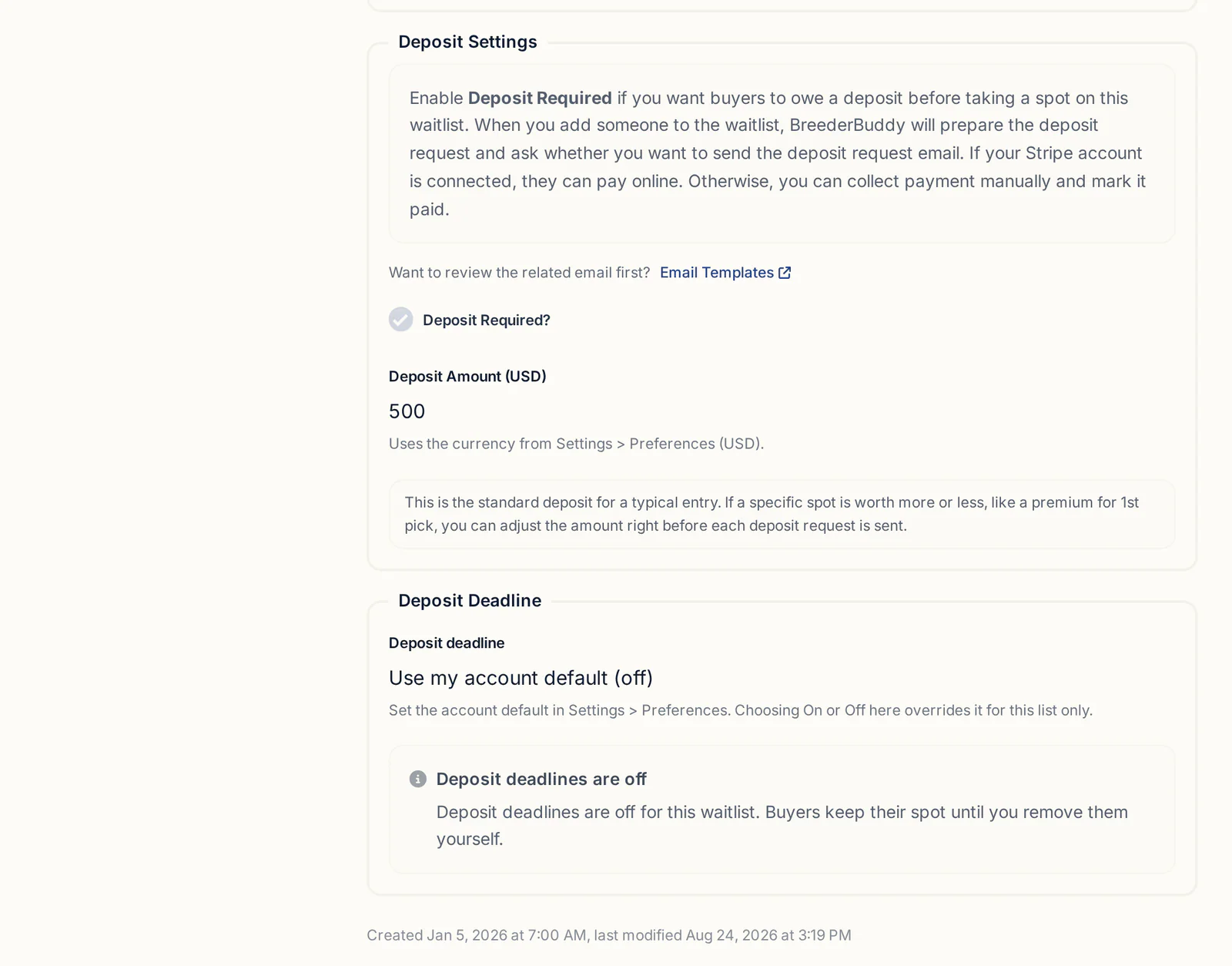
Waitlist deposits are already built as Deposit invoices, with the amount from the waitlist's Deposit Amount setting. The deposit request flow is covered in puppy deposit tracking.
For the balance, create a new invoice for the same contact and add the full price. A yellow Deposit credit available box shows what this buyer has paid on deposit invoices. Click Apply deposit and BreederBuddy fills in the discount with the reason "Deposit credit applied". The suggestion adds up every paid deposit for that buyer, so if they've bought two puppies from you, change the Discount amount to this puppy's deposit.
Recording payments, partial payments and receipts
Online payments update the invoice on their own; everything else you log on the invoice.
When a buyer pays online, the invoice shows Processing while a bank transfer clears, then Paid, and the buyer gets a receipt automatically. At pickup, Take card payment on the invoice opens a secure card checkout in a new tab (Stripe must be connected and the buyer needs an email on their contact).
For a Zelle, Venmo, cash or check payment:
- Open the invoice and click Log Manual Payment.
- Enter the Amount Paid, Payment Method and Payment Date, with an Optional Note if you like.
- Click Add receipt to attach a photo of a check or a screenshot.
- Leave Email a receipt to the customer checked, and click Save.
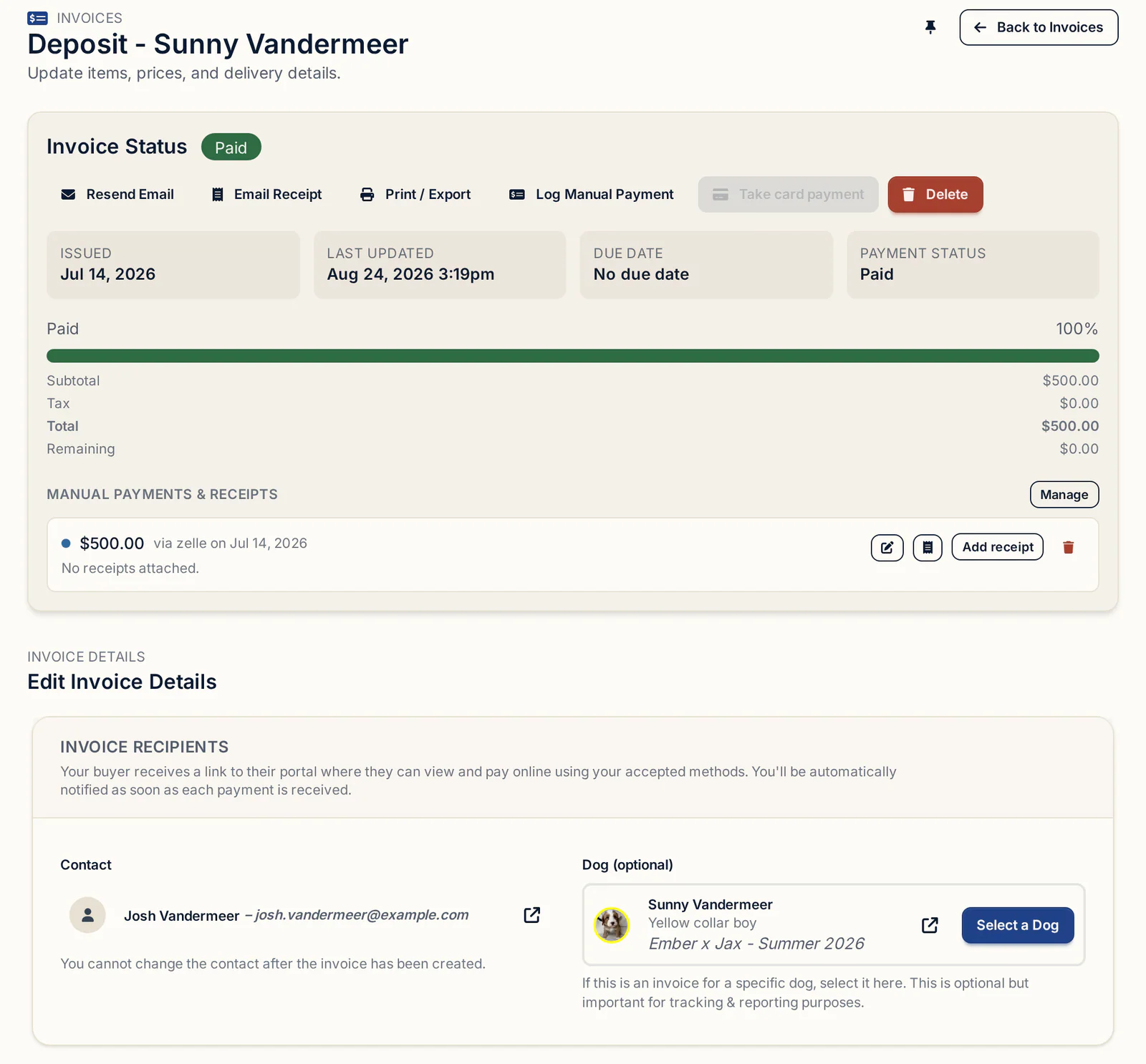
If a buyer pays only part of the balance, log what came in. The invoice moves to Partially paid and shows the remaining balance, and you log the next payment the same way until the total is covered. Email Receipt sends a branded receipt showing the amount, date, method and anything still owed.
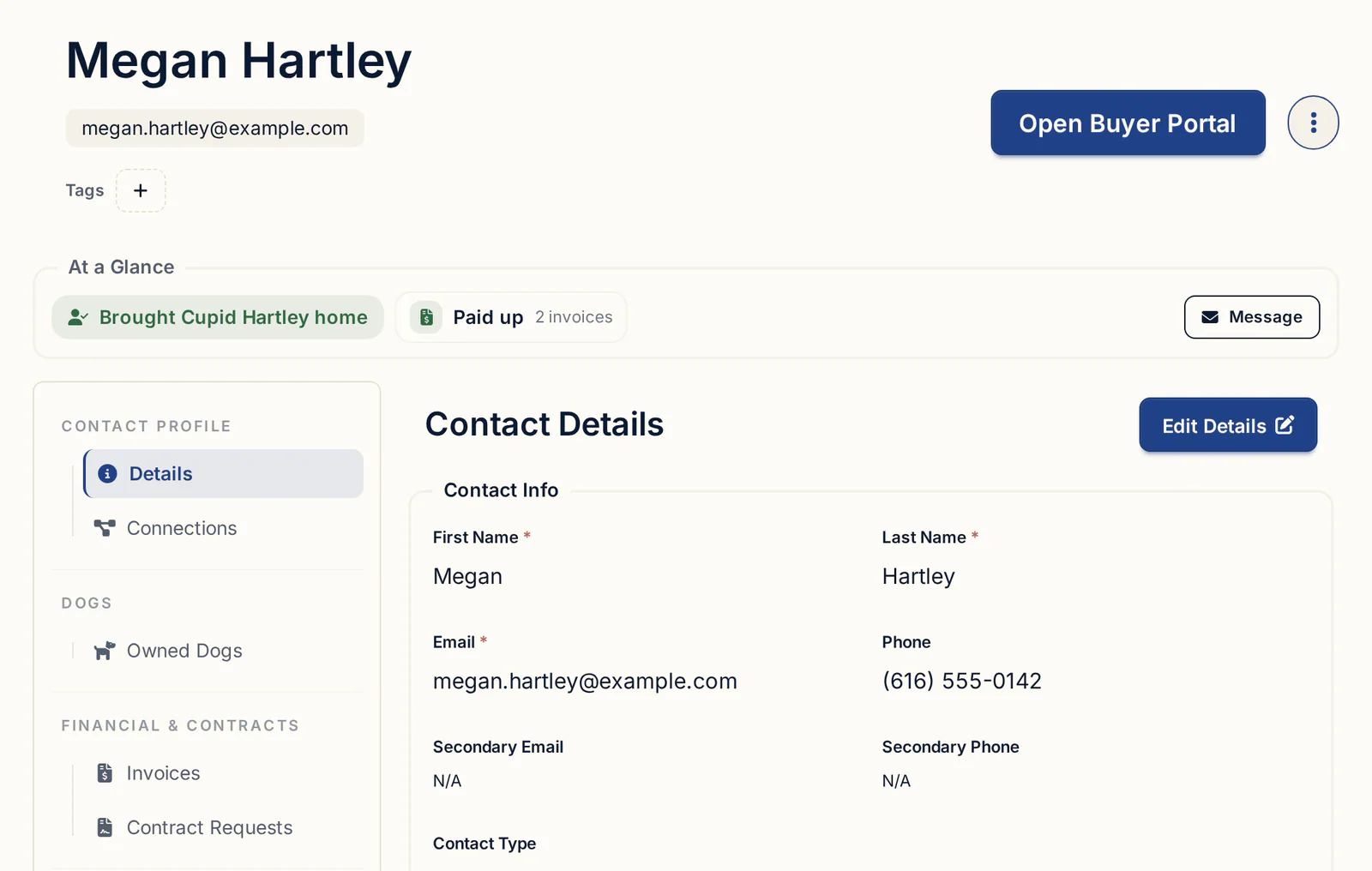
Every invoice for one buyer sits on their contact record, under the Invoices tab in Financial & Contracts, with amounts paid and balance remaining.
What the buyer sees in the portal
Every invoice email includes a button to the buyer's portal, where they can pay without creating an account.
The Invoices tab shows each invoice with its breakdown, payments applied and remaining balance. If online payments are on and Stripe is connected, a Pay … Online button lets them pay right there, and your Venmo, PayPal, Cash App or Zelle details show alongside. The same portal holds their contracts and their puppy's photos. Returning buyers can sign in with their email and a six-digit code.
Refunds, moved deposits and overdue balances
Refunds and credits are logged on the invoice so your totals stay honest.
- A refund: open the paid invoice, click Log Manual Payment, then Manage refunds, and record the amount, method and date. The invoice gets a Refunded badge. Tick Unlink dog from this invoice if the puppy is coming back to you. Refund card payments in Stripe as well.
- A deposit moved to another puppy or litter: create the new invoice and use Apply discount for the amount you're crediting.
- An overdue balance: filter the Invoices list by Unpaid or Partially paid and check due dates. Next to Invoice Status you can see whether the email was delivered or bounced. Fix the address if needed and click Resend Email. The automatic buyer reminders in BreederBuddy are for waitlist deposit deadlines, so for balances this list is your check to make.
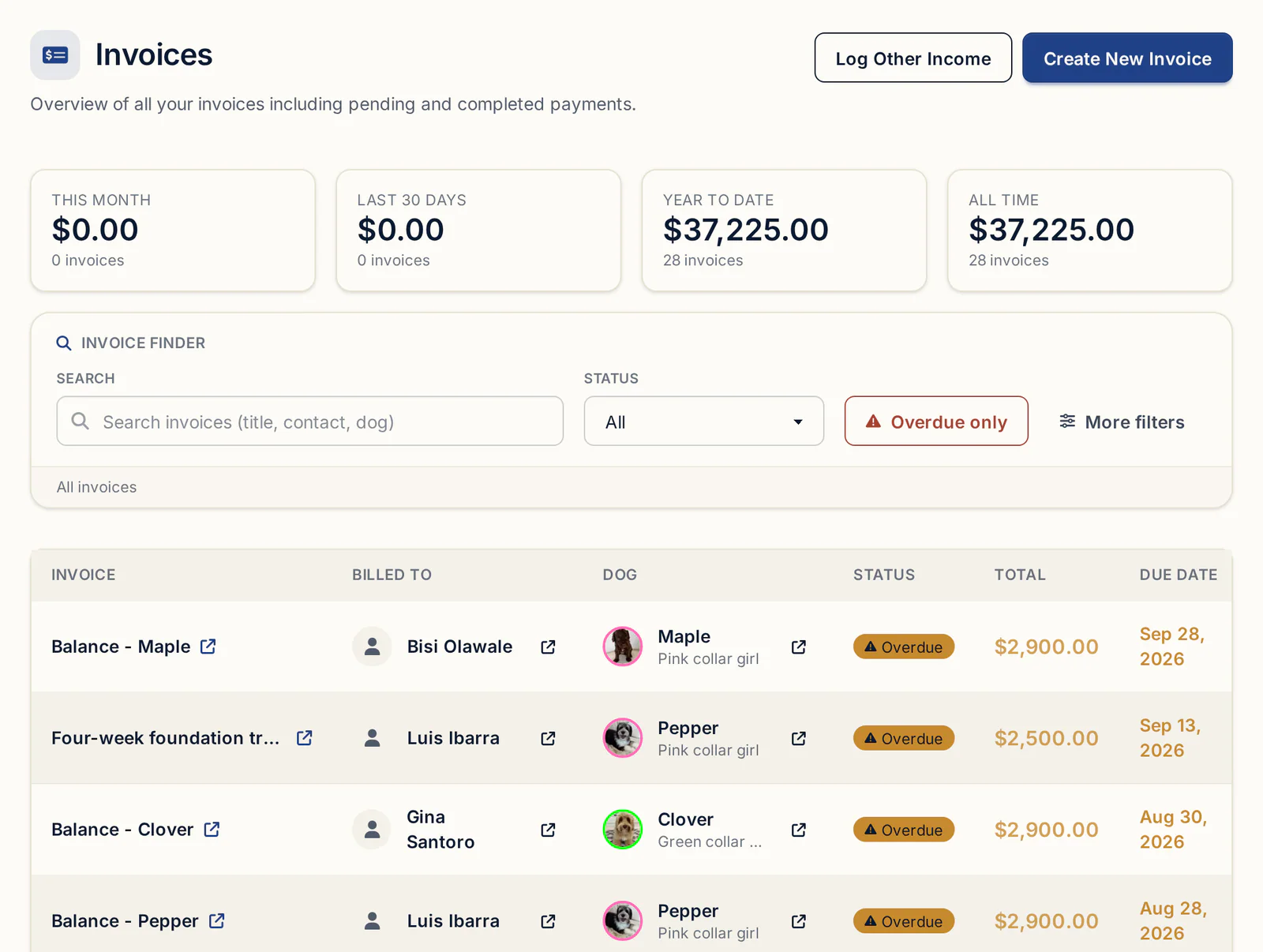
A paid invoice is locked. Line items on an unpaid one can be edited with the pencil icon. The contact can't be changed after creation; make a new invoice instead.
Invoices at tax time
Keep each payment dated the day the money arrived, and keep non-puppy income in the same system.
Your Income Report counts manual payments on the Payment Date you entered, so when catching up on old payments, set the real date and untick Email a receipt to the customer. Stud fees paid in cash with no invoice go on Finances → Other Income under the Stud Fee category, with Apply to set to your male or the litter. The Income Report adds other income to invoice income for your total revenue; see reporting and insights. Print / Export saves any invoice as a PDF, and Other Income exports to CSV. What you owe and what you can deduct is a question for your accountant.
Getting started
Invoices, products, payment handles, the buyer portal and Other Income are on every plan, starting with Standard at $30/month or $300/year. Pro, at $60/month or $600/year, adds a kennel website built from your records. Every plan starts with a 30-day free trial, no credit card required. The rest of the sales paperwork lives in contracts and payments.
Questions
What should a puppy invoice include?
Your kennel name, the buyer's name and email, the puppy (name or collar color, litter, sire and dam), line items for the price and any extras, credits like a paid deposit, the issue and due dates, and every way the buyer can pay.
Should I invoice the deposit separately from the puppy price?
Yes, it's the common approach. The deposit invoice holds the spot. The balance invoice shows the full price, subtracts the deposit, and leaves only what's owed. In BreederBuddy, Apply deposit fills in that credit for you.
How do I take a puppy deposit by card?
Connect Stripe in Settings → Stripe, then send the deposit invoice with Online payments on. The buyer pays from the Pay … Online button in their portal. If they're with you in person, open the invoice and click Take card payment.
Can buyers pay a breeder with Zelle or Venmo on an invoice?
Yes. Add your handles under Settings → Other Payment Methods so they show on the invoice and in the buyer portal. Those apps aren't connected, so when the money lands, click Log Manual Payment on the invoice to mark it.
How do I show the deposit credited on the final invoice?
Create the balance invoice for the same buyer with the full price. Click Apply deposit in the Deposit credit available box. The Summary shows a discount labeled Deposit credit applied and a total of only what's still owed.
Do I need to give puppy buyers a receipt?
It's good practice for every payment, partial ones included. Online payments send a receipt automatically. For cash, check or Zelle, leave Email a receipt to the customer checked when you log it, or click Email Receipt later.
Terms used in this article
- Deposit
- Money a buyer pays to hold a spot on a waitlist or a specific puppy, usually credited toward the purchase price.
- Balance
- What the buyer still owes on the puppy after the deposit and any other credits are subtracted.
- Line item
- A single charge on an invoice, such as the puppy price, a deposit, a crate or shipping.
- Go-home day
- The day a puppy leaves the breeder for its new home, commonly around eight weeks of age.
- Stud fee
- The payment a stud dog's owner charges for breeding their male to someone else's female.
- ACH bank transfer
- An electronic payment straight from a buyer's bank account, cheaper than a card but slower to clear.
- Processing fee
- The charge a card or payment processor takes on an online payment, paid by the seller or passed to the buyer.
In BreederBuddy
- Standard
- $30/month or $300/year. The full management platform: unlimited dogs, litters, and puppies, and multiple user accounts.
- Pro
- $60/month or $600/year. Everything in Standard, plus a template kennel website built from your records.
- Platforms
- Available on the web and as an Android app on Google Play (iPhone and iPad app coming soon).
- Free trial
- 30 days, full access, no credit card required.