
Puppy Pick Order: How to Set It and Run Pick Day
By Kenny SchultzLast reviewed
Puppy pick order is the order in which families on your waitlist choose their puppy from a litter, usually ranked by deposit date or approval date, with any puppy the breeder keeps picked first. Breeders who sell by sex keep separate male and female lists, and picks often happen around seven weeks, after evaluations and before go-home.
Key takeaways
- Pick one rule for the order (deposit date, approval date or your own matching) and put it in writing before anyone pays.
- If families choose a sex, run separate male and female lists, each with its own first pick.
- Hold your own keeper pick, or a stud owner's pick, at the top of the list from the start so buyer numbers never change.
- Decide before the litter is born what happens when a family passes or the litter runs short, including where their deposit goes.
- Confirm every pick in writing the day it's made: which puppy, and the go-home date.
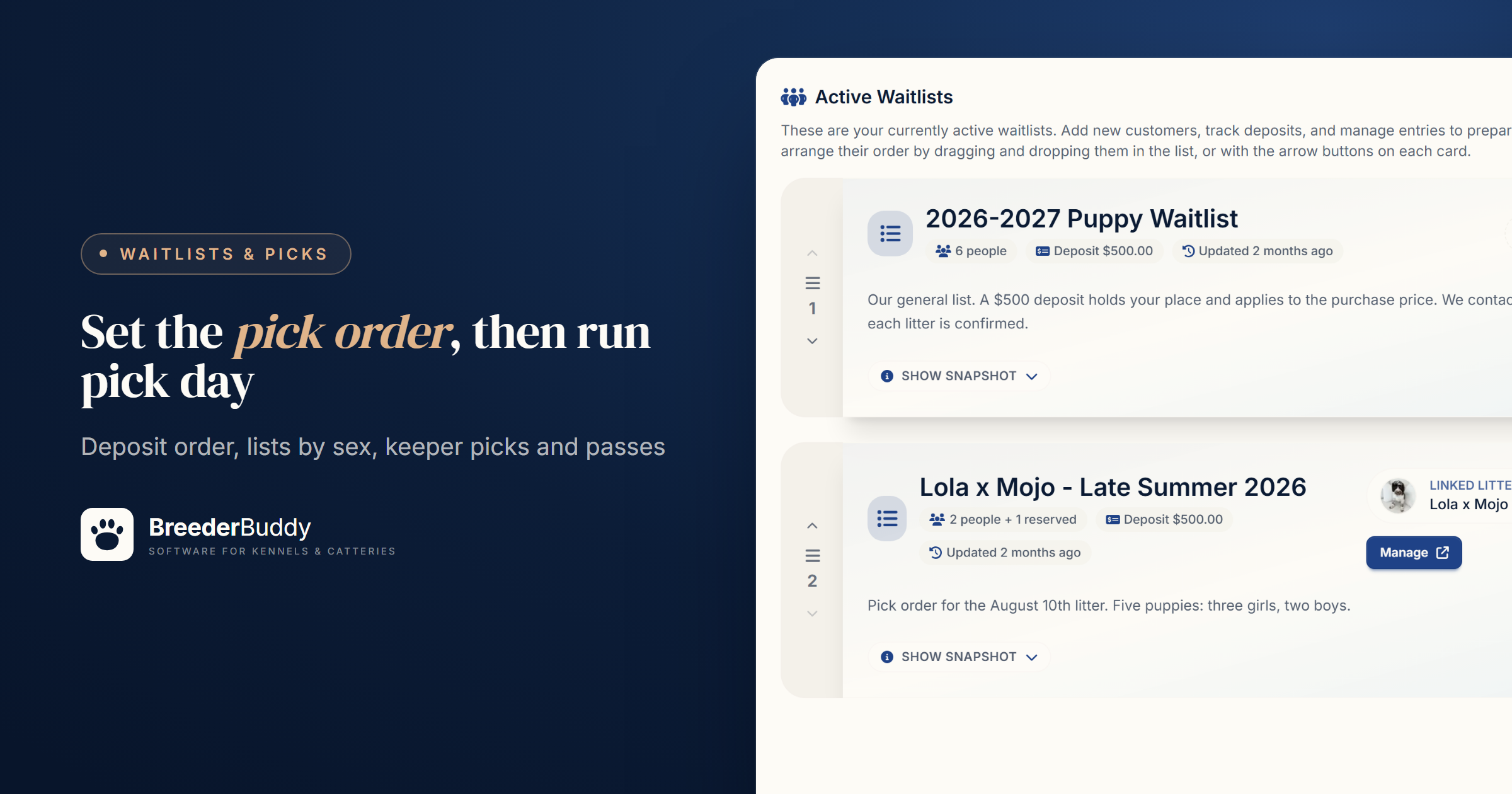
Puppy pick order is the order in which the families on your waitlist choose their puppy from a litter, or are matched with one by you. Breeders usually rank families by deposit date or approval date, put their own keeper pick first, and run picks once the puppies have been evaluated, often around seven weeks.
Pick day is where a pick order gets tested: two girls in the litter and five families who want one, a family who goes quiet on pick morning, a buyer three states away choosing from photos. Each goes better when the rule was settled before anyone paid. Below are the decisions behind a fair order, then how to run it in BreederBuddy.
Three ways to set a pick order
There are three common ways to rank families, and plenty of programs mix them.
| Method | How the order is set | Works well when | Watch for |
|---|---|---|---|
| Deposit date | First paid, first pick | You take deposits before the litter is born | Families who applied early but paid late feel passed over |
| Approval date | The order you approved applications | You approve carefully and take deposits later | A family can hold a spot without committing |
| Breeder matching | You place each puppy after evaluations | Working or sport prospects, or first-time homes | Families need to trust how you match |
A common mix: families choose in order, but you can steer a family away from a puppy that doesn't suit their home. Say so in your deposit agreement, so the family at #2 isn't surprised when the boldest puppy goes to the experienced home at #4. Good matching starts with your puppy application questions.
On a spreadsheet for now? The free puppy waitlist template has Position and Deposit Date columns; sort by deposit date to keep the order honest.
Your own pick comes first
If you're keeping a puppy, your pick comes before any buyer's, so tell families that "first pick" means first buyer pick. The same goes for a stud owner taking a puppy instead of a cash stud fee; the stud contract should say which pick. Hold those picks at the top from the start, so the numbers you give families never change.
Separate lists for males and females
If families choose a sex, give each sex its own pick order, because one combined list stalls the moment a litter comes in lopsided.
Say five families want a girl, three want a boy, and the litter is two girls and four boys. With separate lists, two girl families pick girls, all three boy families pick boys, the fourth boy goes to a girl family who would take one, and the rest roll to your next litter. On one combined list you'd spend pick day skipping people.
Settle two rules up front:
- Families who'd take either sex. Put them on whichever list gets them the earlier pick, or keep a third list that chooses from what's left.
- Deposits per sex. Capping each litter at, say, four male and four female deposits means fewer families pay for picks that may never exist.
When and how pick day runs
Picks happen once you can tell the puppies apart by more than color, often around seven weeks, after evaluations and about a week before go-home at eight weeks.
The AKC notes that temperament tests are commonly done at that age, and that research so far shows they don't reliably predict adult behavior. Treat a test as one input next to seven weeks of watching.
Local families may pick in person, others from photos and video. Keep it fair either way:
- Send everyone the same photos and video at the same time, each puppy labeled by collar color.
- Give each family a window in pick order, such as an hour, or a set time on a video call.
- If a family misses their window, move on, and let them choose from what's left when they reply.
- Confirm every pick in writing the same day: which puppy, by name or collar color, and the go-home date.
Book in-person visits in pick order too. If #4 visits before #1 has chosen, #4 can fall for a puppy that's gone by their turn.
When a family passes or the litter comes up short
Decide before the litter is born what happens to a family who passes and to families the litter can't reach, and put both rules in your deposit agreement.
A common rule: a family who passes moves to your next litter with their deposit, at the top of that list or in their original deposit order. Some programs allow one pass before the deposit is refunded or forfeited. Write down whatever you choose, and have an attorney check your refund terms.
Litter size isn't certain until late. An ultrasound about a month in confirms the pregnancy, and an x-ray after about day 55 is the most reliable count, so ask your vet about timing. Tell each family their number when they join, when the count is in, and before pick day. The family at #6 on a litter of five should hear it early, with an offer for the next litter.
A family who never pays at all is a deadline question: see how long a puppy deposit should hold a spot.
Step 1: Build the waitlist for the litter
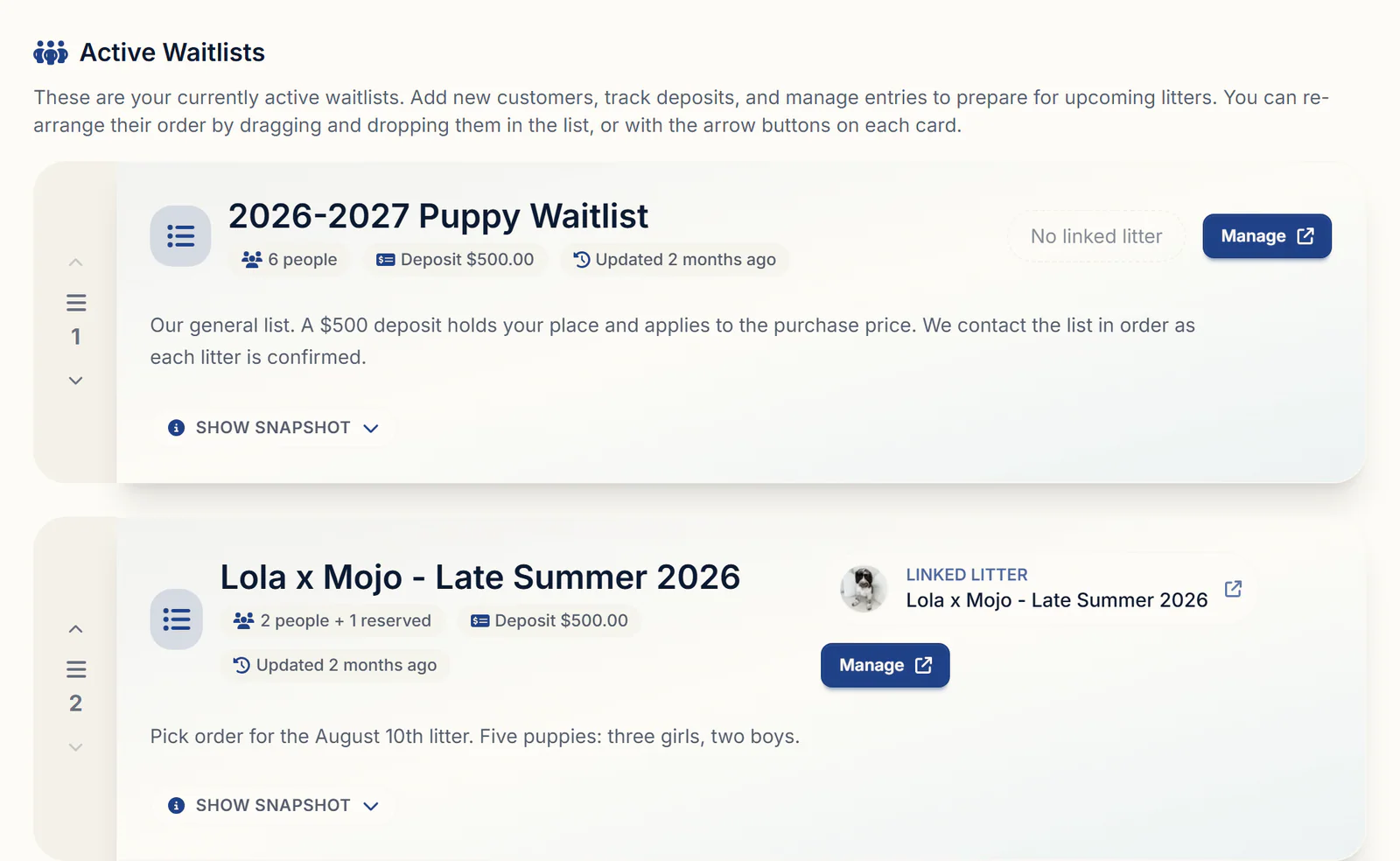
In BreederBuddy, a litter's pick order is a waitlist, and you choose how it's split when you create it.
- Go to Waitlists under Customers and click Add Waitlist, or start from the litter's Waitlist tab with Link Waitlist.
- At How do you run your list?, choose Single queue, Split by gender for a Females lane and a Males lane, or Custom lanes with your own names. Each lane has its own #1, #2 and #3.
- If you cap picks per sex, give each lane a number of Spots. The lane shows open seats until it fills, though the number doesn't stop you adding more.
- On a single queue tied to a litter, open seats follow the litter's puppy count: five puppies and three families leaves two Available Puppy Reservation seats. Before the puppies are born, set Default Reservation Count (optional) to the number of picks you're selling.
- Tick Deposit Required?, enter the Deposit Amount and click Create Waitlist.
Families don't join on their own; they apply, and you decide. Open a submission, choose Approve Or Decline, then Convert & Place into Waitlist. They land at the end, in Unassigned if the list has lanes, and their answers don't copy onto the entry, so use Edit Entry to set their lane and preferences.
Step 2: Put families in order and hold your own pick
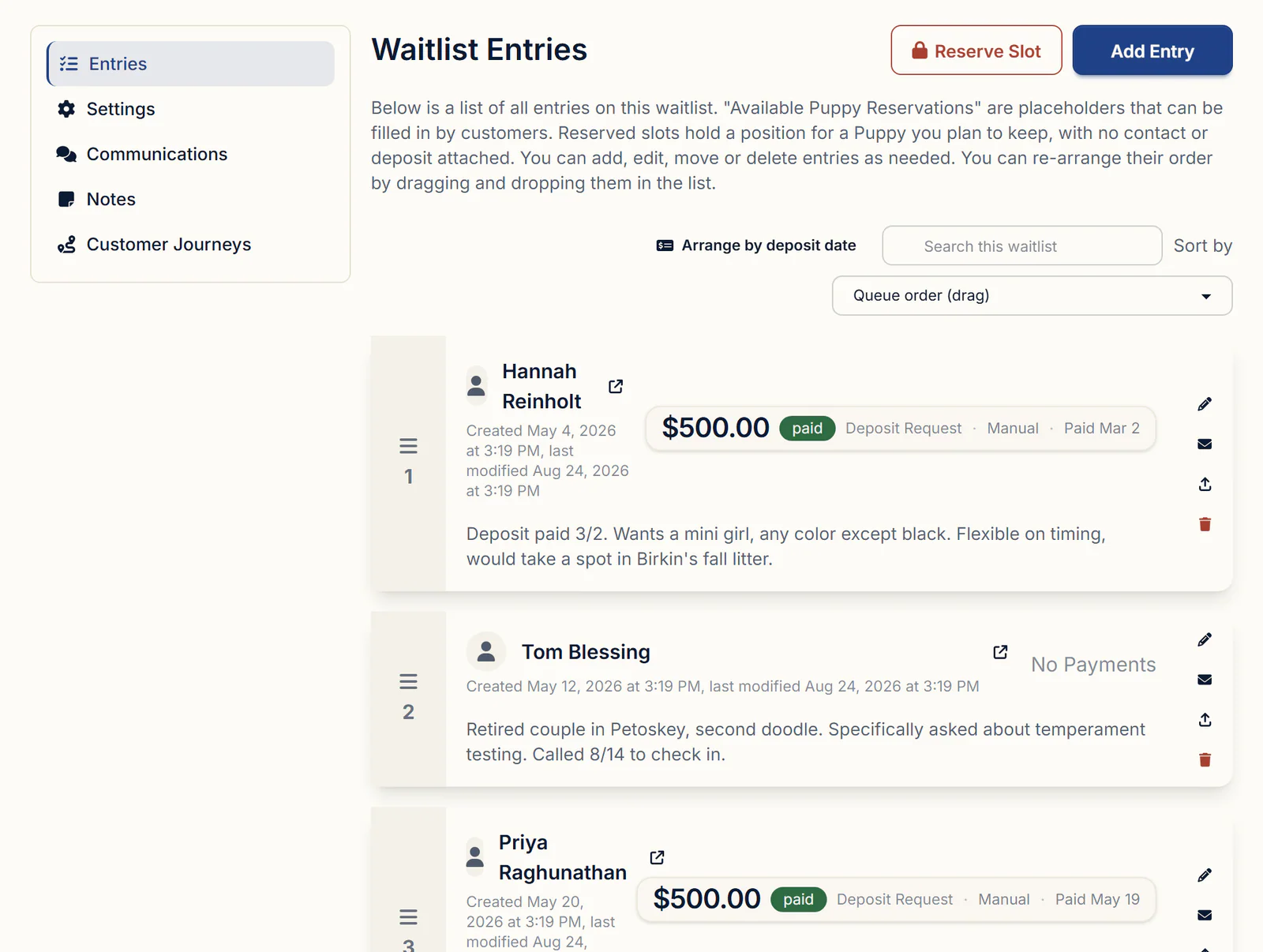
The number beside each family on a waitlist's Entries tab is their place in line, and you change it by dragging.
- With Sort by on Queue order (drag), drag a row by its handle, including into another lane.
- For first paid, first pick, click Arrange by deposit date. Paid deposits move to the front in the order they were paid, then everyone else in the order they were added, lane by lane. It's a one-time re-sort; you can still drag afterwards.
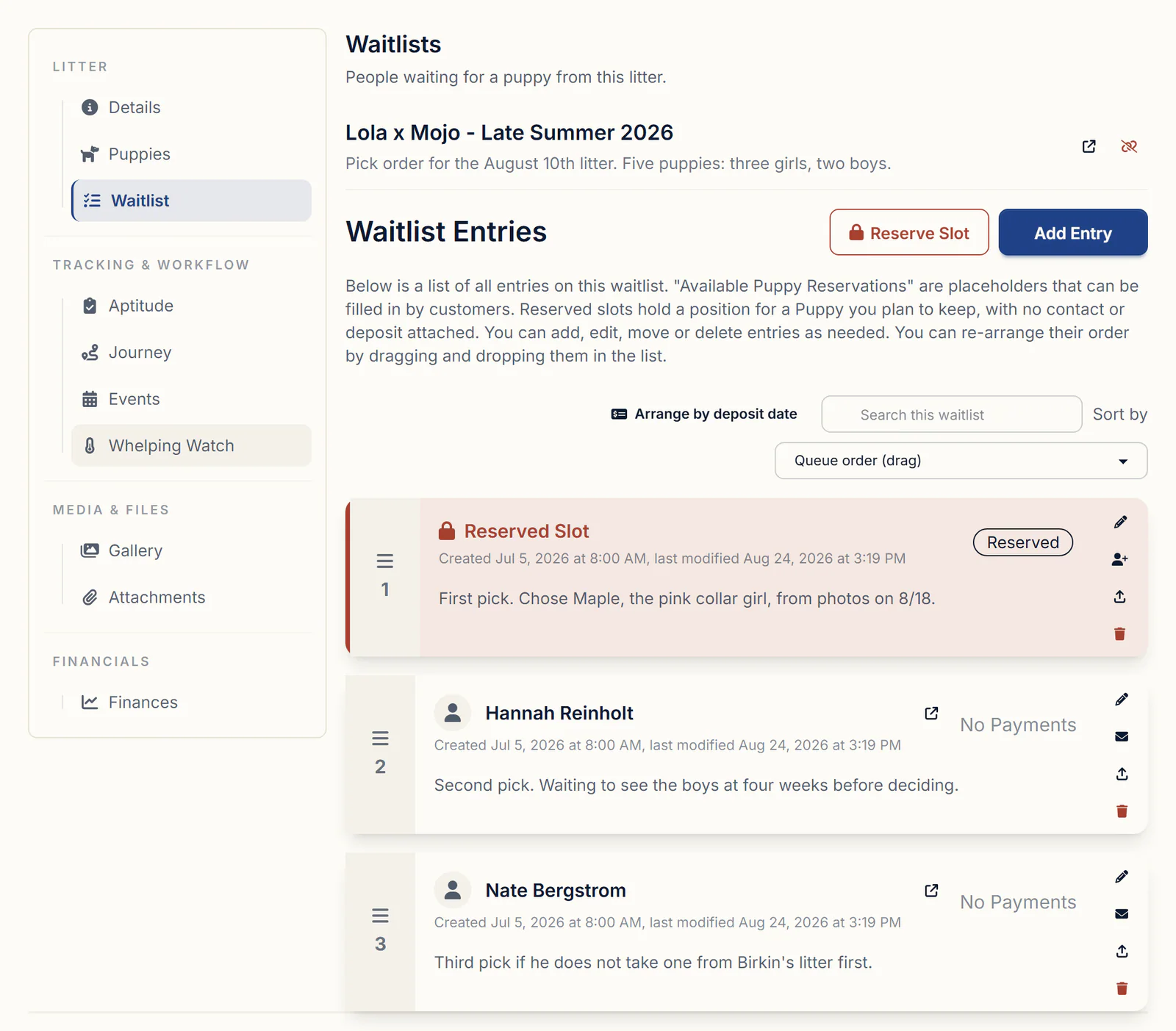
- To hold your own pick, click Reserve Slot. A reserved slot holds a place with no contact and no deposit invoice, so you never bill yourself. Add a Label / Note and drag it to #1. Arrange by deposit date treats it as unpaid, so drag it back after any re-sort.
- If that pick goes to a family after all, click Convert to Entry. The slot keeps its number and becomes theirs, with a deposit request if the list takes deposits.
Each row's Note is private to you, and the download icon gives you a PDF of the order for pick day.
On a single queue, the litter's own Waitlist tab shows the same order. For a list split by sex, run pick day from the waitlist's own page, where each lane keeps its numbers.
Step 3: Reserve each puppy on pick day
A pick is recorded in BreederBuddy when you reserve the puppy for that family, which makes them its owner.
If you match puppies yourself, log each evaluation with Record Session on the puppy's Aptitude & Neonatal tab, and compare littermates on the litter's Aptitude tab. Before pick day, send families the litter's private share link: click the Share icon next to the litter's name, then Create share link. It shows the litter's photos, the parents and a card for each puppy, needs no login, and expires after 90 days unless you change it.
Then, as each family chooses:
- Open the litter's Puppies tab.
- Click Reserve for a buyer under the puppy's name, pick the family's contact and save.
- When asked whether to mark the puppy Reserved, click Mark as Reserved. Tick Always do this when I add a buyer and it stops asking.
- Repeat for the next family. BreederBuddy doesn't assign puppies from the list.
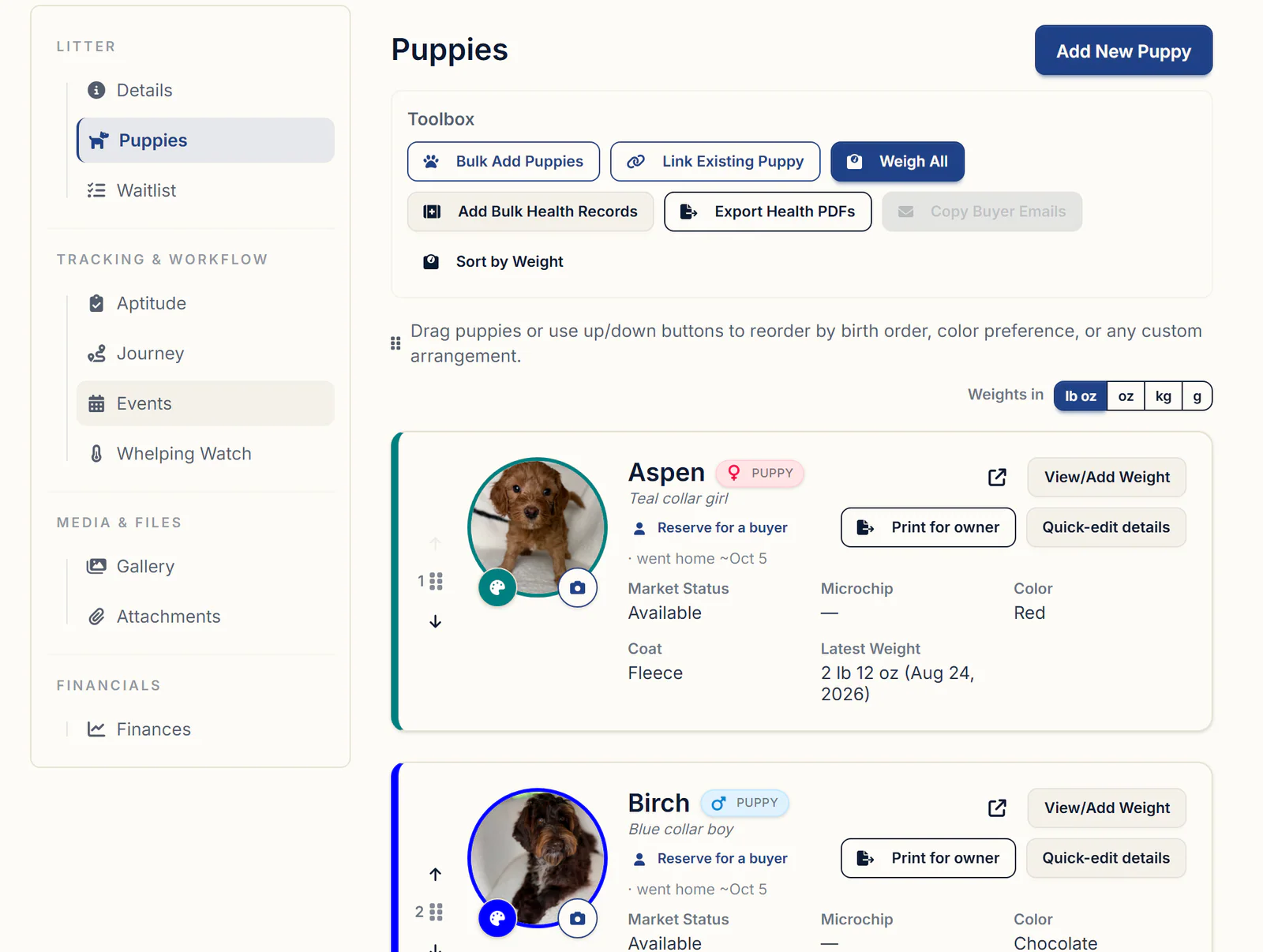
What changes once a puppy has its family:
- Its Market Status becomes Reserved, and its card reads "Reserved for" with the family's name and go-home date.
- A Guardian Family contact gets Retained instead. For a Breeder contact, such as a stud owner, you choose Reserved or Retained.
- The go-home date comes from the puppy, then the litter, then the birth date plus your go-home age (eight weeks by default).
- The puppy shows on the family's contact record and in their buyer portal, with its photos.
A puppy you're keeping needs no buyer: set its Market Status to Retained with Quick-edit details. For go-home day itself, see litter tracking software.
Step 4: Move families to the next litter
When a family passes or the litter runs short, move them to the next litter's waitlist rather than deleting and re-adding them.
- On their row, click Move Entry to Another Waitlist.
- Choose the list under Select New Waitlist and click Save.
- They land at the end of that list. Drag them up if your policy gives them priority.
A paid deposit moves with them. An unpaid request is cancelled, and if the new list takes a deposit, BreederBuddy creates one at that list's amount and asks whether to send it. A partly paid deposit is cancelled like an unpaid one and its recorded payments don't follow, so settle it before the move. Lanes carry over when the new list has the same ones. More in puppy deposit tracking.
For a family leaving for good, Delete Entry removes only their place in line: everyone below moves up, and a paid deposit stays on their contact.
What to look for in puppy waitlist software
Hold any tool, spreadsheet included, to this list:
- A numbered pick order you can drag or re-sort by deposit date, with separate lists by sex
- Open seats counted against the litter, so you know how many picks remain
- A way to hold your own pick without billing yourself
- Reserving a specific puppy for a family, with the go-home date attached
- Moving a family to the next litter without losing their paid deposit
Getting started
Waitlists, lanes, reserved slots and puppy reservations are part of the Standard plan, $30/month or $300/year. Pro, $60/month or $600/year, adds a kennel website built from the same records, where a reserved puppy shows as Reserved instead of Available. Every plan starts with a 30-day free trial, no credit card required. More on the buyer side: puppy waitlist and deposit software.
Questions
When a family picks their puppy, do I take them off the waitlist, and how do I keep them linked to that puppy?
You don't have to. Reserving the puppy for them is what links the family to that puppy: it makes them the owner, and the puppy shows on their contact record and in their buyer portal. A waitlist entry has no picked status, so leaving picked families in place keeps a record of the order, and you can archive the waitlist once the litter is placed. If you do remove someone, Delete Entry takes away only their place in line; their puppy, contracts and paid deposit stay on their contact.
Can I track each family's preferences and keep separate pick lists for males and females, numbered by deposit date?
Yes. Choose Split by gender when you set up the waitlist and you get a Females lane and a Males lane, each numbered from #1. Arrange by deposit date then re-sorts each lane with paid deposits first, in the order they were paid. If you take a set number of male and female deposits per litter, give each lane a number of Spots. For preferences, tick the ones you want (sex, coat color, registration, aptitude) when you set up the list, and fill them in on each family's entry with Edit Entry; answers from the application don't copy over.
Should I keep one general waitlist or a separate one for each litter?
Running both works well: a general list for families waiting on a future litter, and a list tied to each litter once the breeding is confirmed. In BreederBuddy a waitlist links to one litter at a time, and one litter can have several waitlists. When a litter is confirmed, move families across with Move Entry to Another Waitlist instead of re-entering them. A fully paid deposit goes with them; settle any part payment first, because it doesn't follow.
Does a family get a confirmation when they're added to the waitlist, and should it go out before or after they pay the deposit?
Only when you send one. On a list that takes deposits, BreederBuddy offers to send the deposit request when you add a family, and a family who pays online gets the Waitlist Deposit Receipt. The plain waitlist confirmation goes out when you click the envelope on their row, so you can hold it until the deposit is in. On a list with no deposit, BreederBuddy asks whether to send it right away. The confirmation doesn't include their number, and their buyer portal doesn't show it either, so tell them yourself.
When should the buyer become the puppy's owner in my records: when they pick, when they pay, or when the puppy goes home?
When a specific puppy is theirs, which is usually pick day. In BreederBuddy, setting the owner is what reserves the puppy: it can be marked Reserved, it shows on the family's contact record, and it appears in their buyer portal. Until then, their waitlist spot and deposit hold their place. On go-home day you mark the puppy Went home (Sold).
Can I limit how many deposits, or picks, I take per litter?
You can size the list, though nothing locks it. Give each lane a number of Spots, or on a single queue tie the list to the litter or set Default Reservation Count, and the waitlist shows open seats until those picks are filled. You can still add families past that number, which is useful for a backup list, so stop taking deposits yourself once the seats are full.
Terms used in this article
- Pick order
- The sequence in which families on a waitlist choose, or are matched with, a puppy from a litter.
- Pick of the litter
- The first choice of puppies in a litter, often held by the breeder or promised to the stud dog's owner.
- Keeper
- A puppy the breeder holds back from sale to keep in their own breeding or show program.
- Stud fee puppy
- A puppy from the litter given to the stud dog's owner in place of a cash stud fee; the stud contract says which pick it is.
- Pass
- When a family on the list declines the puppies available to them and waits for a later litter.
- Temperament test
- A structured evaluation of how a puppy responds to people, handling, sound and new things, commonly done around seven weeks.
- Go-home day
- The day a puppy leaves the breeder for its new family, commonly at eight weeks or later.
Sources
In BreederBuddy
- Standard
- $30/month or $300/year. The full management platform: unlimited dogs, litters, and puppies, and multiple user accounts.
- Pro
- $60/month or $600/year. Everything in Standard, plus a template kennel website built from your records.
- Platforms
- Available on the web and as an Android app on Google Play (iPhone and iPad app coming soon).
- Free trial
- 30 days, full access, no credit card required.