
Puppy Application Questions: What to Ask and How to Decide
By Kenny SchultzLast reviewed
Good puppy application questions cover who lives in the home, renting or owning and the yard, the weekday schedule and hours alone, past dogs and what happened to them, other pets, training and breeding plans, sex and color preferences, timing, and the deposit policy. Ask only what changes your decision, then call before you approve anyone.
Key takeaways
- Ask only questions whose answers would change your decision or your phone call, and cut the rest.
- Ask what happened to every dog the family has owned; it's the most telling answer on the form.
- Ask people to describe their yard and their weekday instead of asking yes-or-no questions with an obvious right answer.
- Take the deposit after you approve someone, not with the application, so a no never turns into a refund.
- Read for patterns rather than single answers, call before you decide, and decline briefly and kindly.
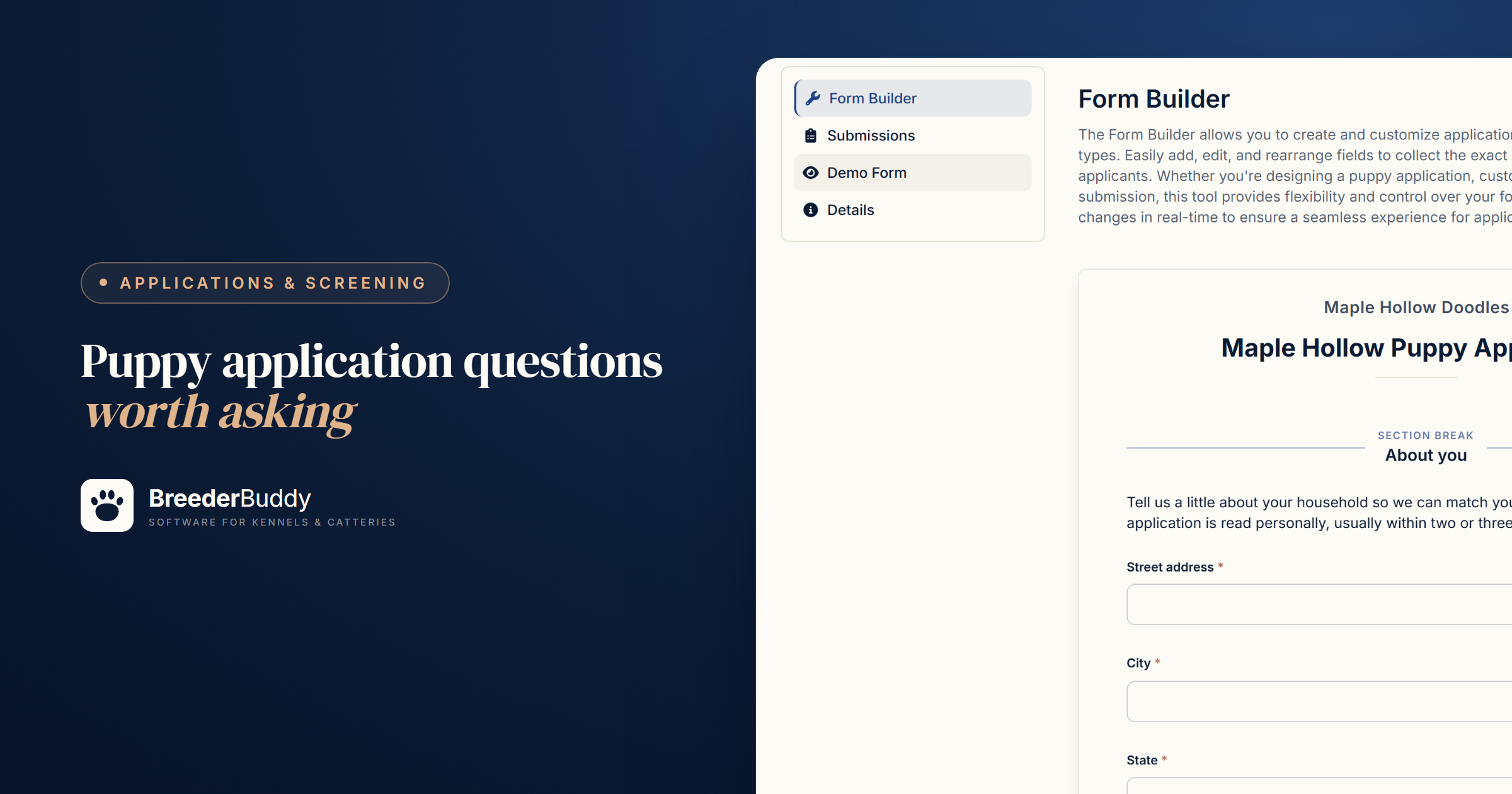
Good puppy application questions cover nine things: who lives in the home, the house and yard, the weekday schedule and time alone, past dogs, other pets, training and breeding plans, preferences, timing, and your deposit policy. Each one should change whether you call the family, what you ask when you do, or which puppy you'd picture in their home.
Ask too little and you're placing a puppy on a hunch; ask too much and busy, good families quit halfway. This page covers each question, how to screen, and how to run applications in BreederBuddy. To start from a list, the free puppy buyer questionnaire builder has 24 questions in five areas you can tick on or off and copy.
The questions worth asking, and why
Each area below lists what to ask and what the answers tell you.
Household
- Who lives in your home, and how old are any children?
- Does anyone have allergies to dogs?
- Who will be the puppy's main caretaker?
A toddler and a mouthy ten-week-old need a different plan than two teenagers do. An allergy is a placement that can come back in a month. And whoever fills in the form isn't always the one walking the dog at 6 a.m.
Home and yard
- Do you rent or own? If you rent, does your lease allow a dog of this breed and size?
- Describe your yard and fencing. Without a fence, how will the dog get exercise and potty breaks?
Renting isn't the problem; a landlord who finds out after go-home day is. The yard question is about where a puppy can run and toilet safely, so ask people to describe it: "Do you have a fenced yard?" gets a yes, while "Describe your yard" gets "four-foot chain link, with a gap by the gate we're fixing."
Schedule and time alone
- What does a typical weekday look like, and how many hours would the puppy be alone?
- Who handles the midday potty break?
The AKC's guideline is that puppies under 10 weeks usually can't hold their bladder for more than about an hour, and puppies of 10 to 12 weeks for about two. You don't need a family that's home all day, just one with a plan: someone working from home, a dog walker, a lunch break close by.
Experience
- What dogs have you owned, and what happened to each of them?
- Who is your current or most recent vet?
- Have you ever rehomed or surrendered a pet?
What happened to each dog is the most telling answer on the form. "Lived to 14, we lost her last spring" reads differently from "we had to get rid of him." The vet is a reference you can call, with the applicant's permission, to confirm past dogs were vaccinated and seen.
Other pets
- What other animals live with you: species, ages, sex, and spayed or neutered?
A bossy adult female, a cat or a frail senior dog at home each change the temperament you'd match.
Plans and training
- Are you hoping for a family companion, a sport or show prospect, or a working dog?
- What are your plans for puppy classes, crate training and socialization?
- Do you plan to breed this dog?
The first answer tells you which puppy to hold in mind when the litter arrives. The second separates a plan from good intentions. The third decides the paperwork: a pet puppy often goes home on limited registration with a spay and neuter contract.
Preferences
- Do you have a sex, color or coat preference? Please rank them.
- How flexible are you if your first choice isn't in the litter?
A family that will only take a red female may wait several litters; one that's open on color can take the next pick. The ranking is what you'll need when you set pick order.
Timeline
- When could you bring a puppy home, and are any trips, moves or a new baby coming up?
A puppy that arrives the week before a two-week vacation starts at a disadvantage.
Deposit and policy acknowledgement
- Your deposit terms as a short paragraph, then a required checkbox: "I've read and understand the deposit policy."
- If you could ever no longer keep the dog, will you return it to us rather than rehome it?
The checkbox isn't your contract, but it means nobody is surprised when the deposit request arrives. Take the deposit itself only after you approve someone, because money taken with the application turns every no into a refund. Have an attorney who knows your state's rules look over your refund terms.
Keeping the form short enough to get honest answers
Long forms don't screen out bad homes; they screen out busy good ones and teach everyone else to skim. If a question doesn't change your decision or your call, cut it.
- Open questions for stories, choices for facts. "Tell us about the dogs you've owned" gets a story; rent or own works better as a pick from a list.
- No questions with an obvious right answer. "Will you love this puppy?" tells you nothing.
- Require only what you need. Every required box is a place someone can quit.
- Skip what you won't act on, like income or ID numbers.
- Break long forms into pages, and say what happens after they submit.
Screening and deciding
Read every application for fit, then call before you decide: the form sorts, the conversation decides.
The AKC tells buyers to expect a questionnaire, a phone interview, or both. Reply within a day or two, even if it's only "I'll call you Saturday," because good families often apply to more than one breeder. On the call, start from their answers: "You said your last dog lived to 14. Tell me about her." Then pick one of four outcomes:
- Approve and place on a waitlist. The deposit request comes next; tracking puppy deposits covers the rest.
- Approve and keep in touch. A good home, but no litter that fits yet.
- Follow up. Something is missing or doesn't add up. A blank is often just a rushed evening.
- Decline gracefully. Short and kind, without arguing the reasons: "Thank you for applying. I don't think one of our puppies is the right match for your home right now, and I'd rather tell you that than keep you waiting. I wish you the best in finding your dog."
Red flags to look for
Most red flags are patterns rather than single answers, so weigh the whole application.
- Every past dog's story ends badly: ran away, given away, "didn't work out."
- A deadline that's about the buyer, like a surprise holiday gift.
- Two littermates at once. Raising two same-age puppies well is hard, so decide your policy before someone asks.
- Breeding rights on a pet puppy, or questions about papers before any question about the dog.
- Pressure: offers to pay extra to jump the line, or pushing to skip the call.
- Answers that don't match, like twelve-hour shifts and a puppy that's "never alone."
Green flags count too: questions about health testing, the parents and your contract.
Building and sharing the form in BreederBuddy
In BreederBuddy you write your own application in the Form Builder; new accounts start with a short Contact Form you can build on.
- Go to Applications (under Customers in the left menu) and click Add Application Form. Under Start From, pick Blank form or copy a form you have (its questions come along, its submissions don't). Name it and click Save. The form opens on its Form Builder tab; later, Manage takes you back.
- Click Add Field for each question and match the Field Type to the answer: Large Text Input for stories like past dogs, Select Dropdown (Options) for one choice like rent or own, Multiple Choice (Checkbox Group) for "check all that apply," True/False Checkbox for the deposit acknowledgement, Informative Text for your deposit terms, and Section Break to split the form into pages with Back and Next.
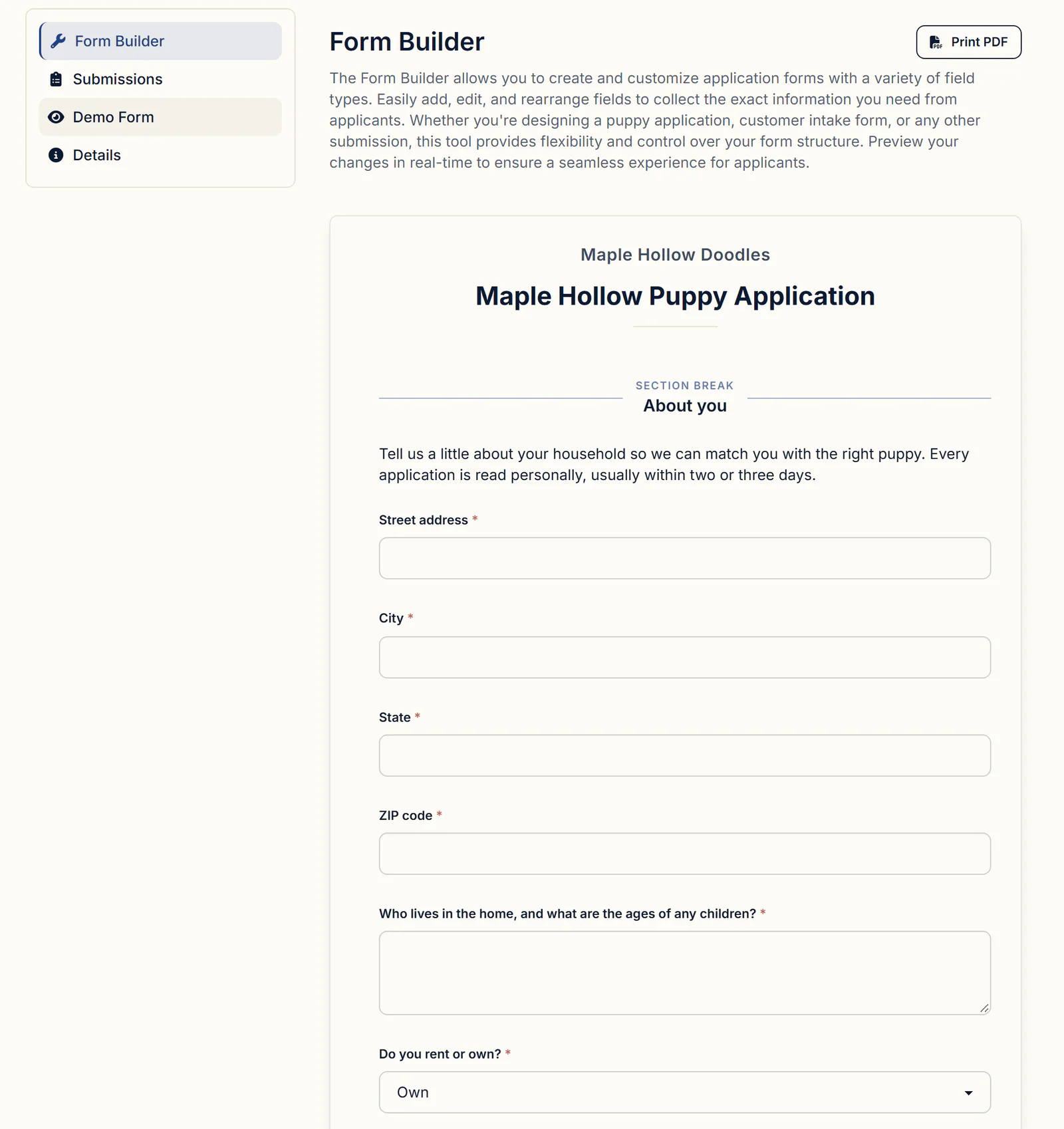
- To keep it short, open a question with its pencil icon and turn on Show this field only when.... "Does your lease allow a dog this size?" can then appear only when an earlier question, "Do you rent or own?", equals Rent. A hidden question is never required.
- Submit a test on the Demo Form tab. It's a real submission, so it shows up in your list and sends the same emails an applicant's would.
- Click Share Application Form for a public link (Share a Direct Link) or code to paste into any website that accepts HTML (Embed on Your Website); the embedded form resizes itself to fit. On a BreederBuddy kennel website, every Apply button already opens a form; choose which in My Website, under Sections, then Contact.
First Name, Last Name, Email and Phone Number are built in and can't be renamed or deleted, because they become the contact.
When someone applies
Every application arrives as Pending and waits for you; nobody becomes a contact or joins a waitlist until you decide.
The applicant sees a confirmation on screen and gets an Application Submission Receipt email from your kennel name, and replies come to you. Add your next steps to it under Communications, Templates, in its Custom Message. You get an email (so does everyone with a login on your account) and a push notification if you use the BreederBuddy Android app.
Approving, waitlisting or declining
Every decision is one menu on the submission, Approve Or Decline.
- On Applications, click View submissions on the form and open a submission to read the answers.
- Click Approve Or Decline and choose:
| Choice | Use it when | What happens |
|---|---|---|
| Convert into Contact | A good home, no litter for them yet | Creates their contact (a Prospective Buyer unless you pick another Contact Type) and approves the application |
| Convert & Place into Waitlist | You've said yes to a spot | The same, and adds them to the end of the waitlist you pick in Select a Waitlist |
| Link to Existing Contact | A past buyer or a current contact applies | Approves it and attaches it to their existing record, with no duplicate |
| Decline Submission | It isn't a fit | Marks it Declined and sends nothing; Restore to Pending brings it back |
- For either Convert choice, check the name, email and phone BreederBuddy pulled from the answers. If the email already belongs to one of your contacts, it says so and offers to link instead.
- For a waitlist placement, answer Send Deposit Request? if the list takes a deposit, or Send Waitlist Email? if it doesn't. Click No to send it later.
The family lands at the end of that waitlist (under Unassigned if the list is split into lanes), with the deposit status on their row. Application answers don't copy onto the entry, so add their preferences or a private Note to it before picking time.
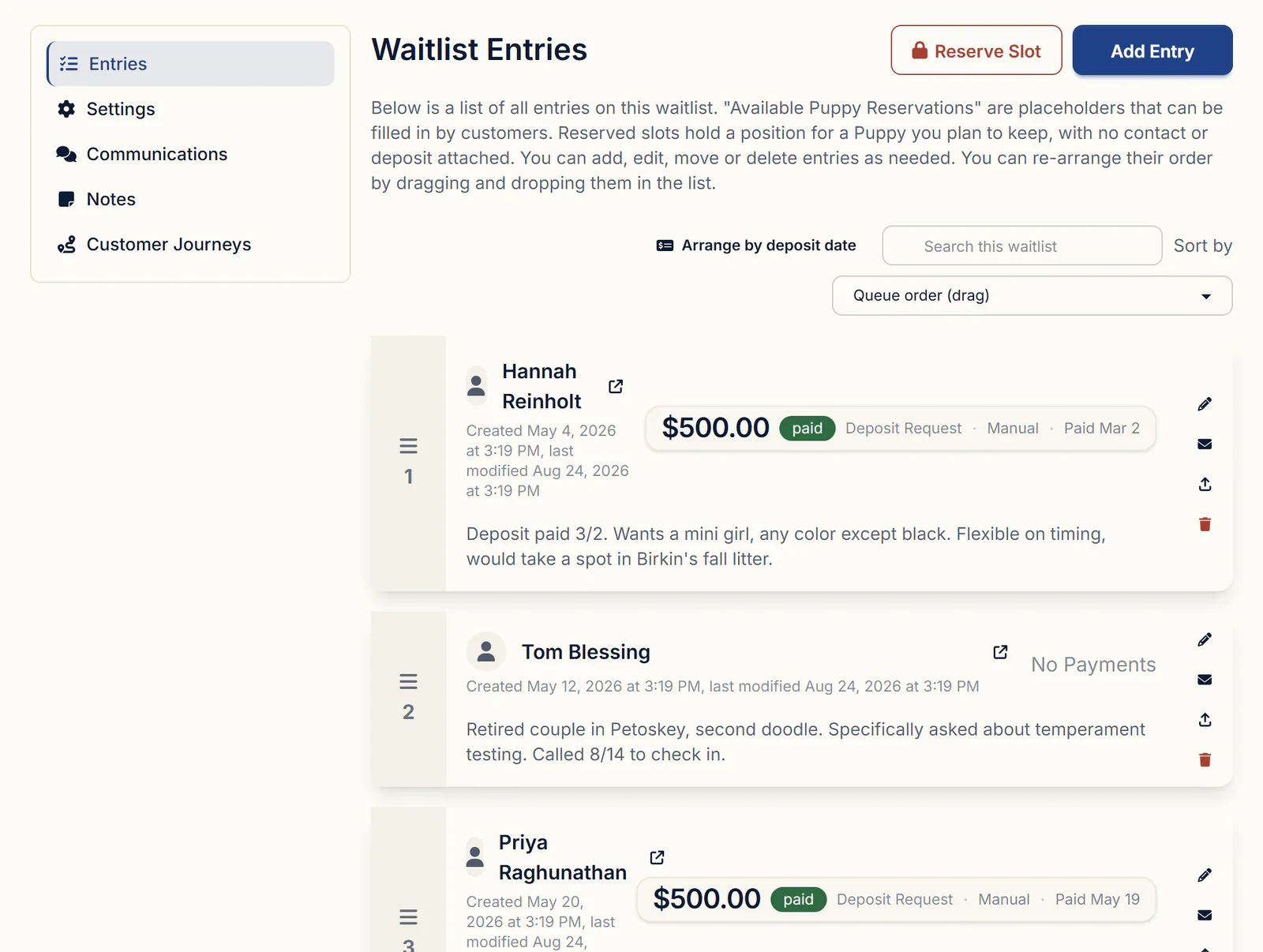
Families you approve with Convert into Contact wait in Contacts, and filtering by Contact Type gives you a call list the day a litter is planned.
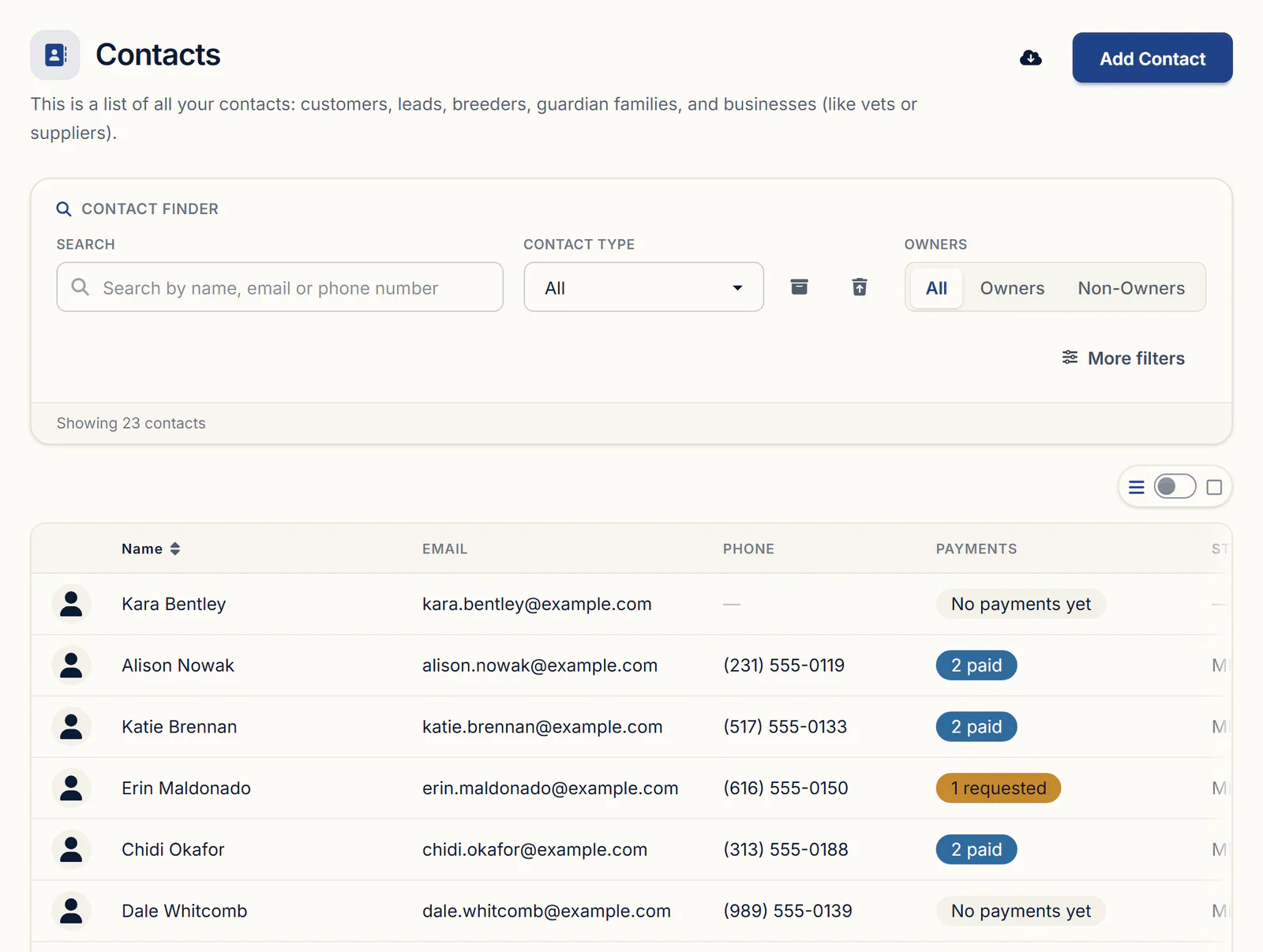
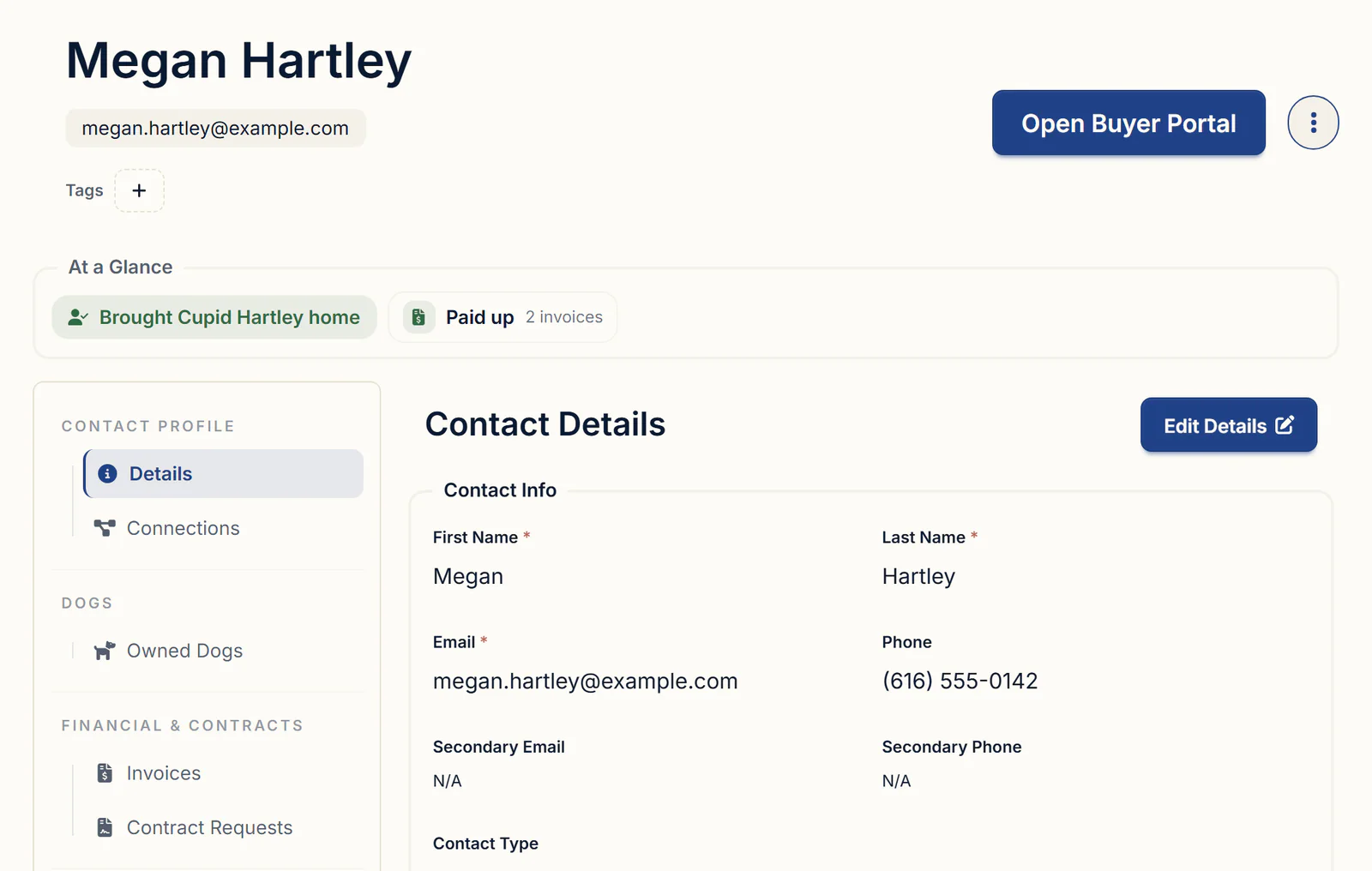
A converted applicant's answers stay on their contact record under Original Submission, beside their waitlist status, invoices, contracts and, later, their puppy. The dog breeder CRM walkthrough follows a buyer from there to go-home day.
What to look for in puppy application software
Hold any tool against this list:
- Your own questions, with show-or-hide rules so families answer only what applies
- A link and an embed code that work on any website
- An email to you and a receipt to the applicant, with room for your next steps
- Nothing added to your contacts or waitlist until you decide
- One step from approval to a waitlist spot and a deposit request
Getting started
Applications, contacts and waitlists come with every plan as part of the dog breeder CRM. Standard is $30/month or $300/year. Pro is $60/month or $600/year and adds a kennel website built from your records, with your application form already on it. Every plan has a 30-day free trial with no credit card required.
Questions
How many questions should a puppy application have?
As few as it takes to decide who to call. If a question wouldn't change your decision or your phone call, cut it. Start from a fuller list, like the 24 in the free BreederBuddy questionnaire builder, drop what doesn't fit your program, and split what's left into short pages if it still runs long.
Should I take a deposit when someone applies?
Wait until you've approved them. A deposit collected with the application turns every no into a refund. In BreederBuddy, the deposit request comes when you place an approved applicant on a waitlist that takes a deposit, and you choose whether to send it then or later.
How do I turn down a puppy buyer nicely?
Keep it short, kind and final, and don't argue the reasons. Thank them, say a puppy from your program isn't the right match for their home right now, and wish them well. If another breed or an adult dog would suit them, say so. In BreederBuddy, Decline Submission only changes the status, so nothing goes out until you write to them yourself.
Do applicants get an email when I approve or decline them?
They get an Application Submission Receipt when they apply. Approving or declining sends nothing on its own. When you use Convert & Place into Waitlist, BreederBuddy asks Send Waitlist Email? or, if the list takes a deposit, Send Deposit Request?, and saying yes there is their confirmation.
Do I need a new application form for each litter?
No. One form can serve every litter, because you pick the waitlist when you approve someone. Make a second form only when the questions differ, such as a guardian home application, and use Start From to copy your existing form instead of retyping it.
An applicant says my form won't submit. What's wrong?
Usually a required question was missed. When they submit, the form takes them to it with a message like "Email is required," and a required checkbox has to be ticked. If they see "We couldn't load the spam check for this form," an ad blocker or privacy extension is blocking it; turning it off for that page or trying another browser usually fixes it.
Terms used in this article
- Puppy application
- A form a prospective buyer fills out so the breeder can judge whether a puppy fits their home before offering a place on a waitlist.
- Vet reference
- A veterinarian the applicant has used, whom the breeder can contact with permission to confirm past pets were vaccinated and cared for.
- Waitlist
- An ordered list of approved buyers waiting for a puppy from a litter or program, usually with a deposit holding each place.
- Pick order
- The order in which buyers on a waitlist choose their puppy, often set by when each deposit was paid.
- Deposit
- A payment that holds a buyer's place for a puppy and is usually credited toward the purchase price.
- Limited registration
- A kennel club registration for a dog whose offspring cannot be registered, commonly used for puppies sold as pets.
Sources
In BreederBuddy
- Standard
- $30/month or $300/year. The full management platform: unlimited dogs, litters, and puppies, and multiple user accounts.
- Pro
- $60/month or $600/year. Everything in Standard, plus a template kennel website built from your records.
- Platforms
- Available on the web and as an Android app on Google Play (iPhone and iPad app coming soon).
- Free trial
- 30 days, full access, no credit card required.