
Dog Breeder CRM: Managing Puppy Buyers From Application to Go-Home Day
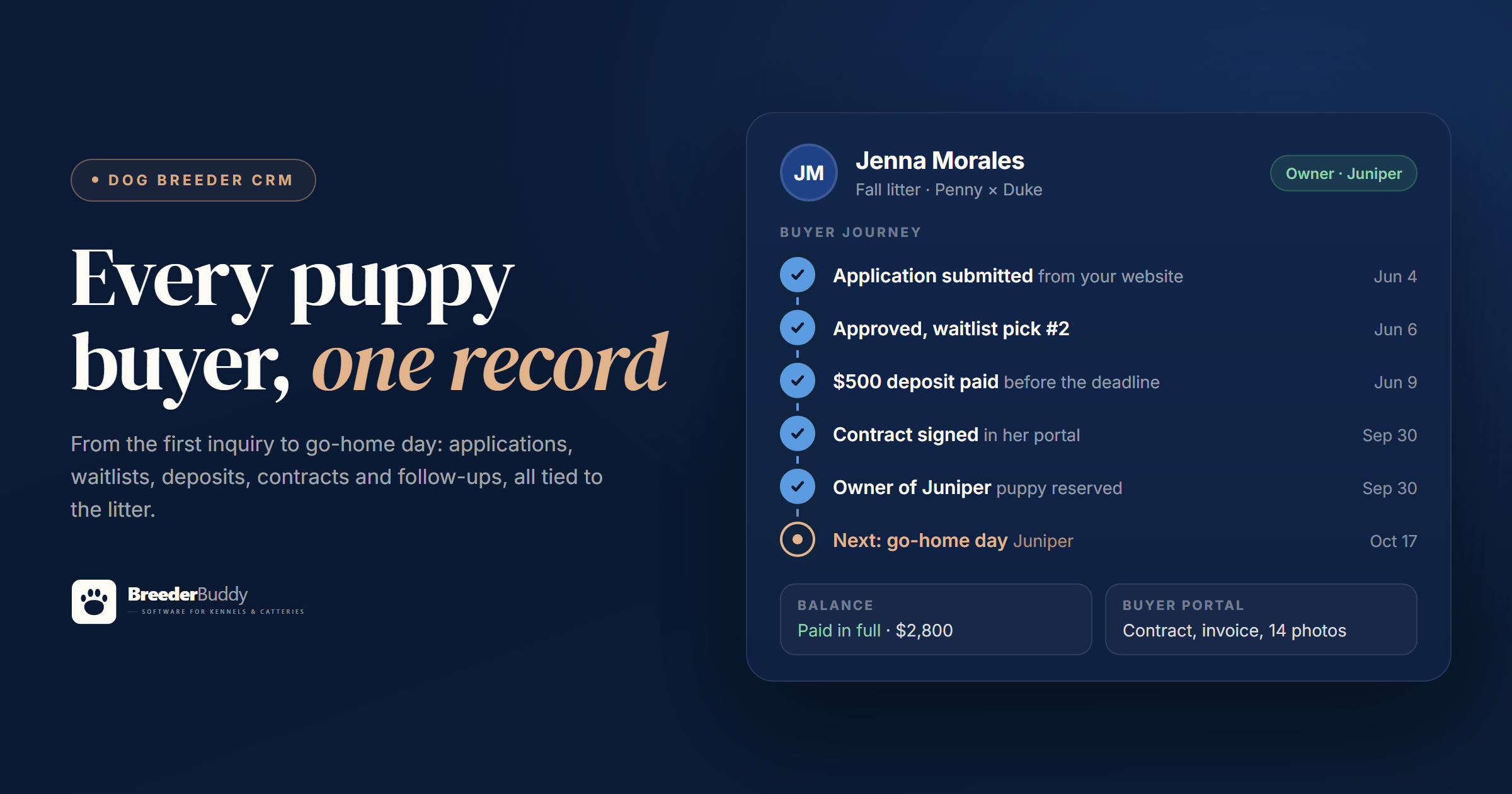
Every litter comes with a second job nobody trains you for: managing the people. Inquiries, applications, a waitlist, deposits, a contract, a final balance, go-home day, and the questions that keep coming after. Most breeders run that job out of an inbox, a spreadsheet and their Venmo history. It works right up until the week a litter is born and everybody wants an answer at once.
A dog breeder CRM is the fix. CRM stands for customer relationship management: one place that holds every buyer and everything that has happened with them. This post walks through what a breeder CRM should do at each step of the buyer journey, and how BreederBuddy's dog breeder CRM handles it.
How a breeder CRM differs from a regular CRM
General CRMs are built for sales teams. They track leads moving through deal stages toward a signed order. A breeding program doesn't work that way. Your "deals" are tied to litters that may not be born yet, buyers wait in a picking order, a deposit holds a place in line, and the thing being sold has a name, a birth date and a go-home day.
A dog breeder CRM keeps each buyer's record connected to all of it:
- The application they sent, with their answers
- Their place on a waitlist, and which litter it's for
- What they've paid, what they still owe, and when the deposit is due
- The puppy they're taking home, and when
- The contract they signed and the invoices behind it
- Your notes from every call
When those live on one record, you stop being the person who connects them.
Step 1: Applications that don't get lost in your inbox
Every BreederBuddy account starts with an application form, and you can build as many more as you like with the drag-and-drop form builder. Ask your own questions: home and yard, work schedule, other pets, experience with the breed, sex and color preference. Share the form as a link, embed it on any website, or let your BreederBuddy kennel website use it for its contact and application pages.
When someone applies, you get an email and a push notification on your phone, and the applicant gets a confirmation email. Applications wait in one list until you decide what to do with each one, and every choice is a click:
- Convert into a contact when you want to keep talking
- Convert and place on a waitlist when you've already said yes
- Link to an existing contact when a past buyer applies again
- Decline, which only changes the status. No email goes out, so you can handle that conversation your own way.
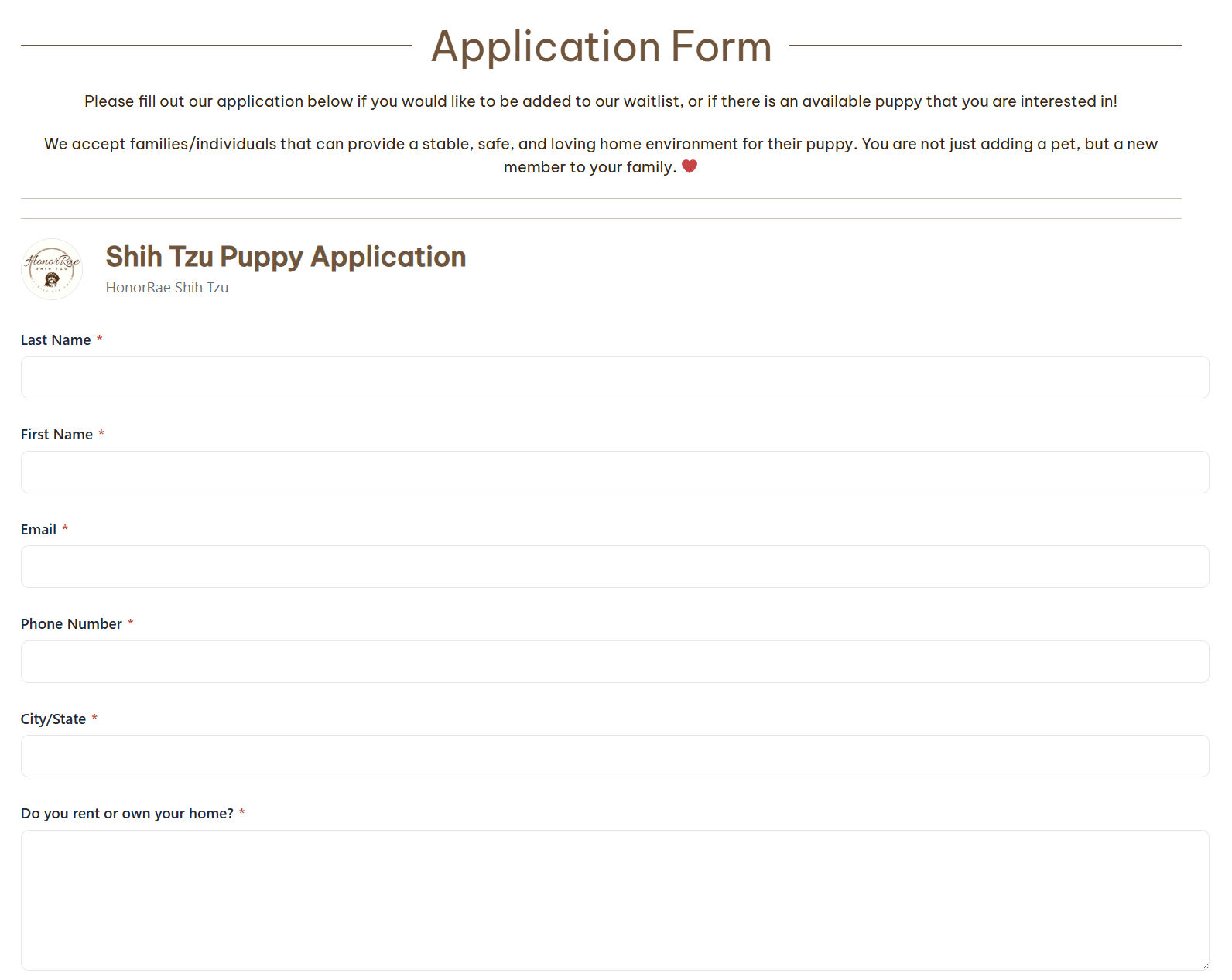
One tip: ask the questions you actually decide on, and leave out the rest. A shorter form gets more honest answers.
Step 2: A waitlist with a real picking order
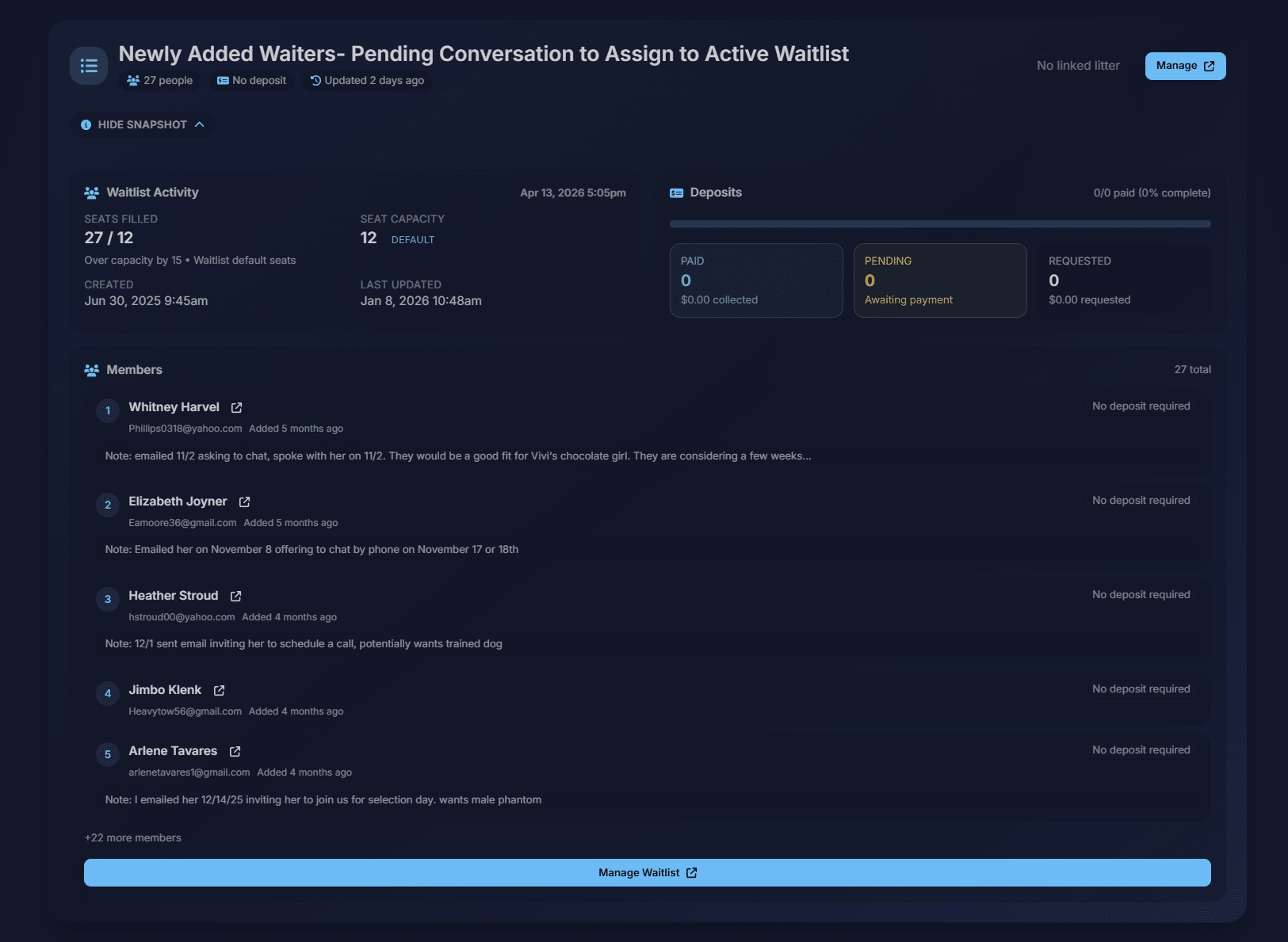
A waitlist can stand on its own, like "Spring 2027 goldens", or attach to a specific litter. Each one holds a picking order you change by dragging buyers up or down. If you pick by sex, split the waitlist into lanes such as Males and Females, each with its own order, and set the deposit and price for each pick.
Three details matter more than they sound:
- Open picks show as Available Puppy Reservations, sized to the litter, so you can see at a glance how many spots are left.
- A reserved slot holds a place with no buyer or deposit attached, for the puppy you plan to keep.
- Arrange by deposit date re-sorts the list so paid deposits move to the front in the order they came in, for programs that run first paid, first pick.
If a family decides to wait for a later litter, move them to that waitlist. A paid deposit moves with them.
More on running one: puppy waitlist software.
Step 3: Deposits, deadlines and balances
When you place someone on a waitlist, BreederBuddy offers to send the deposit request right then. The request email links to the buyer's portal, where they pay through Stripe with the methods you've turned on, like card and ACH bank transfer. You can pass Stripe's processing fee on to the buyer if you'd rather not absorb it.
Prefer Venmo, Zelle, PayPal, cash or check? Record those payments on the same invoice, with an optional branded receipt. Your payment handles show in the buyer's portal, so families always know where to send it.
The feature that saves the most awkward conversations is the deposit deadline. Turn it on and choose how many days a buyer has to pay: seven by default, anywhere from 1 to 180. The clock starts when the request goes out. BreederBuddy reminds the buyer four days and one day before the deadline, and you can add a grace period. If the deadline passes, the buyer either moves to an Expired section at the bottom of the list, where one click restores them, or gets flagged for you to decide. That's your choice. For any single buyer you can extend the deadline, remove it, or send a reminder now, and a daily or weekly summary tells you who's overdue.
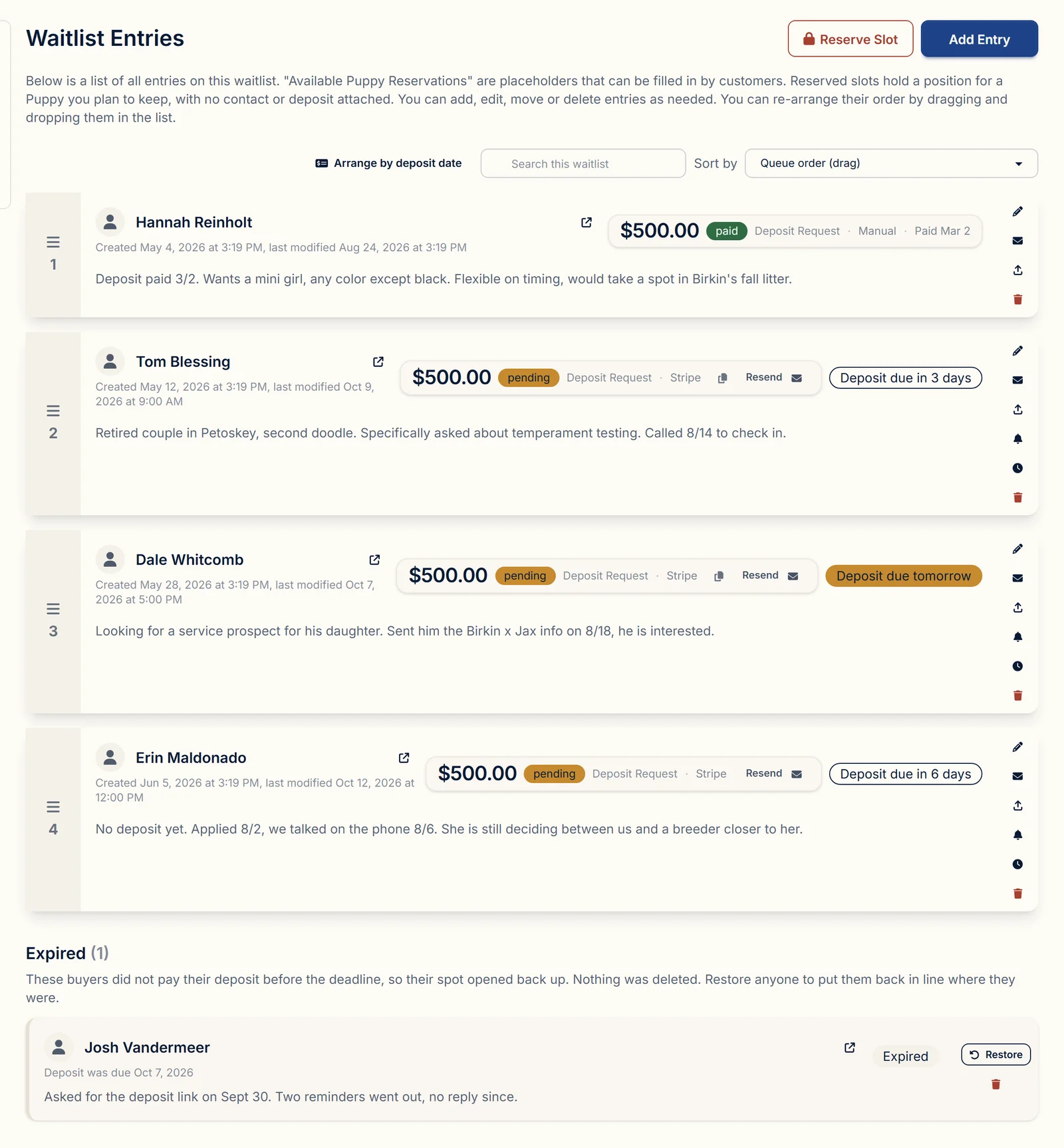
How long to give people is its own question. We wrote about it in how long a puppy deposit should hold a spot.
Every online payment sends the buyer a receipt and sends you an email and a push notification. The balance updates on its own.
Step 4: From waitlist to owner
When it's time to match puppies, reserve a puppy for a buyer right from the litter. That makes them the puppy's owner, and BreederBuddy follows through:
- The puppy is marked Reserved, or Retained if it's headed to a guardian home.
- The buyer moves into your Owners list.
- BreederBuddy suggests changing their contact type from Prospective Buyer to Customer.
- Their record shows the puppy they reserved and the go-home date.
The go-home date comes from the puppy if you've set one, then from the litter, and otherwise from the birth date plus your usual go-home age, which is eight weeks unless you change it.
Every buyer record also carries a status you can read at a glance: Applicant, Waiting #3, Deposit paid and spot held, Reserved, Brought home, or Guardian home.
Step 5: Contracts and the final balance
BreederBuddy comes with six starter contracts: sales and health guarantee, deposit and reservation, health guarantee, spay/neuter and limited registration, guardian home, and stud service. Each one fills itself from the buyer, the puppy and your kennel details, and you edit the wording to match your program.
Send a contract and the buyer signs it from their portal after confirming a code sent to their email. The signed PDF, with the signer's IP address recorded, is saved to the buyer's record and to the puppy's. You get an email and a push notification the moment it's signed.
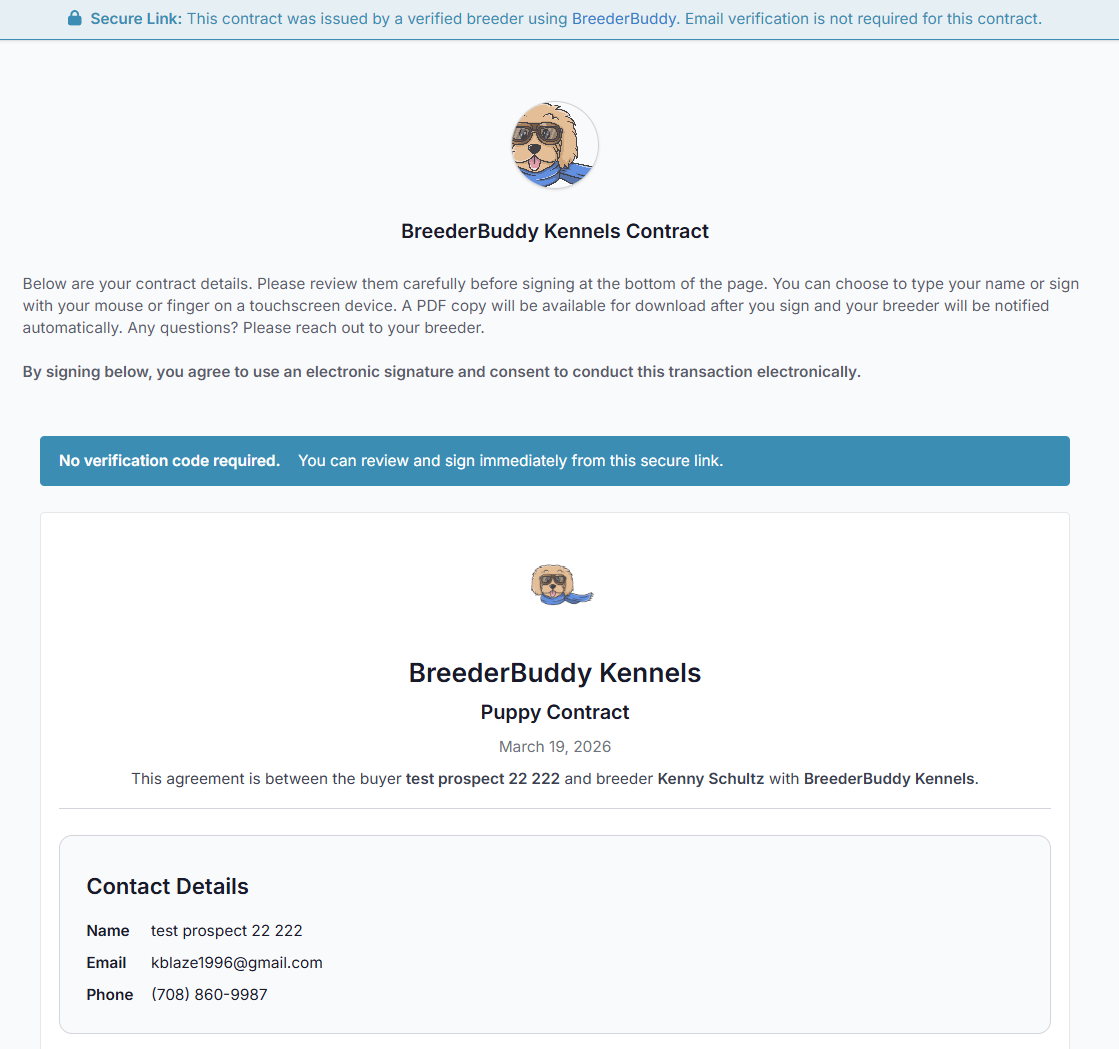
Invoices work the same way: line items, an optional due date, and a Pay Online button in the portal. More in contracts and invoices.
Step 6: A buyer portal instead of fifty emails
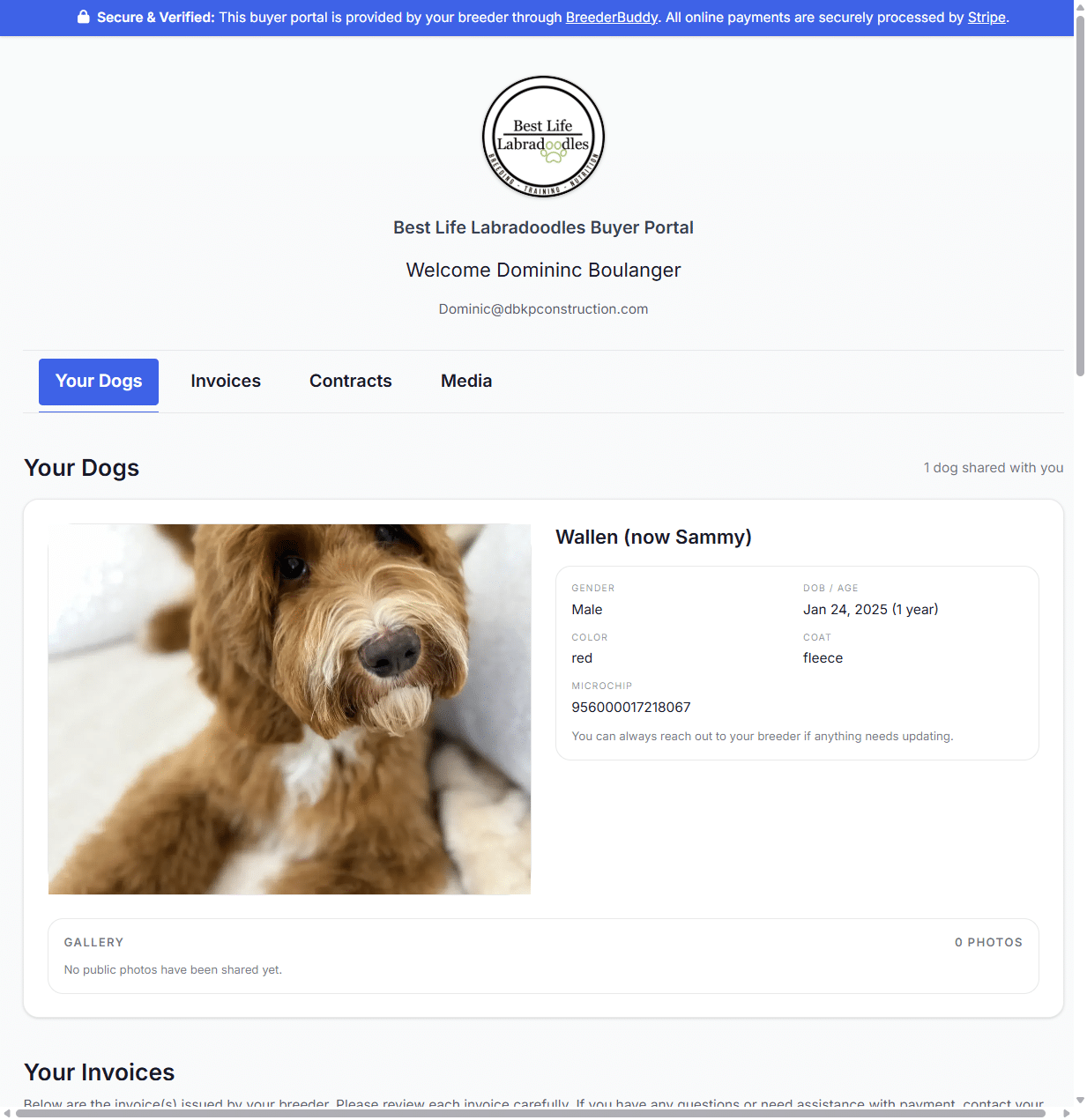
Each buyer gets a private portal. They sign in with a six-digit code sent to their email, so there's no password to forget, and the links in your emails open it directly. Inside they find:
- A message from you
- Their puppy, with a photo gallery
- Their invoices, with online payment and your Venmo, Zelle, PayPal or Cash App details
- Their contracts, to sign and download
- Files you choose to share
- Recommended Gear, if you've added your affiliate products
When a buyer asks "where do I pay?" or "can you resend the contract?", the answer is the same link every time.
Step 7: Follow-up nudges that don't depend on your memory
Most buyer follow-up falls through the cracks because it lives in your head. BreederBuddy carries some of it for you:
- Deposit reminders go to buyers on their own once deadlines are on.
- Notes with reminders. Write a note on a buyer, like "call Friday about color preference", and set a reminder. It lands on your calendar and in your email.
- Push notifications for a new application, a deposit, a payment and a signed contract, so nothing sits unseen.
- Go-home email series, timed to each buyer's own go-home date and followed by first-year check-ins, are coming to the Pro plan.
Step 8: After go-home
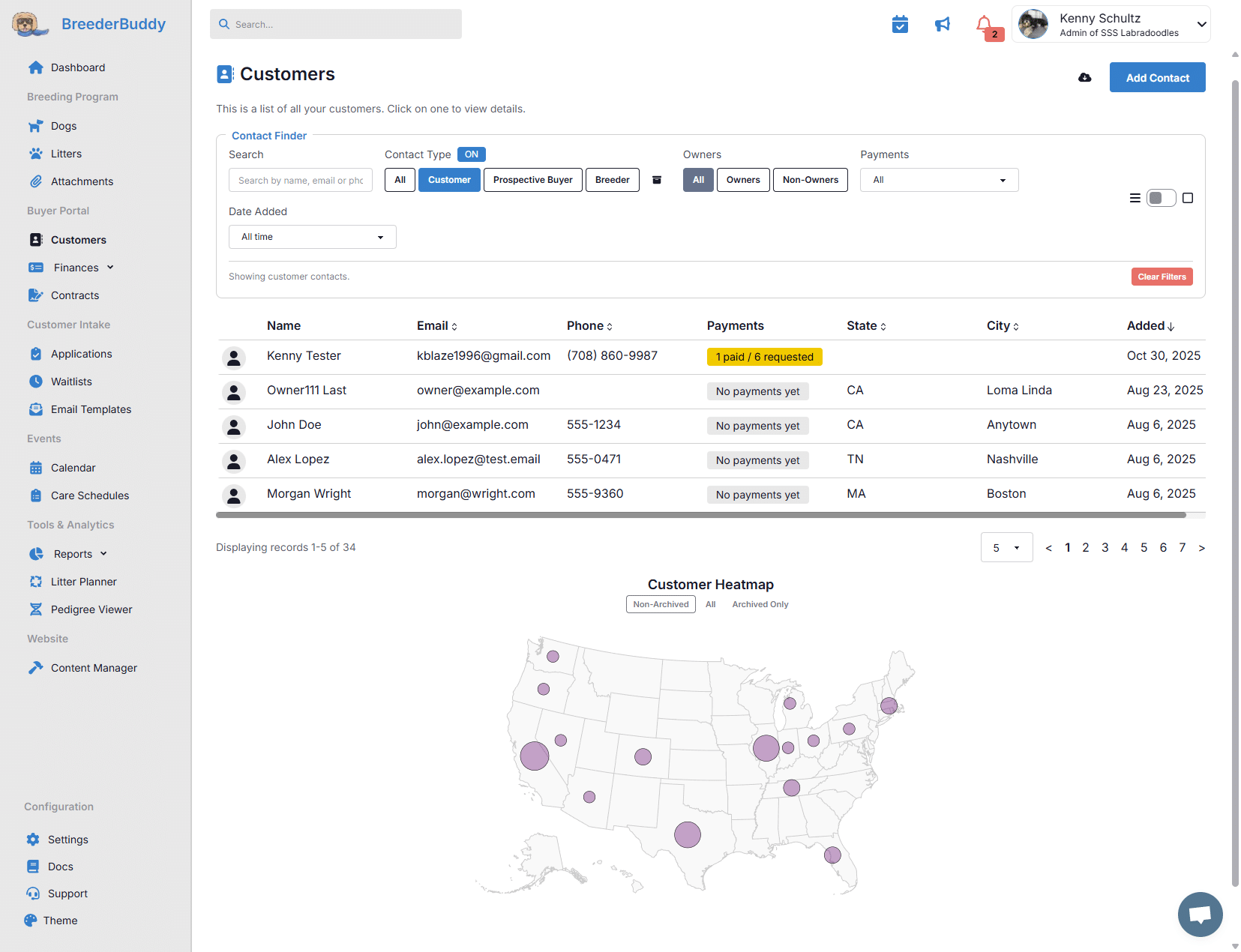
The relationship doesn't end at pickup. Past buyers stay in your Owners list, and you can filter everyone by contact type, owners or non-owners, payment status (paid, requested but unpaid, or no payments yet), date added and your own tags. The Birthday Report lists the birthdays of the puppies you've placed, so a quick note on the first birthday is easy, and the Customer Locations report shows where your buyers live. Repeat buyers and referrals start here.
What to look for in a dog breeder CRM
If you're comparing options, hold each one against this list:
- Applications that become buyer records without retyping
- A picking order per waitlist, with the deposit attached to the pick
- Deposit deadlines that remind buyers for you
- Ownership tied to the actual puppy, with a go-home date
- Contracts that fill from the buyer and puppy and get signed online
- A buyer portal with no password to manage
- Your notes and reminders on the same record as everything else
- The rest of your program in the same place: dogs, health records, pedigrees and your website
For the full picture, our guide to choosing dog breeding software has a comparison scorecard you can use on any product.
Getting started
The buyer tools in this post (contacts, applications, waitlists, deposits, contracts, invoices and the buyer portal) are on every plan, starting with Standard at $30/month. Pro, at $60/month, adds your kennel website, built from the same records. The 30-day free trial needs no credit card. If your buyers live in a spreadsheet today, founder-assisted migrations bring them over so you don't start from zero.
Questions
Is BreederBuddy a CRM?
Yes. It works as a CRM for dog and cat breeders, built around litters instead of sales deals. Each buyer's application, waitlist spot, deposits, contract, invoices, payments and notes sit on one record, tied to the litter and puppy they're waiting on.
Do my buyers need an account or a password?
No. Buyers open their portal from the links in your emails, or sign in with a six-digit code sent to their email.
Can buyers add themselves to my waitlist?
No, and that's on purpose. Buyers apply, and you decide who goes on the list. Approving someone and placing them on a waitlist is one click.
Does it work for kitten buyers?
Yes. Cat breeders use the same applications, waitlists, deposits, contracts and buyer portal, with labels that follow your program type. See cat breeding software.
What does it cost to take payments?
There's no commission on your sales. Online payments cost Stripe's processing rate plus a 0.1% platform fee, and you can pass Stripe's fee on to the buyer. Payments you record yourself, like Venmo, Zelle or cash, cost nothing.