
New in BreederBuddy: Email Campaigns and Go-Home Series for Puppy Buyers
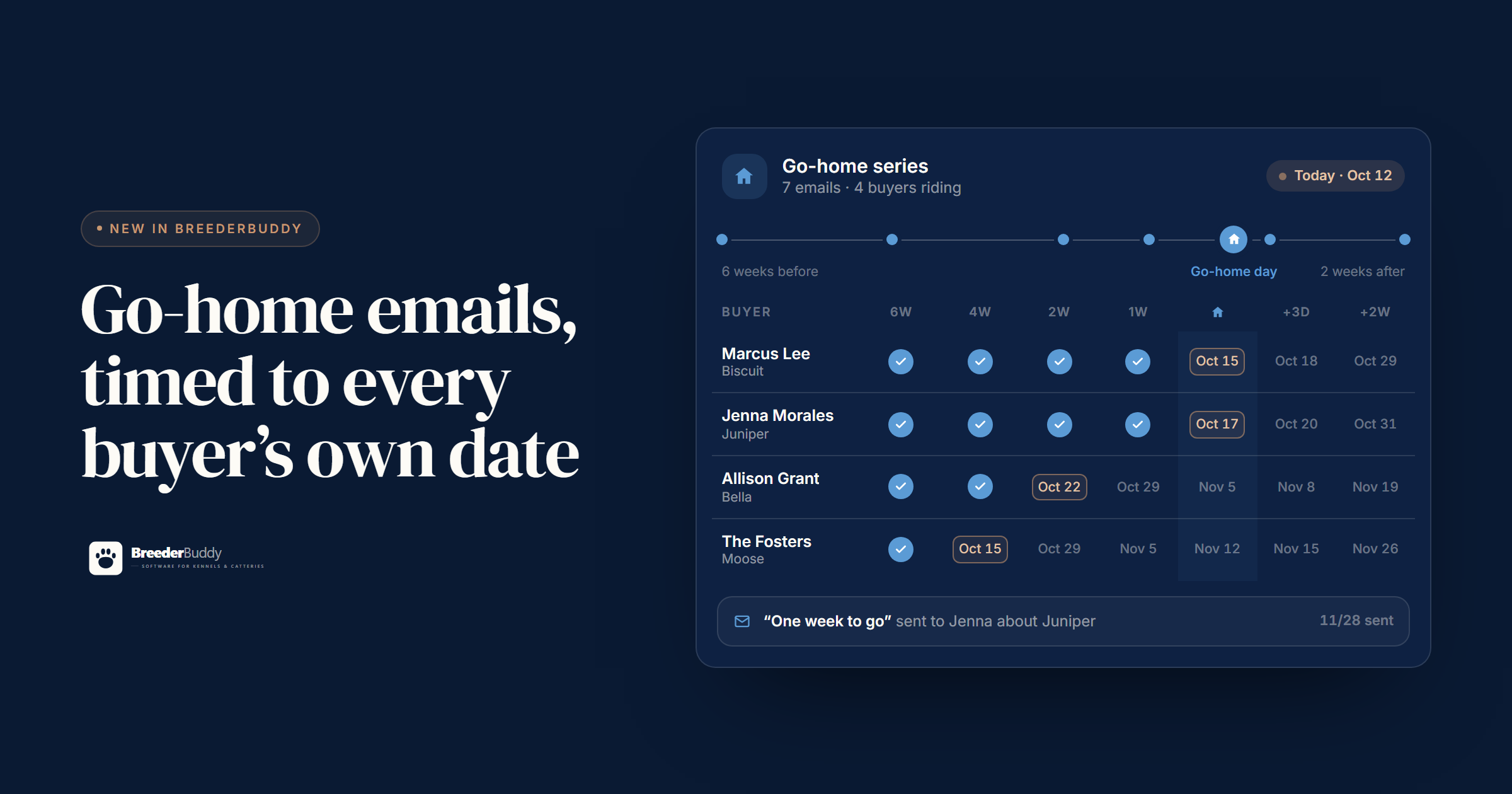
BreederBuddy can now email your buyers for you. Not just the receipts and reminders it has always sent, but real campaigns: a litter announcement to the people waiting for that litter, and a go-home series that walks every family from the day they reserve to two weeks after their puppy comes home.
This one started with a spreadsheet. A breeder we work with closely kept her go-home emails in Excel. Buyers across the top, steps down the side, and a cell for every email she still owed somebody. It worked, but only because she checked it every night. The whole point of the new go-home series is that you don't have to.
What's new
Campaigns live in the Communications area, and they come in two kinds:
- Series. A run of emails timed to each buyer's go-home date. The go-home series comes already written, with seven emails from six weeks out to two weeks after.
- One-time emails. One email, sent once, to a group you pick from your records. Litter announcements, a puppy that just became available, a waitlist update, a note to past puppy families.
Both send from your own domain in your kennel's name, and replies come back into BreederBuddy on the buyer's record.
Go-home series
7 emails · 4 buyers riding
Why go-home emails need their own schedule
Puppies from the same litter rarely leave on the same day. One family picks up at eight weeks. Another is flying in the week after. A trained puppy might stay three more months. If your emails are tied to the litter, somebody always gets the "one week to go" note at the wrong time.
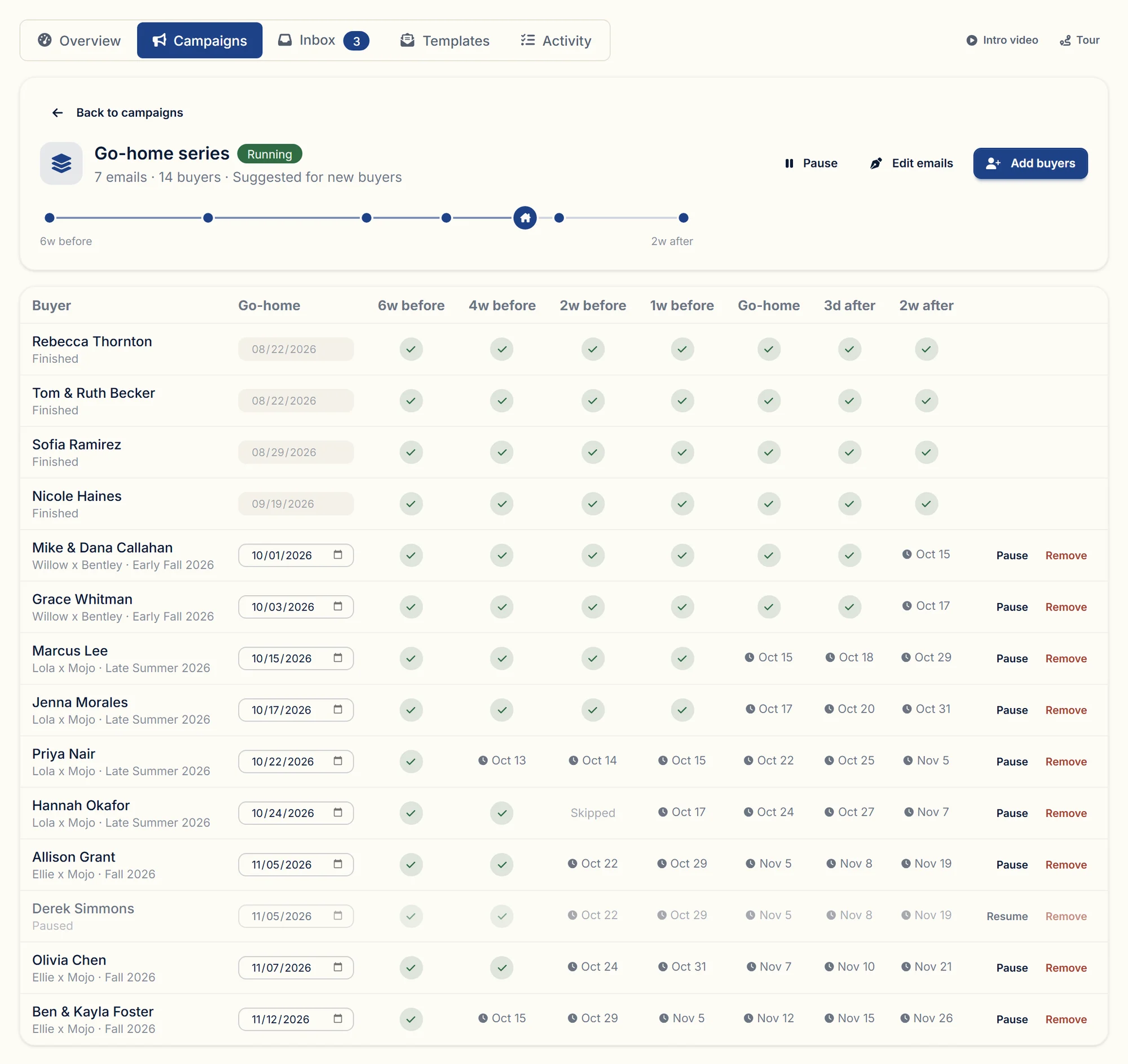
So every email in a series is set relative to go-home day, like "4 weeks before" or "3 days after", and each buyer has their own go-home date. BreederBuddy works out the real send date for each person. Juniper going home October 17 and Moose going home November 12 get the same seven emails, almost four weeks apart, and you never touch a calendar.
When a buyer's plans change, change their date. Every email they haven't received yet moves with it.
The go-home series, email by email
Every account starts with these seven. They're short on purpose, and written to sound like a person. Rewrite any of them so they sound like you.
| When | What it covers | |
|---|---|---|
| 6 weeks before | Welcome to the familyA welcome, what the next few weeks look like, and a request for the puppy's name. | A welcome, what the next few weeks look like, and a request for the puppy's name. |
| 4 weeks before | What to have ready at homeThe shopping list: the food the puppy eats now, a crate with a divider, collar, leash, ID tag, and chew toys. | The shopping list: the food the puppy eats now, a crate with a divider, collar, leash, ID tag, and chew toys. |
| 2 weeks before | Let's plan go-home dayThe go-home date, a pickup time, and where you are meeting. | The go-home date, a pickup time, and where you are meeting. |
| 1 week before | One week to goA towel for the ride, a quiet plan for the first days, and a vet visit booked for week one. | A towel for the ride, a quiet plan for the first days, and a vet visit booked for week one. |
| On go-home day | Welcome homeThe first night: keep it calm, crate close by, some crying is normal. | The first night: keep it calm, crate close by, some crying is normal. |
| 3 days after | How's it going?A check-in on the first few days, and a request for a photo. | A check-in on the first few days, and a request for a photo. |
| 2 weeks after | Paperwork and next stepsMicrochip registration in the buyer's name, and registration papers to follow. | Microchip registration in the buyer's name, and registration papers to follow. |
A few notes on each, if you're writing your own:
Welcome to the family (6 weeks before)
Thank them, tell them you'll send a short note now and then, and ask one easy question: has the puppy got a name yet? Buyers love being asked, and you'll use the answer in every email after this one.
What to have ready at home (4 weeks before)
A month out is when people shop. The most useful line in this email is the food you're feeding now, because a sudden food change on go-home day is a common cause of an upset stomach that first week. Add a crate sized for an adult with a divider, a collar, a leash, an ID tag, and a few chew toys.
Let's plan go-home day (2 weeks before)
Confirm the date, then ask for a time and a place. This is also the email where a family whose plans changed will finally tell you, so give them the opening.
One week to go (1 week before)
Keep it practical: a towel or blanket for the ride, a quiet plan for the first few days, and a vet visit booked for the first week home. Tell them which records they'll get at pickup.
Welcome home (go-home day)
Short. The first night is the hard part, so tell them what's normal. Crate close to the bed, some crying, a calm house.
How's it going? (3 days after)
A check-in and a request for a photo. Expect replies with pictures. They're the nicest emails you'll get all month.
Paperwork and next steps (2 weeks after)
Microchip registration in the buyer's name, and registration papers if they apply. Then a thank-you. It's the last email in the series, so make it the one they keep.
Four more series to start from
The go-home series isn't the only one. There are five ready-made series, all timed from the buyer's go-home day: progress notes while families wait, a puppy-raising course for the first month home, first-year check-ins, and check-ins for guardian homes. Pick one and every email opens in the editor, ready to change.
Go-home series
7 emails
Seven emails from welcome to two weeks home for a new puppy: what to buy, planning the day, the first-night check-in, paperwork. Each buyer gets them on their own go-home date.
- 6 weeks beforeWelcome to the family
- 4 weeks beforeWhat to have ready at home
- 2 weeks beforeLet's plan go-home day
- 1 week beforeOne week to go
- On go-home dayWelcome home
- 3 days afterHow's it going?
- 2 weeks afterPaperwork and next steps
Buyers who reserve late still get every email
Families don't all reserve at the same time. When you add a buyer after some of the emails were already due, BreederBuddy doesn't skip them and doesn't dump them all at once. The missed emails go out a day apart, and then that buyer joins the normal schedule.
Hannah Okafor
Hazel goes home Saturday, October 24
Hannah reserves Hazel on October 3
- 6 weeks before6 weeks beforeWelcome to the familySep 12
- 4 weeks before4 weeks beforeWhat to have ready at homeSep 26
- 2 weeks before2 weeks beforeLet's plan go-home dayOct 10
- 1 week before1 week beforeOne week to goOct 17
- On go-home dayOn go-home dayWelcome homeOct 24
- 3 days after3 days afterHow's it going?Oct 27
- 2 weeks after2 weeks afterPaperwork and next stepsNov 7
You can also skip any single email for one buyer (no need to send the shopping list to a family who already has two of your dogs), pause a buyer, or take them out of the series. Edit an email later and everyone who hasn't received it yet gets the new version.
How buyers get added
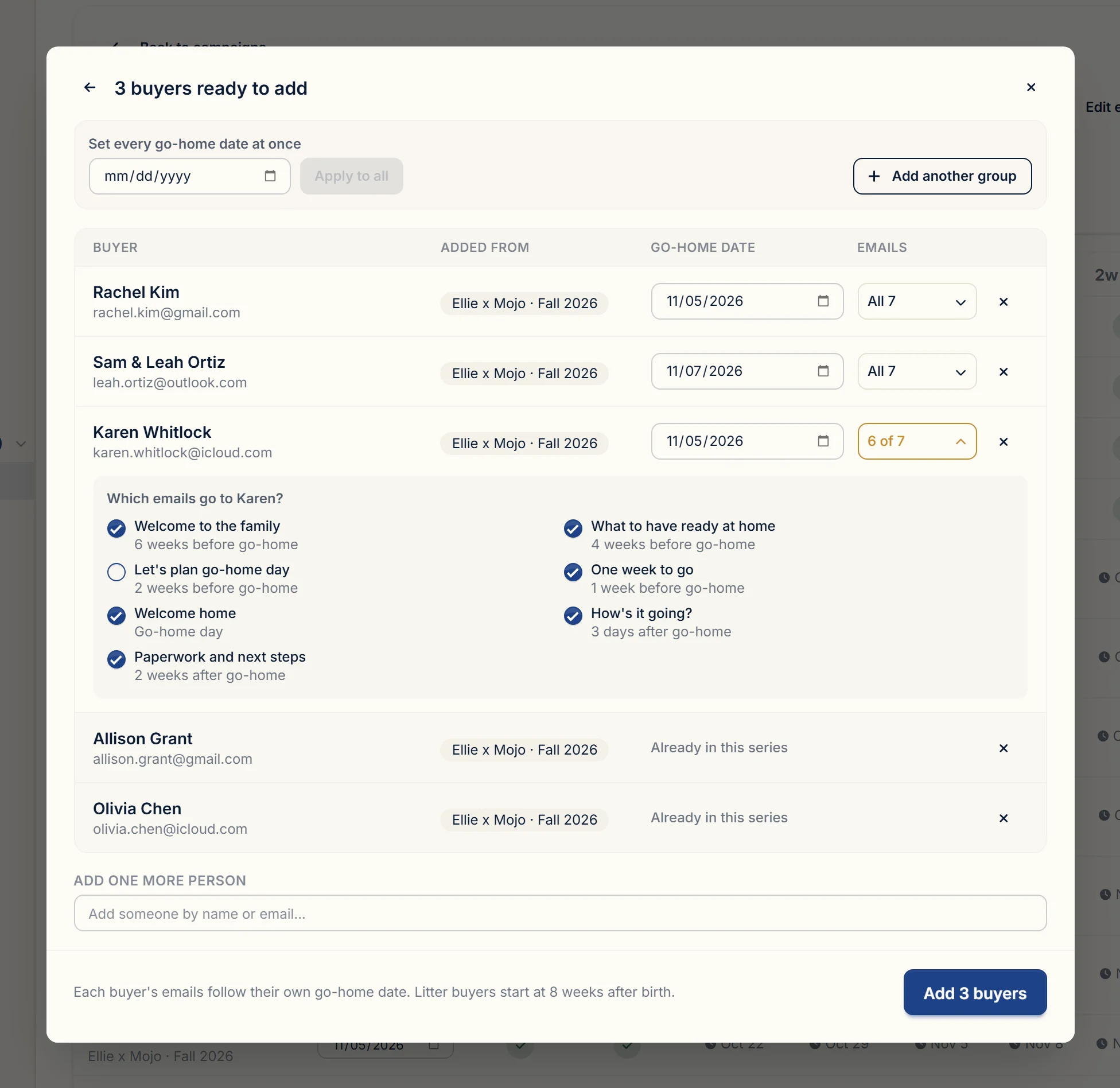
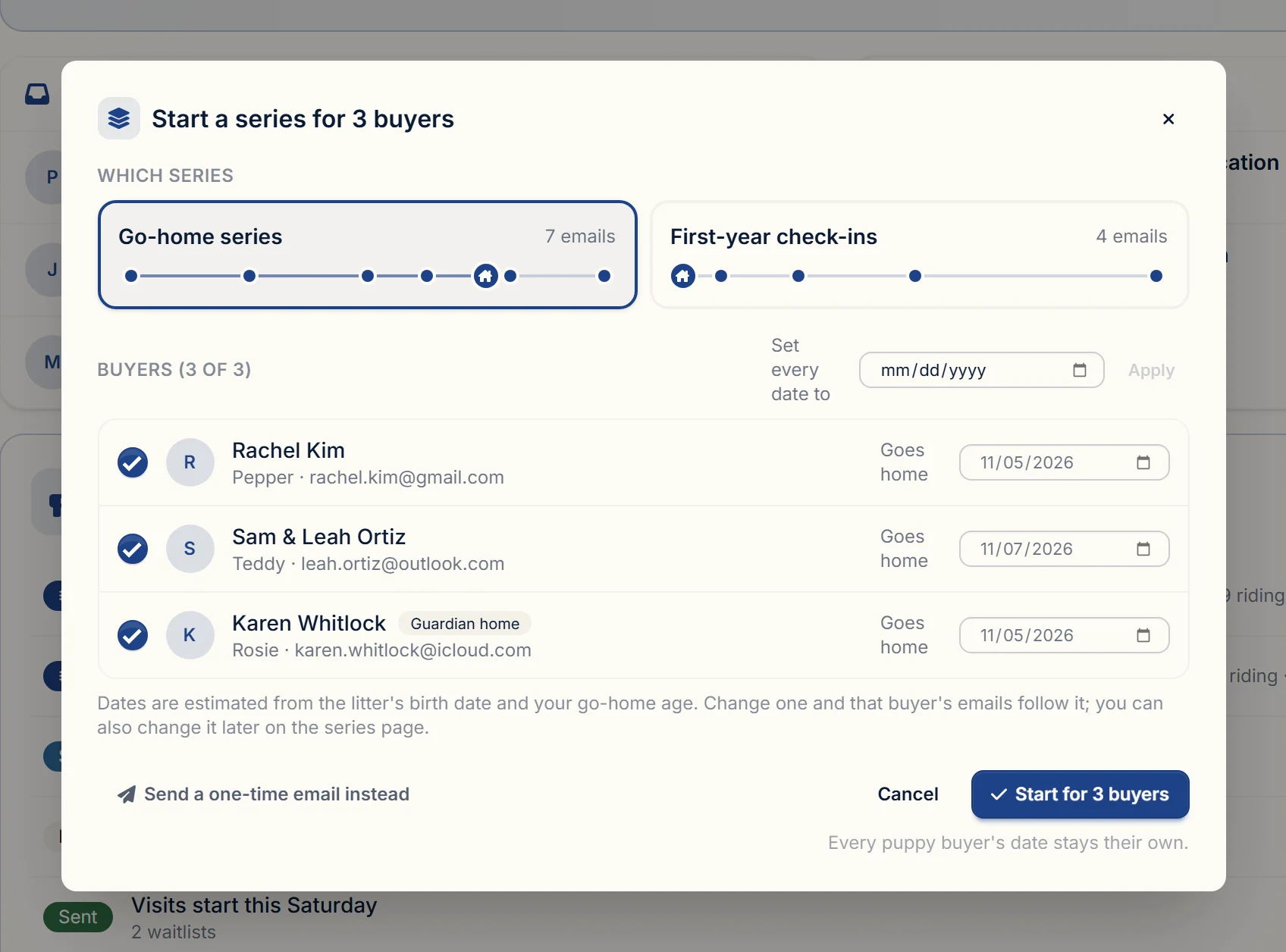
You shouldn't have to remember to add people. When you set a buyer as the owner of a puppy in a litter, BreederBuddy suggests the go-home series right there, on the puppy's page, the litter page, and the buyer's contact page. Their go-home date is filled in from the litter's birth date and your usual go-home age, and you can change it before you start.
Each series has a setting for this:
- Suggest it when a buyer is matched to a puppy. This is the default.
- Start it automatically, so the series begins without a click.
- Only when I add buyers myself.
Guardian homes are labeled as guardian homes and never added automatically. And you can always add a whole litter's buyers, a waitlist, or applicants from a form in one go.
One-time emails for litter announcements
The other half of campaigns is the email you send once. Pick "Announce a litter", choose the litter, and BreederBuddy starts the email with its details, addressed to the people on that litter's waitlist. There are starters for a puppy becoming available, a waitlist update, a note to past puppy families, and program news.
Your audience comes from your records, not a list you upload. Pick who it's for: one or more waitlists, one or more litters' buyers, past buyers by when their puppy was born, applicants from a specific form, or a contact type. Someone on two of the waitlists you pick gets one email. Anyone who has unsubscribed is left out automatically. You can see every name before you send, and take anyone off by hand.
Step 1 · Audience
Who gets this email
0
people
Pick one or more groups from your records.
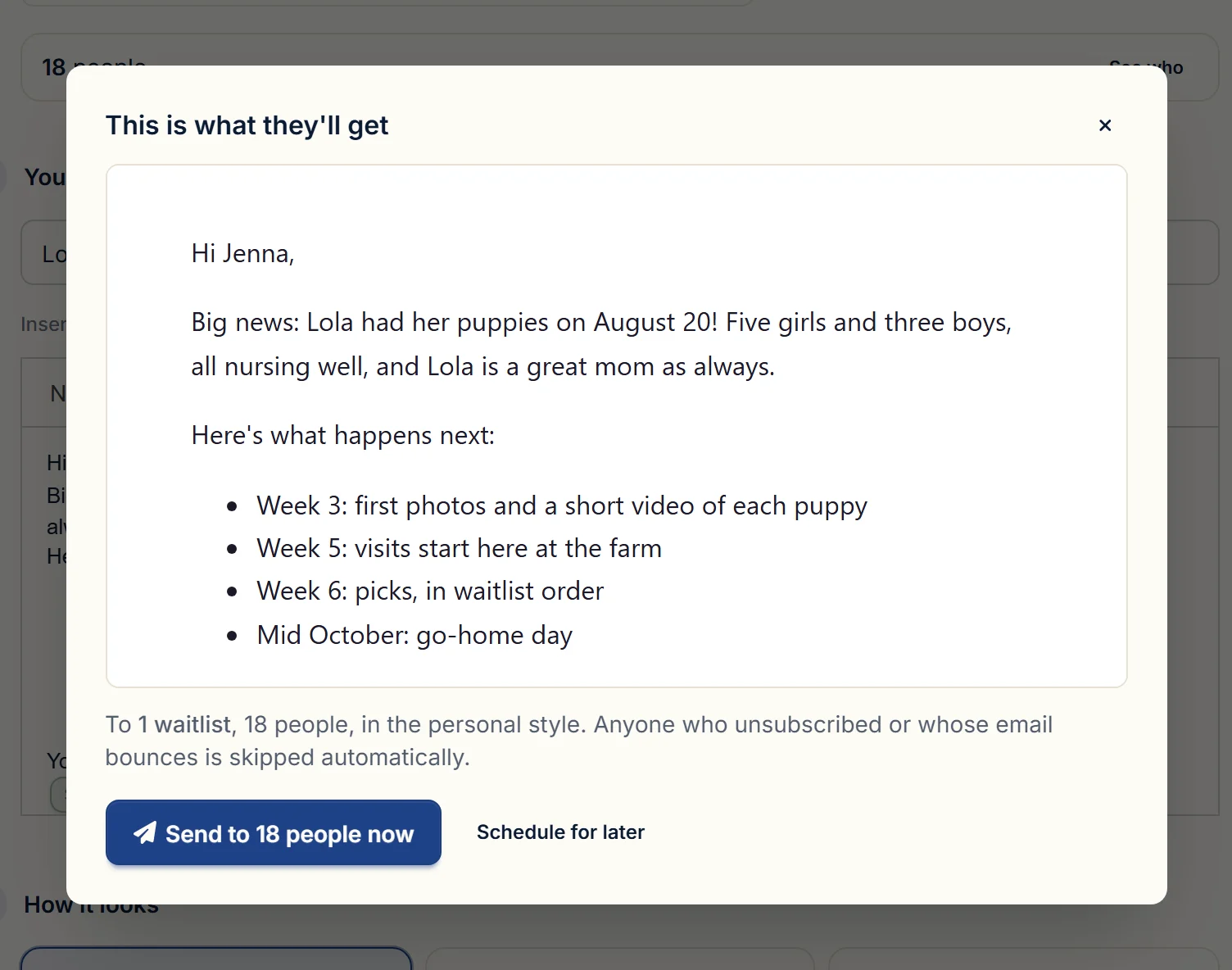
Before anything goes out you see the real email, exactly as your buyers will get it. Send yourself a test, then send it now or schedule it.
Every email says their name, and their puppy's
Write an email once with fields for the buyer's first name, the puppy's name, the go-home date, and your own name. Each buyer gets their own version. If a detail is missing, the email still reads like a person wrote it: "Hi there" instead of a blank, "your puppy" instead of an empty space.
You write it once
Subject
Let’s plan go-home day
Hi First name,
Two weeks to go. We’ll see you on Go-home date to bring Puppy name home. Reply with a time that works.
Your first name
Each buyer gets their own
From Maple Hollow Doodles <news@maplehollowdoodles.com>
To Jenna Morales
Hi Jenna,
Two weeks to go. We’ll see you on Saturday, October 17 to bring Juniper home. Reply with a time that works.
Sarah
Sent from your own domain
Campaign emails come from your own address, like news@yourkennel.com, with your kennel's name as the sender. Setting that up means adding a few DNS records where your domain is managed. BreederBuddy shows you exactly which ones, checks each record for you, and emails you the moment the domain is verified. If you get stuck, you can chat with us right from that screen.
Every campaign and series email includes an unsubscribe link and your business mailing address. Gmail and other inboxes also get a one-click unsubscribe. If someone unsubscribes or marks an email as spam, they're left out of everything after that.
You can pick how each email looks. Personal is the default because it reads like a note you typed yourself. Clean adds your kennel name at the top. Branded puts your logo on a card, for the emails that should feel like a newsletter.
Three ways to dress an email
Hi Jenna,
Sarah
Maple Hollow Doodles
Hi Jenna,
Hi Jenna,
See the litterReplies come back to the buyer's record
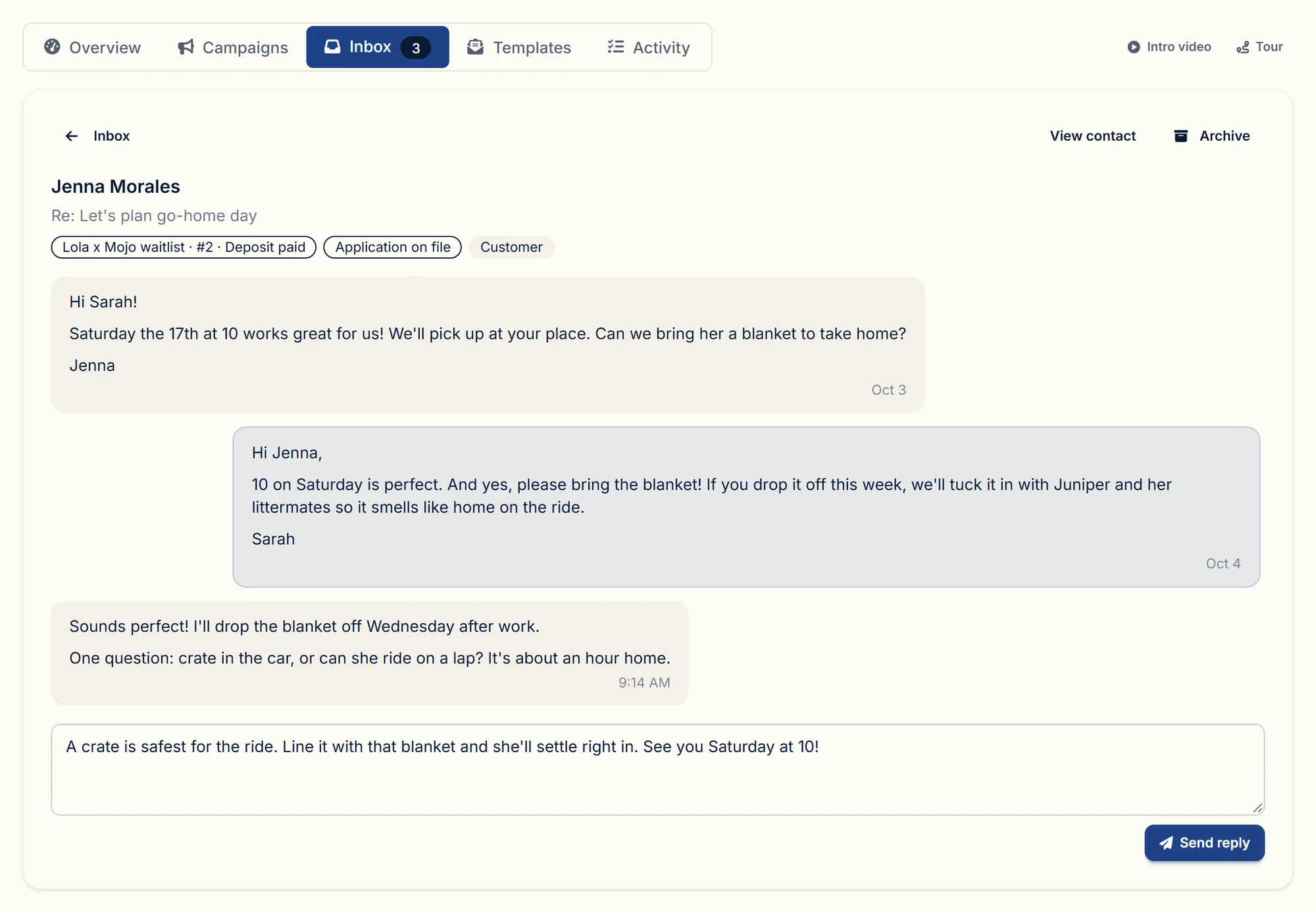
When a buyer replies to a campaign or a series email, the reply lands in your Communications inbox, threaded on that contact. Their waitlist spot and application sit right beside the conversation. Answer from BreederBuddy and the whole thread stays on their record. You also get a notification and a copy by email, so nothing sits there unread.
Getting started
- Open Communications and go to Campaigns.
- Add your sending domain and the DNS records it shows you. The setup checklist on the Communications overview also asks for your business mailing address, which goes in the footer of every email.
- Open the go-home series. Read the seven emails and make them sound like you.
- Match your next buyer to their puppy, and start the series when BreederBuddy suggests it.
Campaigns and go-home series are part of the Pro plan. Already on Pro? They're included, with no change to your bill.
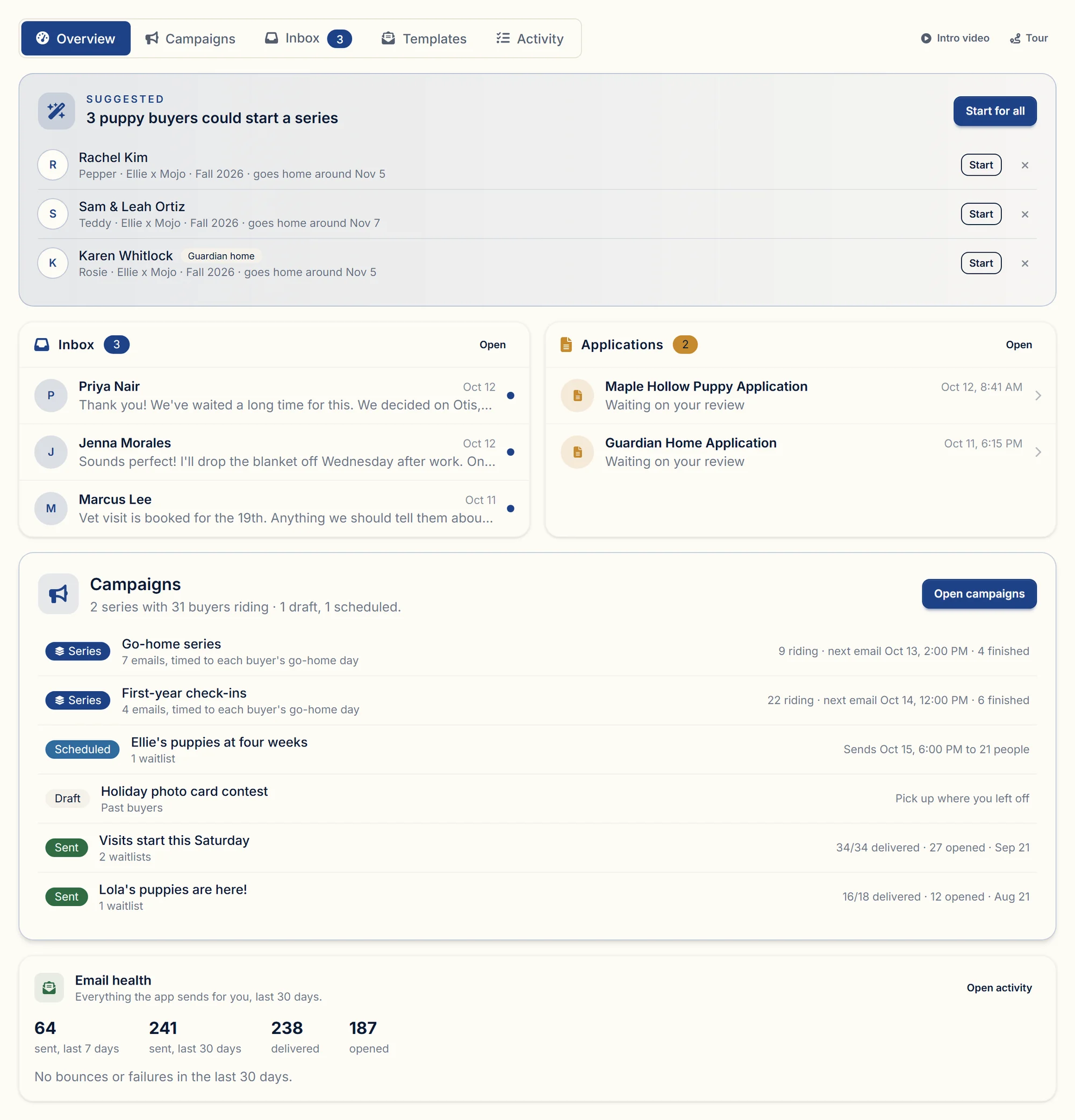
Once you're running, the Communications overview is the page to check. It shows buyers who are ready for a series, new replies, new applications, what each campaign is doing, and how your emails are landing.
Questions
Can each buyer in the same litter have a different go-home date?
Yes. Each buyer has their own go-home date, and every email is scheduled from it. Change the date and their remaining emails move.
What happens if I add a buyer after some emails were already due?
The missed emails go out a day apart, then the buyer follows the regular schedule. You can skip any email for that buyer first.
Do I need my own domain?
Yes. Campaigns send from your own domain so they arrive in your kennel's name. BreederBuddy walks you through the DNS records and checks them for you.
Does this work for kittens?
Yes. Cat programs get the same campaigns and series. The name field fills in the kitten's name, and if it's blank the email says "your kitten".
For the full rundown, see email campaigns and go-home series in BreederBuddy. If you have a go-home routine of your own that you'd like built as a series, tell us. We read every one.