
Puppy Deposit Tracking: From the Request to the Final Balance
By Kenny SchultzLast reviewed
Puppy deposit tracking means tying each deposit to one buyer and one spot on your list, then following it to the final balance. In BreederBuddy, adding a family to a deposit waitlist creates their deposit invoice. They pay online, or you log Venmo, Zelle, cash or check with its real date, then credit the deposit on their balance invoice.
Key takeaways
- Ask for the deposit the day you approve a family, and tie it to their spot on a specific waitlist.
- Record every Venmo, Zelle, cash or check deposit with its real payment date and method, so pick order by deposit date holds up.
- Credit the paid deposit on the balance invoice so the family sees the full price, the credit and what's left.
- When a family moves to a later litter, move their entry so the paid deposit and its original date go with them.
- Put refund and transfer rules in a signed deposit agreement, and have an attorney check them for your state.
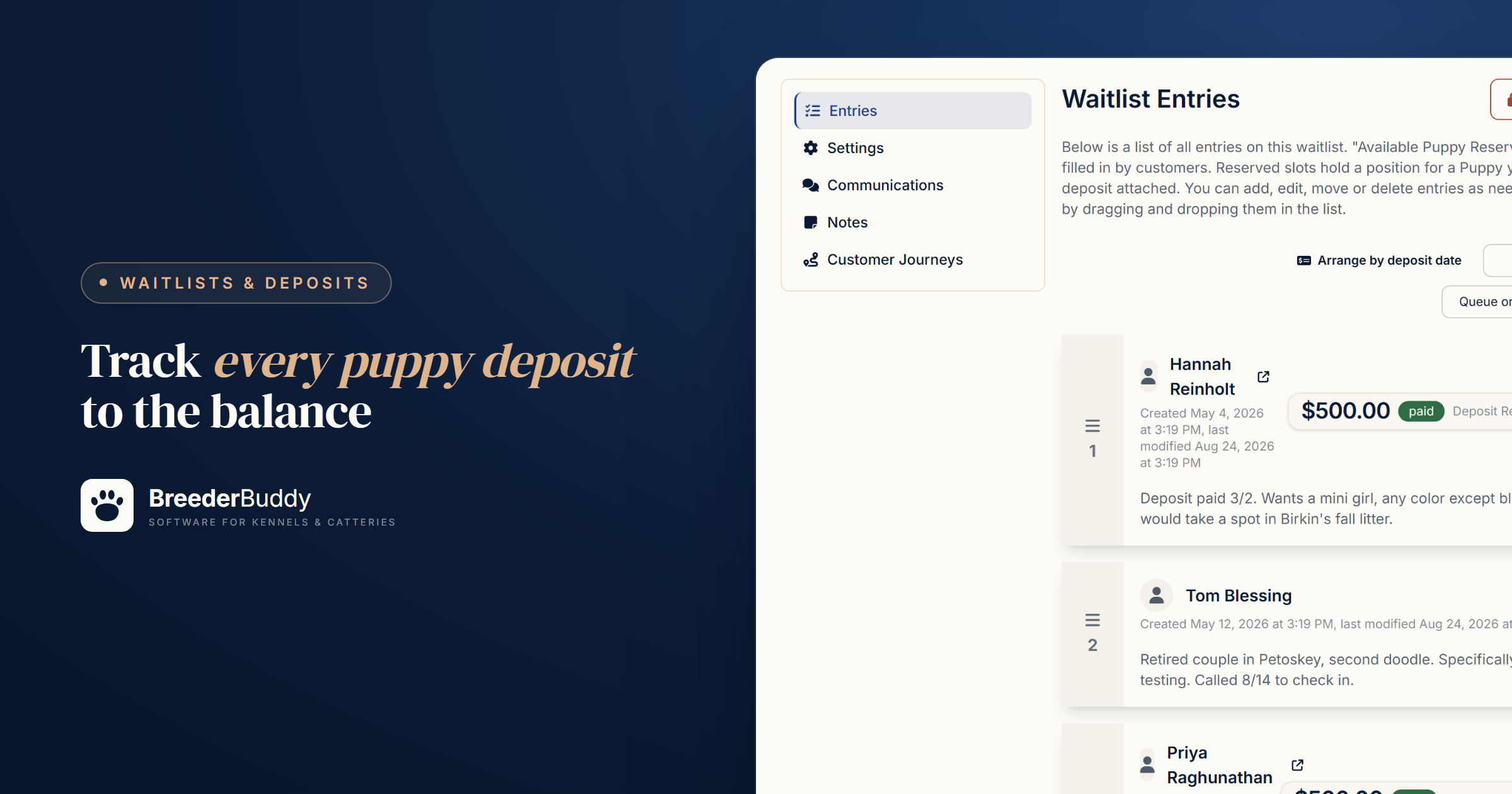
Puppy deposit tracking means recording every deposit against one buyer and one spot on your list: the amount, the date it was paid, how it was paid, and the puppy it will be credited to. Keep that record from the day you ask for the money until it comes off the final balance, and you'll always know who has paid, for what, and what's left.
One family pays by Venmo, another hands you a check at a visit, a third pays online, and a fourth asks to move to the fall litter. Months later you're scrolling a payment app to rebuild who paid for which spot. Below is the record to keep, when to ask, and how BreederBuddy handles each step.
What to record for each deposit
Track five things for every deposit, whether you keep them in a spreadsheet or in software:
| Record | Example | Why it matters |
|---|---|---|
| Buyer and spot | #2 on your spring list | Two families can't both think they hold the same pick |
| Date paid and method | March 3, Zelle | Sets pick order by deposit date and matches your bank statement |
| Reference | Check number or transfer confirmation | Settles "I already sent it" in one look |
| Where it's credited | The puppy's balance invoice | The deposit comes off once, and only once |
| Terms signed | Your deposit agreement | Settles refund and transfer questions |
Ask for the deposit the day you approve a family, not before. Money from someone you haven't screened makes it awkward to say no later, so screen first with puppy application questions. Tell the family the amount, what it holds (a place in line, not a specific puppy), whether it comes off the price, and how long they have to pay. If you pick in deposit order, the date the money lands is their place in line, so record it exactly. More in how to set puppy pick order and how long a puppy deposit should hold a spot.
Step 1: Set the deposit and send the request
In BreederBuddy the deposit belongs to the waitlist, so every family you add gets the same request without you typing an amount.
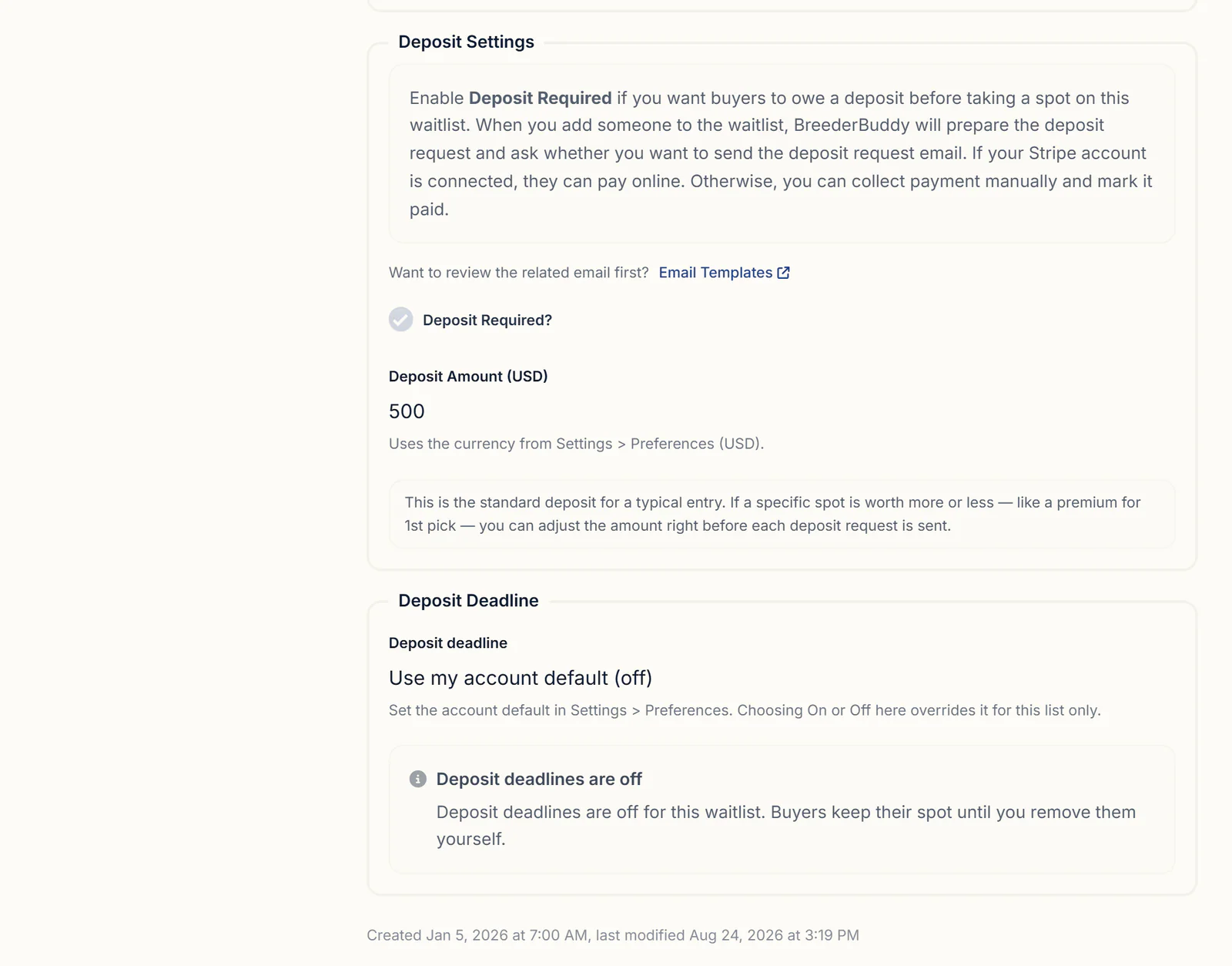
- On the Waitlists page, click Add Waitlist. In the walkthrough, Deposit Required? starts ticked with $300 filled in, so change Deposit Amount to yours. Deposit deadlines stay off unless you turn them on for your account or for that list.
- Add a family. From an application, open the submission, click Approve Or Decline and choose Convert & Place into Waitlist. From the waitlist, click Add Entry, pick them under Select Contact, and leave Status on Pending (Automatic Payment), even if they'll pay you by hand.
- BreederBuddy creates the deposit invoice and asks Send Deposit Request? When you add from the waitlist, the Deposit request amount box lets you charge one family a different amount, like a premium for first pick.
- Click Yes, Send Request. The family gets an email in your kennel's name with a Complete Deposit button that opens their buyer portal. Click No to hold it, and use Resend on their row when you're ready.
The family needs an email address on their contact, or no deposit invoice is created. With deadlines on, the clock starts when the request goes out, and reminders go out 4 days and 1 day before by default. To change a list's deposit later, open its Settings tab and click Edit Details. Requests you've already created keep their amount.
To take a deposit on one specific puppy instead of a spot, create an invoice in Finances → Invoices, pick the puppy, and set Invoice Type to Deposit. It shows on the buyer's record and the Invoices page, not on a waitlist row.
Step 2: Record online and hand payments on one invoice
Online or by hand, every payment lands on the same deposit invoice.
Online. Connect Stripe once in Settings → Stripe, and families pay from their portal with the methods you switch on under Accepted Payment Methods, such as card or ACH bank transfer. When a deposit is paid, the entry is marked paid, the family gets a Waitlist Deposit Receipt email, and you get an email and a push notification. ACH takes about four business days to clear, and the invoice shows Processing until it does.
By hand. Venmo, Zelle, PayPal, Cash App, cash and check all work, but they don't mark anything paid on their own. Add your handles under Settings → Other Payment Methods so families see them in their portal. When the money arrives:
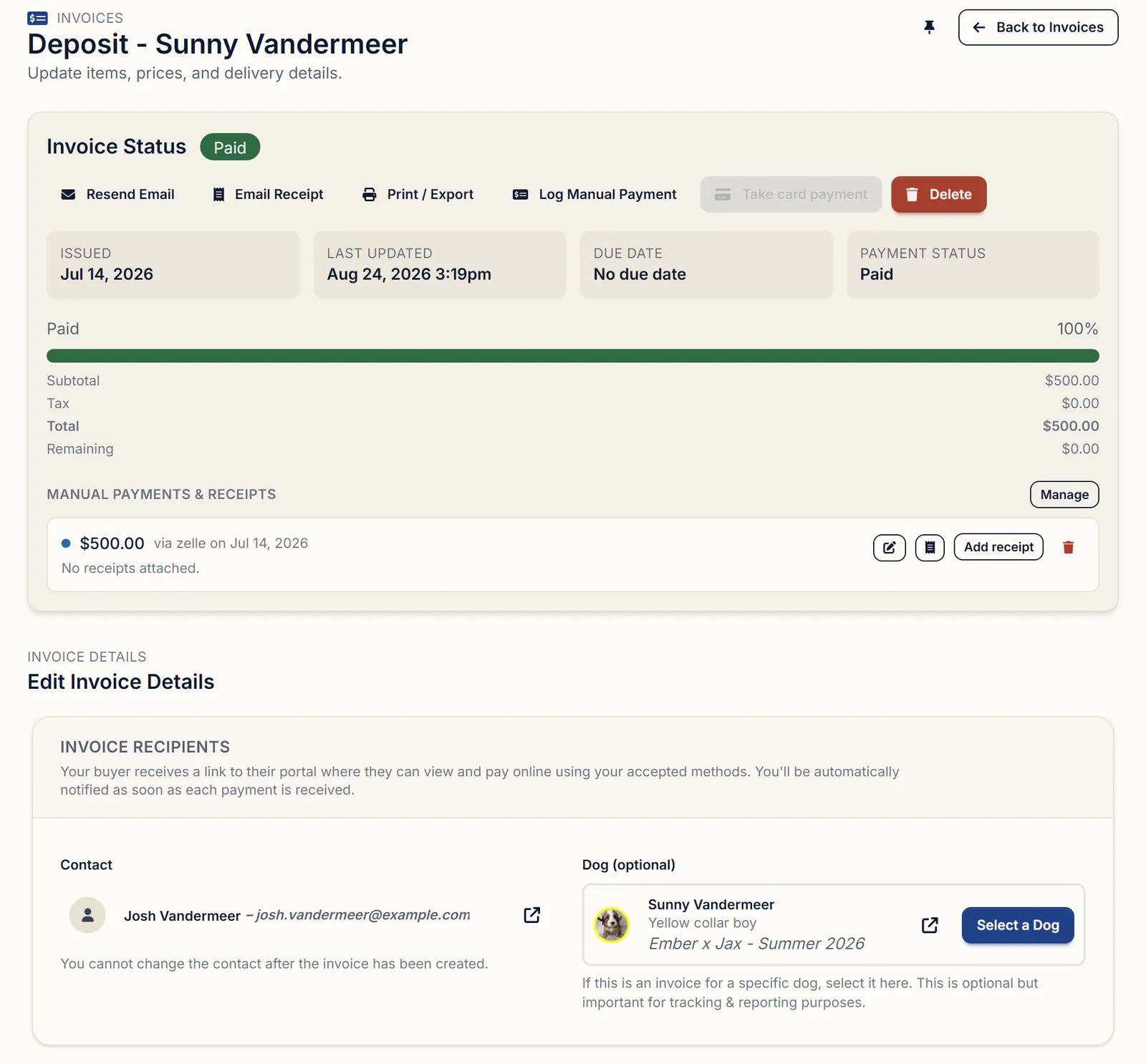
- Open the deposit invoice from Finances → Invoices and click Log Manual Payment.
- Enter the Amount Paid, Payment Method and Payment Date. Use the day the money arrived, not today.
- Add a note such as the check number. Add receipt attaches a photo of the check.
- Leave Email a receipt to the customer ticked to send a branded receipt, or untick it.
- Click Save. Once the full amount is logged, the invoice and the waitlist row show paid, on the date you entered.
There's no commission on the sale. Online payments cost Stripe's processing rate, shown beside each method, plus a 0.1% platform fee. Payments you record yourself cost nothing. Pass Processing Fees to Customer on the Stripe tab adds a Payment Processing line to deposit requests; if that family then pays by hand, delete the line before logging the payment, or the invoice stays short by the fee.
Step 3: What families see in their portal
Every family has a private buyer portal showing each invoice, what's been paid and what's left, so they can answer "did you get my deposit?" themselves. They sign in with a six-digit code sent to their email, and the links in your emails open it directly.
On the Invoices tab, each invoice shows a button such as Pay $500.00 Online for what's still owed (when Stripe is connected and online payment is on), the payments you logged under Other Payments Applied, any credit with its reason, and the Remaining Balance or a Paid in Full badge. After a partial payment, click Email Receipt on the invoice to send a receipt showing what's paid and what's still owed. The portal doesn't show a family's place in line, so tell them their pick number yourself.
Step 4: Credit the deposit on the balance invoice
The deposit stays its own invoice, and when the balance is due, BreederBuddy offers to subtract what the family already paid.
- In Finances → Invoices, click Create New Invoice and choose the same family under Contact.
- Pick the puppy in the dog box.
- Add the full price under Line Items, and a Due Date if you have one.
- Click Apply deposit in the yellow Deposit credit available box. BreederBuddy ticks Apply discount, fills in Discount amount, and sets the reason to "Deposit credit applied."
- Check the Summary, which now shows only what's left, and click Save.
The suggestion adds up every deposit invoice that family has paid, so if they've put deposits on two puppies, change Discount amount to this puppy's deposit. The portal shows the credit as a discount with its reason. If you'd rather families not see the word discount, invoice just the remainder, with a line such as "Balance after $500 deposit."
If the balance comes in pieces, log each payment, and the portal's online button charges only what's left. BreederBuddy doesn't remind families about a balance, but with a due date set, the invoice is flagged Overdue once it passes, on your Invoices page and in their portal. More in contracts and invoices for breeders.
Step 5: Move a family to a later litter
Move the family to the other waitlist, and a deposit paid in full moves with them.
- On their row, click Move Entry to Another Waitlist.
- Choose the list under Select New Waitlist and click Save.
- They land at the end of the new list. Drag them where they belong.
The paid deposit keeps its original paid date, and the row shows a "From" link back to the old list. An unpaid request is cancelled, and if the new list takes a deposit, BreederBuddy creates a fresh one at that list's amount and asks whether to send it. A partly paid deposit doesn't move with them, so log the rest of the payment before you move the family.
Refunds and transfers belong in the contract
BreederBuddy records refunds but doesn't send money back, so your refund and transfer rules belong in the contract the family signs.
The Puppy Deposit / Reservation starter contract makes the deposit non-refundable if the buyer cancels or changes their mind, transferable one time to a future litter at your discretion, refundable only if you can't provide a puppy as agreed, and applied toward the final price. Edit it to fit your program and have an attorney review it, because the rules on deposits and refunds vary from state to state. More in dog breeding contract templates.
To record money you give back, open the paid invoice, click Log Manual Payment, then Manage refunds, and enter the Refund Amount, Refund Method, a Reference such as the check number, and the Refund Date. The invoice gets a Refunded badge, and the family's portal lists it under Refunds Issued. For a deposit paid online, refund it from your Stripe dashboard first, then log it here.
Seeing who has paid at a glance
Three screens answer "who still owes me": the waitlist, the Invoices page, and each family's record.
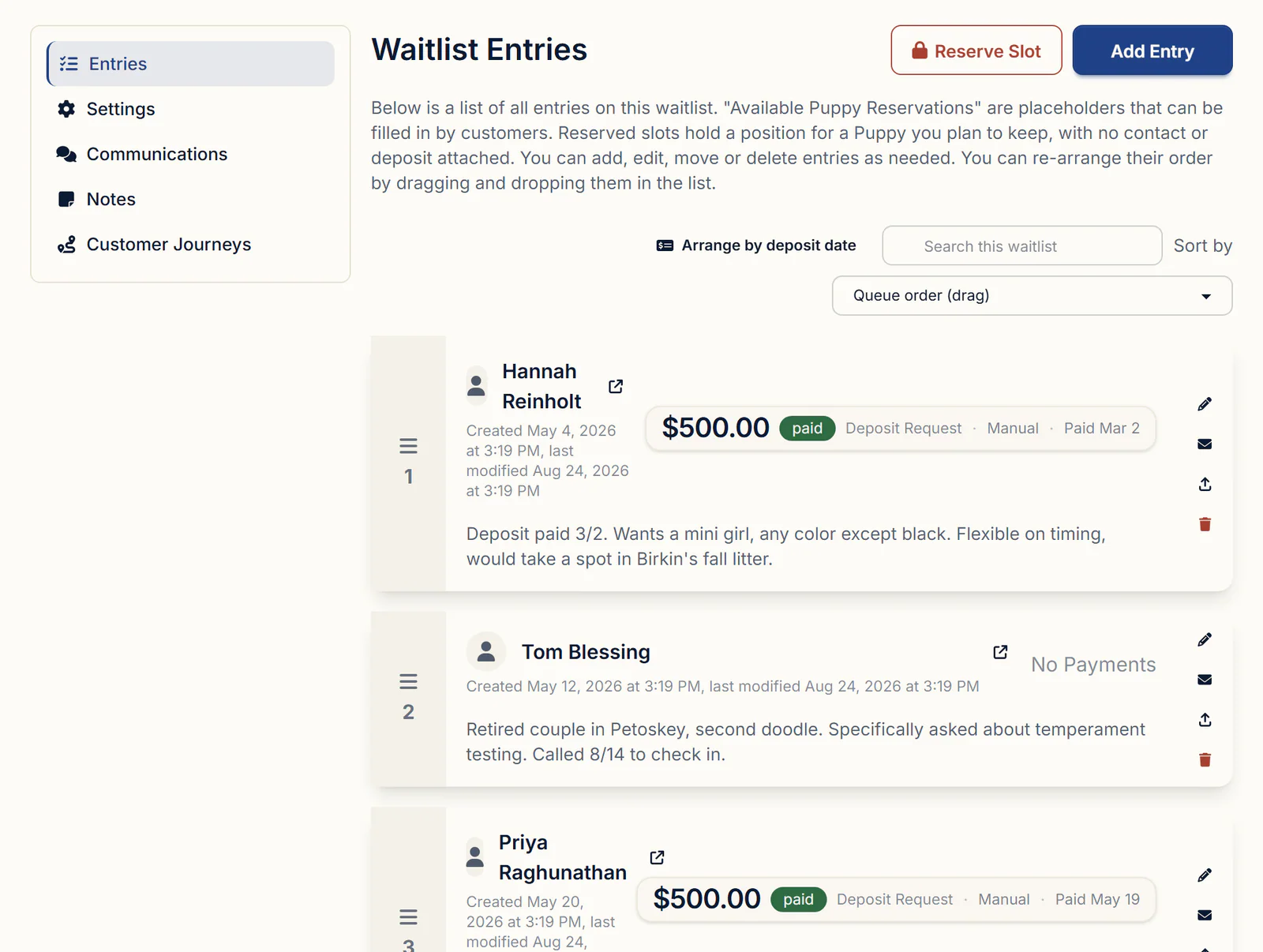
The waitlist. Each entry shows its deposit, a paid or pending badge and the date paid, or "No Payments" if nothing was requested. With deadlines on, a chip counts down, such as "Deposit due in 3 days." If you pick in deposit order, Arrange by deposit date puts paid deposits first, in the order they were paid.
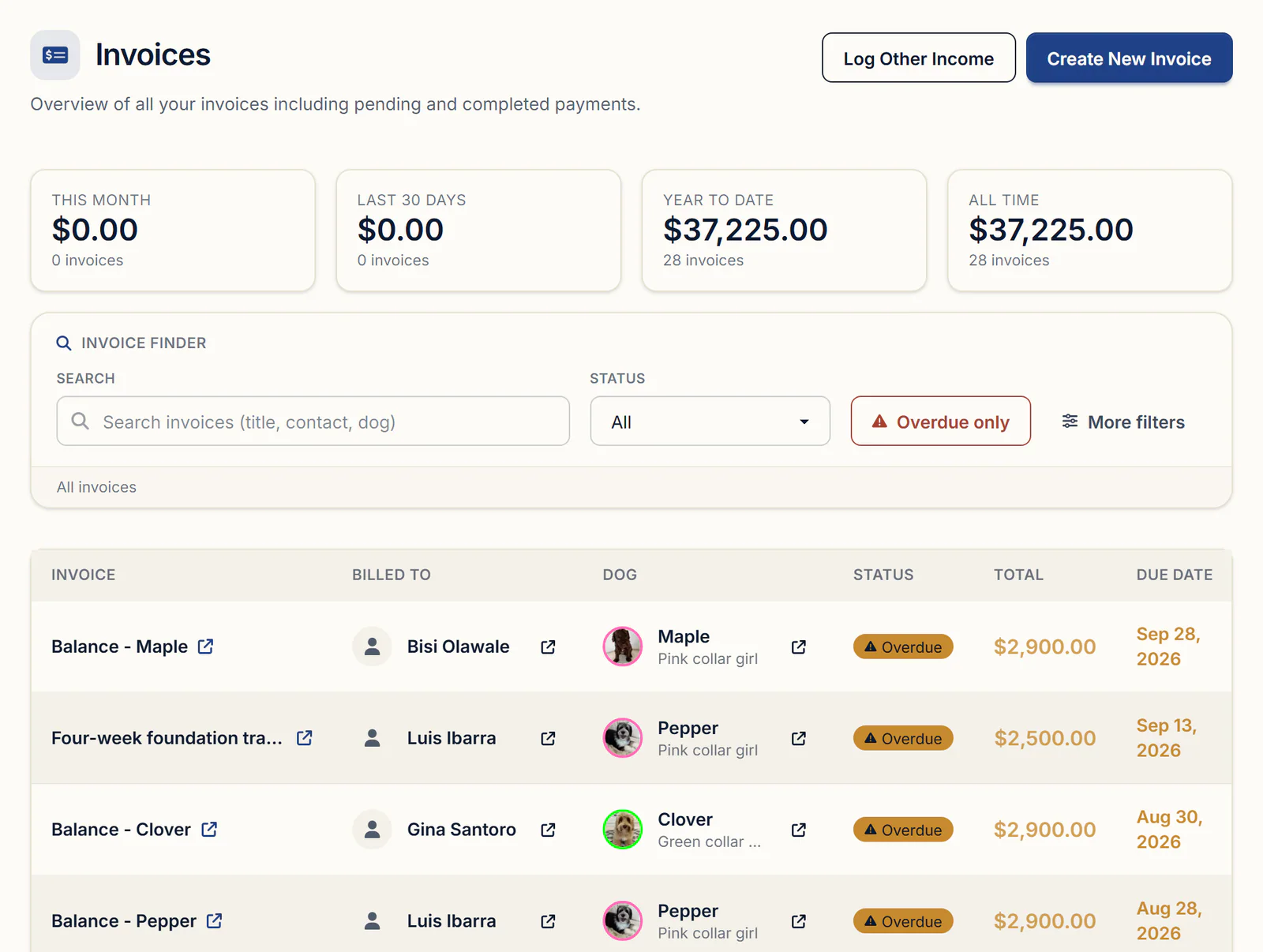
The Invoices page. Paid totals for this month, the last 30 days, the year and all time sit above every invoice with its buyer, puppy, status and due date. Set Status to Paid, Processing, Partially paid or Unpaid, or click Overdue only.
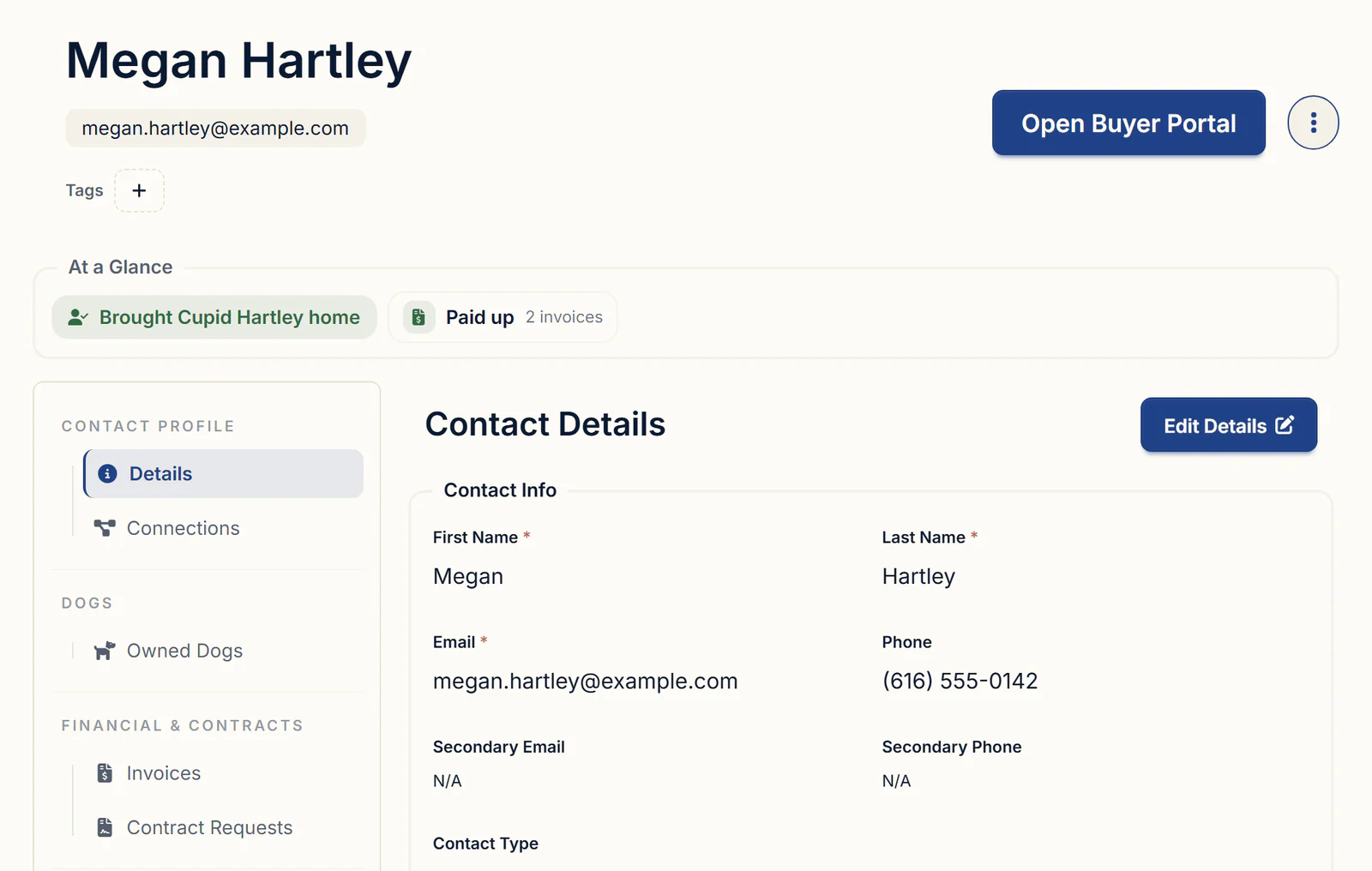
Each family's record. The At a Glance band under their name says where they stand, such as "Deposit paid · spot held," and the invoice chip reads "Paid up" or the amount outstanding.
What to look for in breeder deposit software
Hold any puppy deposit software, or any breeder software with payments built in, against this list:
- Each deposit tied to a buyer and a spot, not just a line in a payments list
- Online and hand-recorded payments on the same record, each with its real date
- Plain fees: no commission, and the processor's rate stated up front
- The deposit credited on the balance invoice, with the math visible to the family
- A paid deposit that follows a family to a later litter, with its original date
Getting started
Waitlists, deposits, invoices, contracts and the buyer portal are on every plan. Standard is $30/month or $300/year. Pro is $60/month or $600/year and adds a kennel website built from your records. Every plan has a 30-day free trial with no credit card required. For the waitlist side in more depth, see puppy waitlist and deposit software.
Questions
How do I record a deposit a buyer paid by cash, Venmo, Zelle or PayPal instead of by card?
Open their deposit invoice under Finances → Invoices, click Log Manual Payment, and enter the amount, the method and the date the money arrived. Untick Email a receipt to the customer if you don't want them emailed. There's no card fee on payments you record yourself, and once the deposit shows paid, no deadline reminder goes out. If they aren't on your waitlist yet, add them first and click No when BreederBuddy offers to send the deposit request.
Can I set up a payment schedule, or let a buyer pay off a puppy in installments?
BreederBuddy doesn't build a schedule for you, and nothing is charged automatically. You can send a separate invoice for each stage, such as the deposit, a payment once the puppies are born and the balance at pickup, each with its own due date. Or keep one balance invoice and log each payment as it arrives. Set Invoice Type to Deposit on the in-between invoices, and Apply deposit counts them on the final one.
How do I take the deposit off the final invoice so the buyer only pays the balance?
Use two invoices: the deposit (waitlist deposits are already the Deposit type) and a final invoice for the full price. On the final one, click Apply deposit in the Deposit credit available box. The deposit comes off as a discount with the reason "Deposit credit applied," which the family sees in their portal. If you'd rather the word discount not appear, invoice just the remainder instead.
How do I add deposits buyers paid before I started using the app, without emailing them a request or receipt?
Add each family with Add Entry, leave Status on Pending (Automatic Payment), and click No when BreederBuddy offers to send the deposit request. Then open their deposit invoice, click Log Manual Payment, enter the real Payment Date, and untick Email a receipt to the customer. The deposit is dated the day it was really paid, so your income reports and Arrange by deposit date both use that date.
Can buyers sign my deposit agreement at the same time they pay the deposit?
Not in one step. The deposit request and the contract go out as separate emails, and both wait in the family's buyer portal, the contract under Contracts and the deposit under Invoices. To use your own wording, click Add New Contract, choose Start from a blank contract, and paste it in. Send it with Send Contract to Customer the same day as the deposit request.
Can buyers pay a puppy deposit online if I don't have a website, or if my website is on another platform?
Yes. Your website doesn't matter, because the deposit request email opens the family's buyer portal, where they pay through Stripe. There's no commission on your sales. Online payments cost Stripe's processing rate plus a 0.1% platform fee, and you can pass Stripe's fee on to the buyer. Payments you record yourself, like Venmo, Zelle, cash or check, cost nothing.
Terms used in this article
- Puppy deposit
- Money a buyer pays to hold a place on a breeder's list, usually credited toward the puppy's purchase price.
- Balance
- What a buyer still owes on a puppy after the deposit and any other payments are subtracted from the price.
- Deposit credit
- A paid deposit subtracted from the puppy's price on the final invoice, so the buyer pays only the remainder.
- Manual payment
- A payment received outside online checkout, such as Venmo, Zelle, cash or check, and recorded by the breeder.
- Processing fee
- The charge a card or bank processor takes on an online payment, either absorbed by the seller or added to the buyer's total.
- Pick order
- The order in which buyers on a list choose their puppy, often set by the date each deposit was paid.
- Non-refundable deposit
- A deposit the buyer doesn't get back if they cancel, usually with exceptions, such as the breeder being unable to provide a puppy, written into the contract.
In BreederBuddy
- Standard
- $30/month or $300/year. The full management platform: unlimited dogs, litters, and puppies, and multiple user accounts.
- Pro
- $60/month or $600/year. Everything in Standard, plus a template kennel website built from your records.
- Platforms
- Available on the web and as an Android app on Google Play (iPhone and iPad app coming soon).
- Free trial
- 30 days, full access, no credit card required.