
Puppy Weight Tracking: How Often to Weigh Newborns and What to Watch For
By Kenny SchultzLast reviewed
Puppy weight tracking means weighing each newborn at birth, daily for two weeks, then every three days until a month old. The Merck Veterinary Manual accepts a day-one loss of up to 10% of birth weight, then expects gains of 5% to 10% of body weight a day. A puppy that loses weight or stalls needs your vet.
Key takeaways
- Weigh each puppy at birth, daily for two weeks, then every three days until a month old, on the same scale at the same time of day.
- A dip of up to 10% of birth weight on day one is acceptable; after that, every weight should be higher than the last.
- Healthy newborns gain about 5% to 10% of their body weight a day and double their birth weight by 7 to 10 days.
- Re-weigh any low reading right away, and call your vet the same day if the loss is real.
- Judge each puppy against its own birth weight and its littermates, not a generic weight chart.
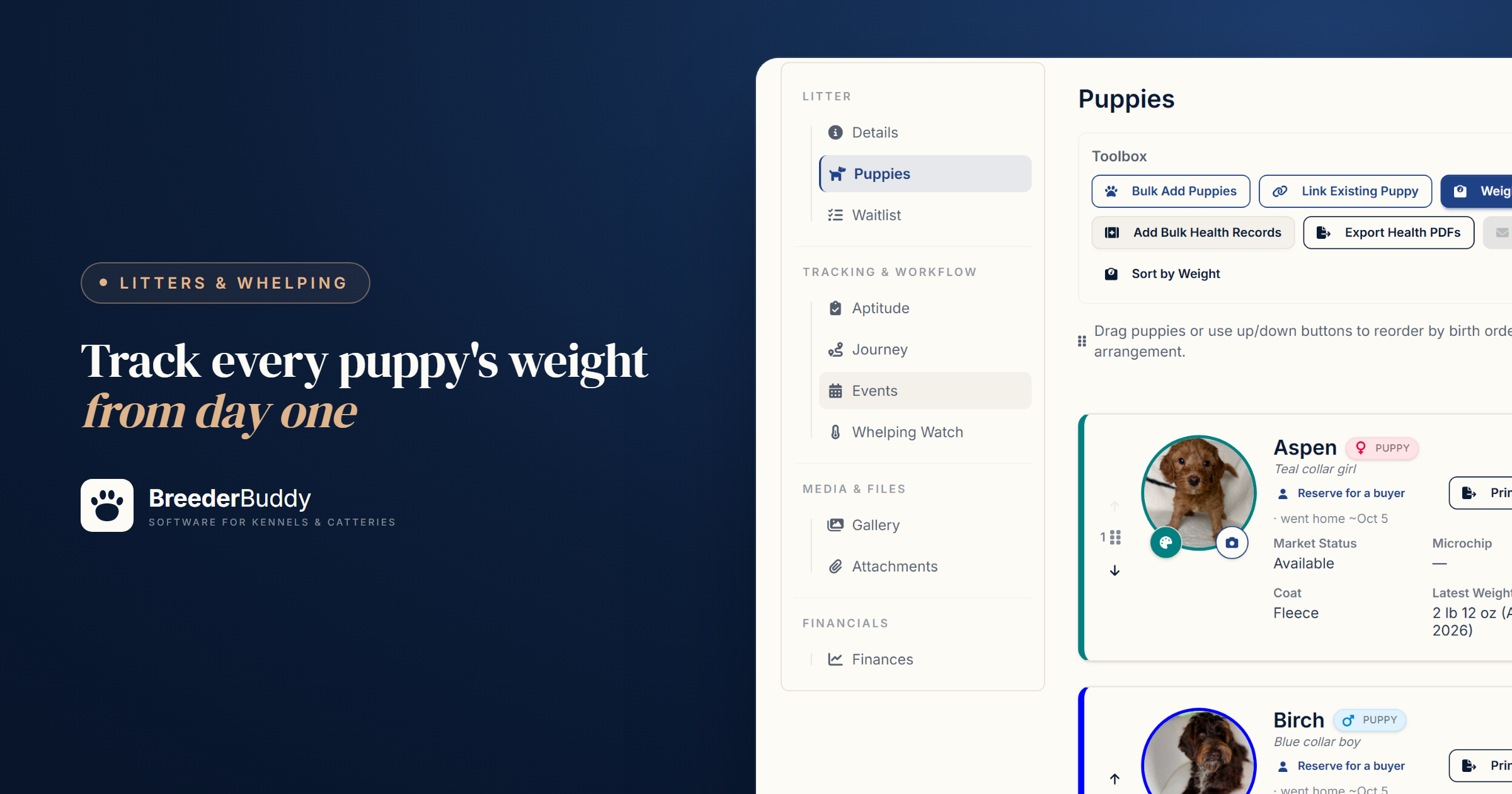
Puppy weight tracking means weighing every newborn at birth, once a day for the first two weeks, then every three days until it's a month old, and checking that each weight beats the last. After a small dip on day one, a puppy that loses weight or stops gaining needs a call to your vet.
A puppy can look fine in the pile while a stronger littermate keeps winning the best teat, and the scale is how you find out. The hard part is the bookkeeping: every puppy, every day, for weeks. Below: the schedule, healthy gain, the scale, when to call your vet, and how BreederBuddy keeps the numbers.
How often to weigh newborn puppies, and what healthy gain looks like
Weigh every puppy daily through the neonatal period (the first two weeks), then every three days until it's a month old. That's the Merck Veterinary Manual's schedule. It accepts a loss of up to 10% of birth weight on day one, then puts normal newborn gain at 5% to 10% of body weight a day. Purdue University's College of Veterinary Medicine adds a milestone: birth weight should double by 7 to 10 days.
| Age | How often to weigh | What you want to see |
|---|---|---|
| Birth | Once, when dry | The baseline for every later weight |
| Day 1 | Daily | A dip of no more than 10% of birth weight |
| Days 2 to 14 | Daily | A gain every day; birth weight doubled by day 7 to 10 |
| Weeks 3 and 4 | Every 3 days | A steady climb |
| Week 5 to go-home | Weekly | A steady climb through weaning |
The weekly row isn't from the veterinary sources; it keeps the record going to go-home day and gives each buyer a full growth history.
In numbers, a 400-gram (about 14-ounce) newborn should gain roughly 20 to 40 grams a day early on and reach about 800 grams between day 7 and day 10.
Three habits make the numbers mean something:
- Compare each puppy with itself first. Today's weight should beat yesterday's.
- Compare littermates second. The smallest puppy isn't automatically in trouble; a puppy that isn't gaining is.
- Use your own litter as the chart. Birth weights vary with breed, size and litter size, so a generic newborn puppy weight chart can make a healthy puppy look small or hide one that's slipping.
Weighing newborn puppies: scale and routine
Use a digital kitchen scale that reads in grams, or at least tenths of an ounce. Purdue's whelping supply list includes a small scale that measures in ounces and says a food scale works well. Keep it by the box with the thermometer you use to catch the temperature drop before labor.
Grams matter most for small breeds. The Merck Veterinary Manual puts puppy growth at 1 to 3 grams a day for every kilogram (2.2 lb) of expected adult weight. For a toy breed that matures around 3 kg (about 6.6 lb), that's 3 to 9 grams a day: under a third of an ounce, and invisible on a scale that reads whole ounces.
A routine that keeps the numbers honest:
- Set a small bowl or box lined with a towel on the scale and tare it to zero.
- Weigh at the same time each day, before a feeding if you can, so a full belly doesn't pass for growth.
- Read the display once the puppy settles and the number holds steady.
- Weigh the puppies in the same order every time, using collar colors or whelping bands to tell them apart.
- Record each weight before you pick up the next puppy, starting with a birth weight as soon as each puppy is dry.
Warning signs that mean calling your vet
Call your vet if a puppy loses weight after its first day, stops gaining, or shows any of these signs:
- A loss after the first 24 hours, or more than 10% of birth weight lost on day one
- No gain from one weigh-in to the next, or a puppy falling further behind its littermates
- Not nursing, or too weak to latch and stay on
- Crying that won't settle (Merck says healthy newborns are quiet and sleep when not nursing)
- Cold to the touch, weak or limp
- Persistent diarrhea, vomiting, a swollen or painful belly, or labored breathing
Newborns have little in reserve. Purdue says to record each puppy's weight and monitor it closely to confirm it's getting enough milk. The Merck Veterinary Manual lists a decrease in weight gain among the signs of sepsis (a serious infection) in newborns and warns that it can bring rapid deterioration if not recognized and treated promptly. Breeders call a newborn sliding like this a fading puppy, and the slide is easier to see on the scale than from the edge of the box.
If one reading looks off, re-weigh right away on the same scale, since a squirming puppy can skew the number. If the loss holds, call that day rather than waiting for the next weigh-in. Purdue suggests a whelping plan, made with your vet before the litter arrives, that includes when to call in an emergency. Keep the after-hours number by the box. Your vet's targets beat any chart, including the one above.
Step 1: Birth weights and the daily Weigh All
In BreederBuddy, a litter's daily weights go in on its Puppies tab, one part of tracking a litter from breeding to go-home.
Birth weights can go in as you add the puppies: Add New Puppy has a Quick-add first weight with its own Weight Unit picker, and logs it on the litter's date of birth. Bulk Add Puppies doesn't take weights, so follow it with Weigh All dated to the birth date.
The daily round takes one window:
- On the Puppies tab, click Weigh All in the Toolbox.
- Check the Weigh-in date, which starts on today, and the Unit. Changing the unit clears what you've typed, so set it first.
- Each row shows the puppy's collar color, last weight and how long ago it was taken. Type today's weight and press Enter to jump to the next puppy. Blank rows are skipped.
- Check the arrow beside each row: green when the weight is the same or higher, amber for a drop of up to 5%, red for a bigger drop. A puppy that hasn't gained still gets green, so read the number too.
- Click Save all.
Each card then shows the puppy's Latest Weight and its date.
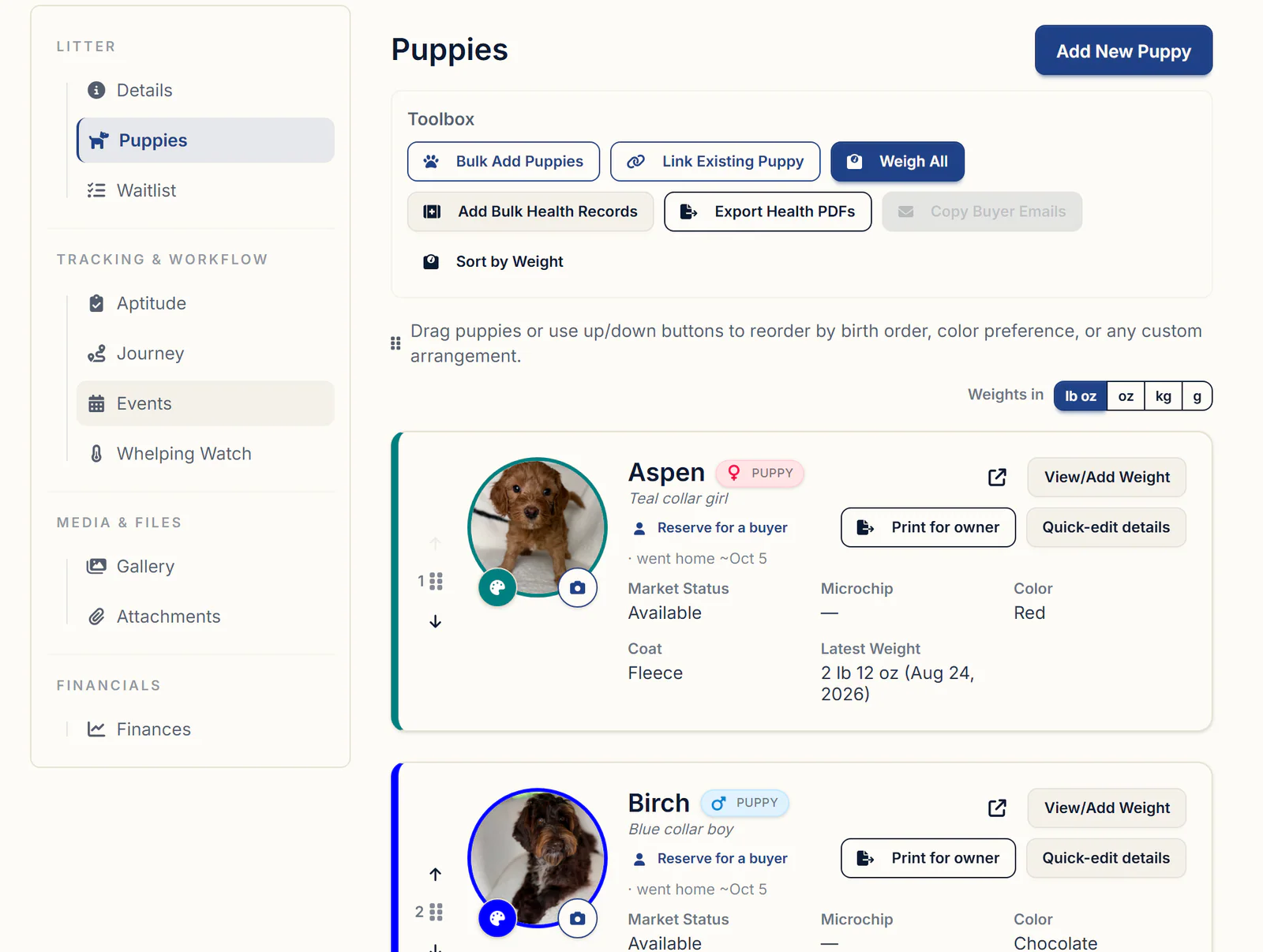
Step 2: One puppy's weight history
Each puppy's full history lives on the Weight tab of its profile, under Care & Evaluation. View/Add Weight on its card opens the same history from the litter, with arrows (or your arrow keys) to step through the puppies.
- Click Add New Weight.
- Enter the weight and the Date Recorded, which starts on today. Change the date to backfill an entry from a paper puppy weight log.
- Before you save, read the note under the fields: a weight below the last one gets a warning with the difference and percentage (red past a 5% drop) and a reminder to re-weigh and see your vet if the trend continues.
- Click Save. The Weight Progression chart at the top of the tab updates.
All Recorded Weights lists every entry with its date, the puppy's age in weeks on that date, and the weight. To fix a wrong entry, click the trash icon on its row, then add it again with the right date.
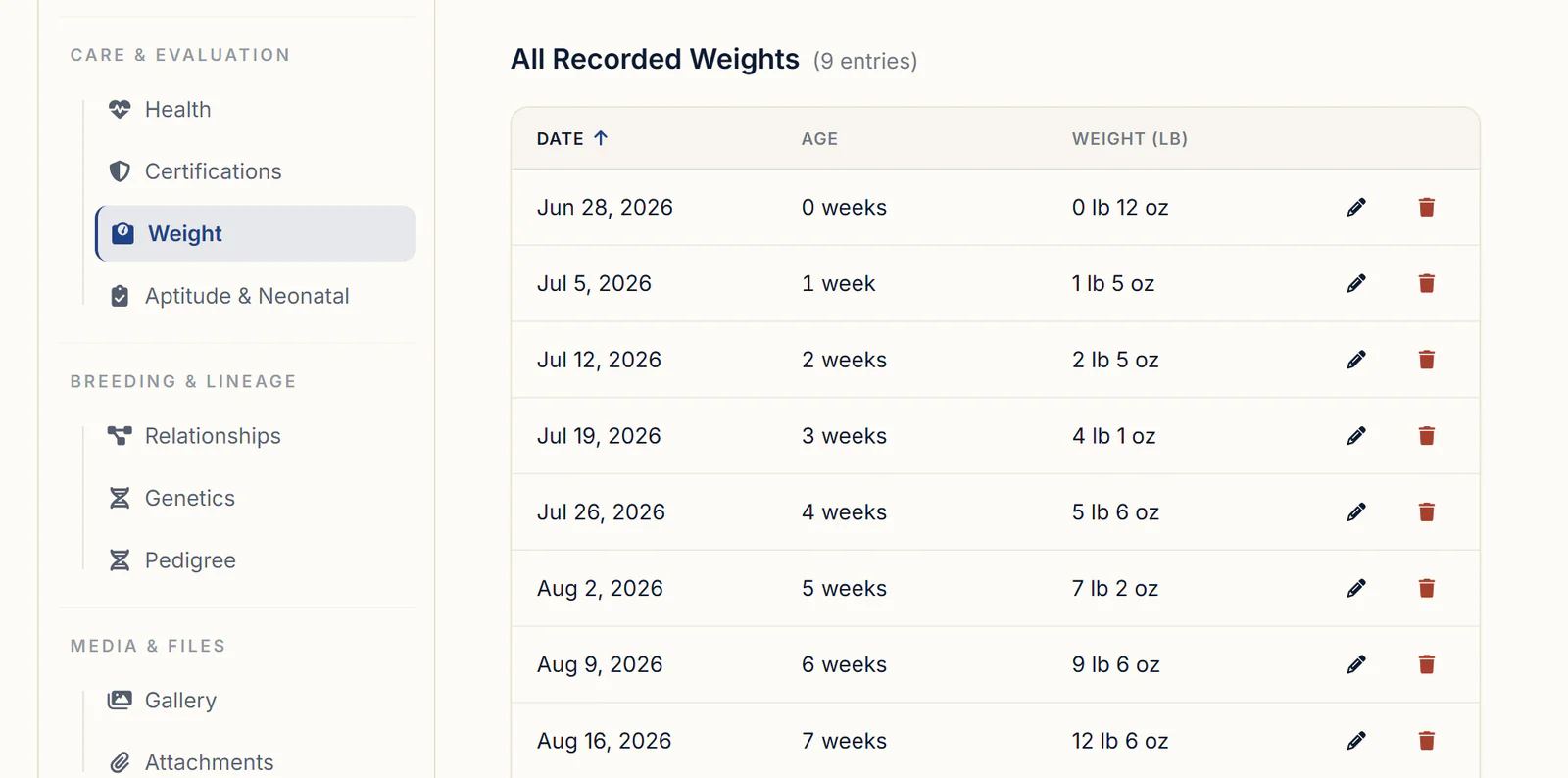
The warnings in Weigh All and Add New Weight show only while you're entering a weight. BreederBuddy doesn't send a notification when a puppy loses weight, so the daily look is still yours.
Units are one setting for your whole account: pounds and ounces, ounces, kilograms or grams. Change it with Change Preferred Unit on any Weight tab, the Weights in buttons on the Puppies tab, or the Unit menu in Weigh All; the Weight tabs, litter list, chart and weight report all follow.
Step 3: The whole litter on one chart and one report
The Puppies tab also lines the litter up side by side, so the puppy falling behind stands out.
- Sort by Weight in the Toolbox orders the puppies by latest weight, heaviest first, with unweighed puppies at the bottom. Return to Manual Order puts your order back.
- Weight tracking, below the puppy list, draws the whole litter on one Litter Weight Comparison chart, each line in that puppy's collar color.
- Export Weight Report downloads a one-page PDF with the heaviest, lightest and average latest weights, a trend chart, and every weigh-in by date with each puppy's total gain and average gain per day. It's the page to hand your vet. Document Manager has it too, as Litter Weight Report.
Weights can go home with the puppy, too: Print for owner on its card opens Print Go-Home Packet, where Weight History sits beside the vaccinations and other records. The go-home packet checklist covers what else belongs in it.
Step 4: Reminders for the later weigh-ins
After the first two weeks, a care schedule can put each weigh-in on the litter's calendar:
- In Care Schedules, click Edit on the litter schedule you already use, or click Create Care Schedule and start a blank one with Type set to Litter.
- Use Add New Task for each weigh-in: a Task Title such as "Weigh litter", Task Type set to Other, and Days from start at, for example, 17, 20, 23, 26 and 29, then 35, 42, 49 and 56. Tick Email Notification? for an email too.
- Back on Care Schedules, click Apply to litter on that schedule and pick the litter. The Start Date fills in with its date of birth.
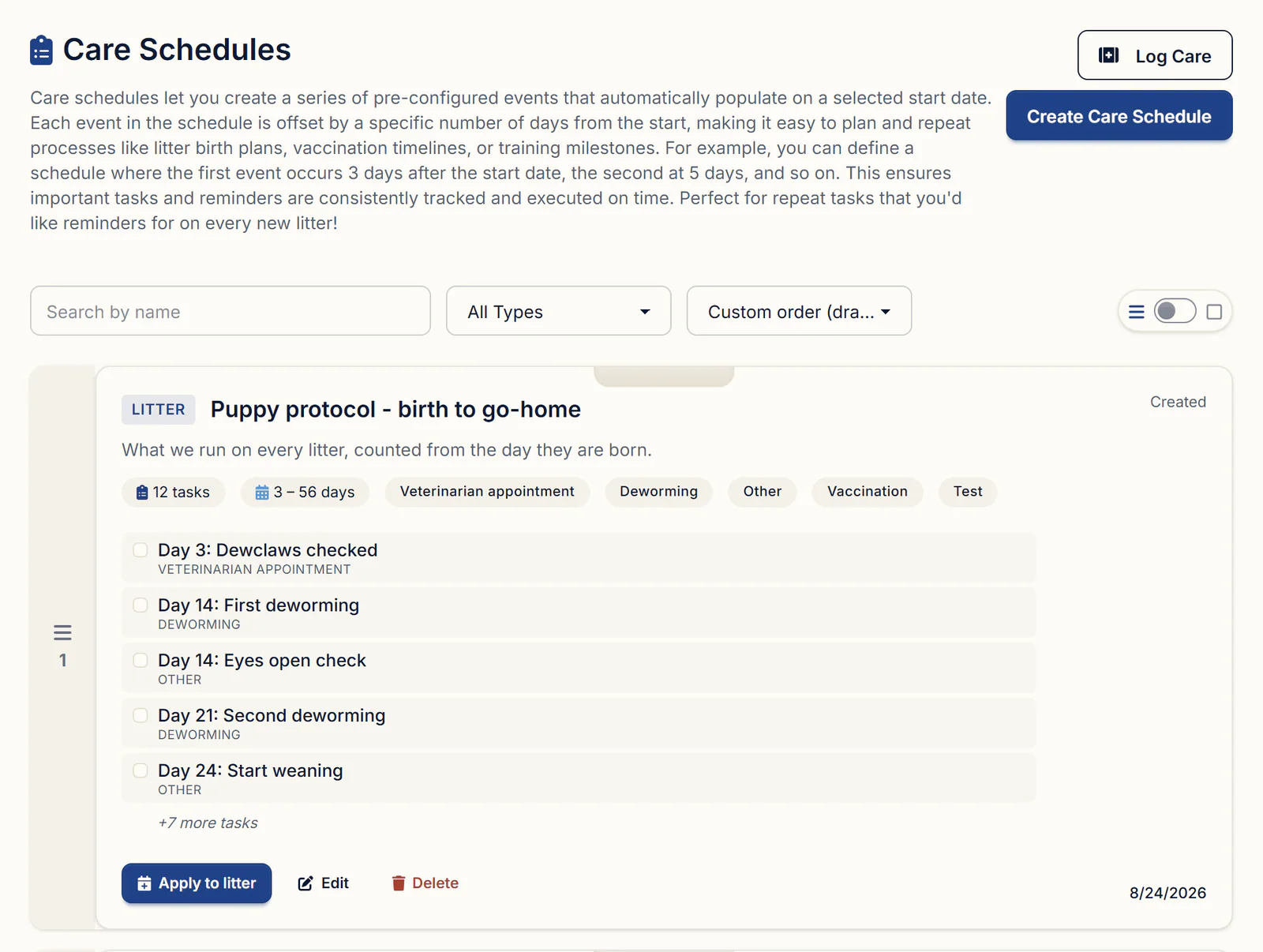
Weigh on deworming days too, and give your vet today's weight; your vet sets the product and the dose. The week-by-week deworming and vaccination schedule covers the timing.
What to look for in puppy weight tracking software
Hold any tool against this list, paper included:
- The whole litter on one screen, with each puppy's last weight beside the entry box
- Grams as well as pounds and ounces, and the puppy's age at every weight
- A clear warning when a weight is lower than the last one
- One litter chart, plus a printable report you can hand your vet
- Weight history that goes home in the puppy's packet
- Entry that works on a phone at the whelping box
Getting started
Weight tracking comes with every plan: Standard is $30/month or $300/year, and Pro is $60/month or $600/year and adds a kennel website built from your records. Every plan has a 30-day free trial with no credit card required. BreederBuddy runs in any web browser and as an Android app on Google Play, so the record can sit next to the scale. More on BreederBuddy's daily workflow tools.
Questions
How much weight should a newborn puppy gain each day?
The Merck Veterinary Manual gives normal newborn gain as 5% to 10% of body weight a day, after a dip of up to 10% of birth weight on the first day. Purdue's College of Veterinary Medicine says birth weight should double by 7 to 10 days. For a 400-gram newborn that's roughly 20 to 40 grams a day early on. Ask your vet for targets for your breed.
Is it normal for a newborn puppy to lose weight?
A small loss in the first 24 hours is normal: Merck accepts up to 10% of birth weight on day one. After that, each weight should be higher than the last. If a puppy loses weight after day one, re-weigh to rule out a bad reading, and if the loss is real, call your vet that day.
Is there a standard newborn puppy weight chart?
Not one that fits every breed. Birth weights vary with breed, size and litter size, so compare each puppy with its own birth weight and with its littermates. Merck's guide scales with the breed: 1 to 3 grams a day for every kilogram of expected adult weight.
How long should I keep weighing puppies?
Daily for the first two weeks, then every three days until a month old, per the Merck Veterinary Manual. After that, a weekly weigh-in until go-home day keeps the record going and gives each buyer a complete growth history. Weigh more often if your vet asks.
Can I weigh puppies in grams instead of pounds and ounces?
Yes. BreederBuddy takes and shows weights in pounds and ounces, ounces, kilograms or grams. It's one setting for your whole account, and the Weight tabs, Weigh All, the litter chart and the weight report all follow it. The one exception is the weight box in the Neonatal Check-In, which takes pounds and ounces.
How do I delete a weight I entered by mistake?
Click View/Add Weight on the puppy's card in the litter, or open the Weight tab on the puppy's profile. In All Recorded Weights, click the trash icon on that row and confirm. To correct a weight, delete it and add it again with Add New Weight, setting Date Recorded to the day it was taken.
Terms used in this article
- Birth weight
- A puppy's weight in its first hours, taken once it's dry. Every later weight is measured against it.
- Neonatal period
- The first two weeks or so of life, when a puppy depends entirely on its dam for warmth and milk.
- Tare
- Zeroing a scale with the empty bowl or box already on it, so the display shows only the puppy's weight.
- Collar color
- A colored band or collar on each newborn, used to tell littermates apart at every weigh-in and in the records.
- Fading puppy
- A newborn that seemed normal at birth but stops nursing, loses weight and weakens. It needs a vet promptly.
Sources
In BreederBuddy
- Standard
- $30/month or $300/year. The full management platform: unlimited dogs, litters, and puppies, and multiple user accounts.
- Pro
- $60/month or $600/year. Everything in Standard, plus a template kennel website built from your records.
- Platforms
- Available on the web and as an Android app on Google Play (iPhone and iPad app coming soon).
- Free trial
- 30 days, full access, no credit card required.