Dog Breeding Software for Waitlists: Keep Buyers Organized

A messy waitlist causes missed buyers and rushed placements. However, with the right structure, your waitlist can become one of the most powerful systems in your breeding program. This guide shows how to organize a waitlist with dog breeding software so every buyer knows their status. More importantly, BreederBuddy gives you the rails: clean intake, automated updates, and a clear path from application to pickup.
Build a clean intake pipeline
First, everything starts with how buyers enter your system. Without a clean intake pipeline, even the best waitlist quickly turns into chaos.
One form, consistent data
- To begin with, use one standardized application form and require the basics: household setup, timelines, preferred sex/color, and experience.
- Then, automatically tag buyers by litter, size, and temperament preferences so sorting is effortless later.
Qualify quickly
- Next, add a simple score (ready, warm, not a fit) so you can immediately prioritize follow-ups.
- In addition, link your house rules or puppy prep documents so expectations are clear from the start.
Keep buyers warm with scheduled touchpoints
Once buyers are on your waitlist, communication becomes the difference between confidence and confusion. Therefore, consistent touchpoints are essential.
Weekly updates they can trust
- For example, send one weekly update to tagged segments such as ready buyers, active waitlists, and backups.
- At the same time, include ultrasound dates, estimated go-home windows, and links to care guides.
Transparent spot movement
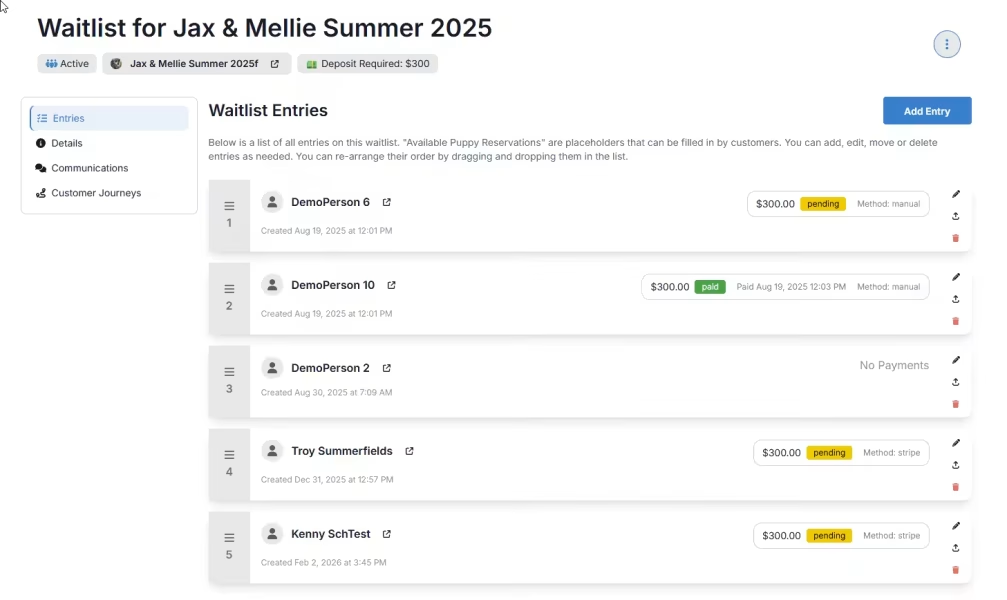
- Likewise, clearly show position changes when deposits arrive or a buyer passes.
- As a result, you can capture declines with reasons and immediately backfill from the next best fit.
Move from waitlist to reservation
Eventually, every organized waitlist should lead naturally into reservations. Therefore, this transition should feel seamless for both you and your buyers.
Deposits and documents in one flow
- Instead of juggling tools, send invoices and collect deposits directly from the waitlist record.
- Furthermore, attach signed agreements in the same place so pickup day stays paperwork-light.
Hand off to pickup without chaos
Finally, the goal is a smooth handoff from reservation to go-home day.
- For instance, track go-home tasks such as microchipping, vet visits, and starter kits.
- Meanwhile, confirm pickup windows and proactively share directions and policies.
Related posts and resources
- Additionally, see our related article on managing buyer expectations.
- Likewise, keep common answers to reduce repetitive questions.
Next steps
- First, standardize your intake form and tagging system.
- Then, set a weekly update schedule for each litter.
- Finally, connect deposits and agreements directly to the waitlist record.
Want to manage your dogs, litters, waitlists, and buyers all in one place?
Then it’s time to simplify your entire workflow.
Try BreederBuddy. Get started by clicking HERE.